AIRCONDITIONINGANDAUDIOSYSTEMS
5Clicktoentertheprogramlist.
6NextStation.
7Stationlist.
8Clicktoenterthestationpreferencessettinginterface.
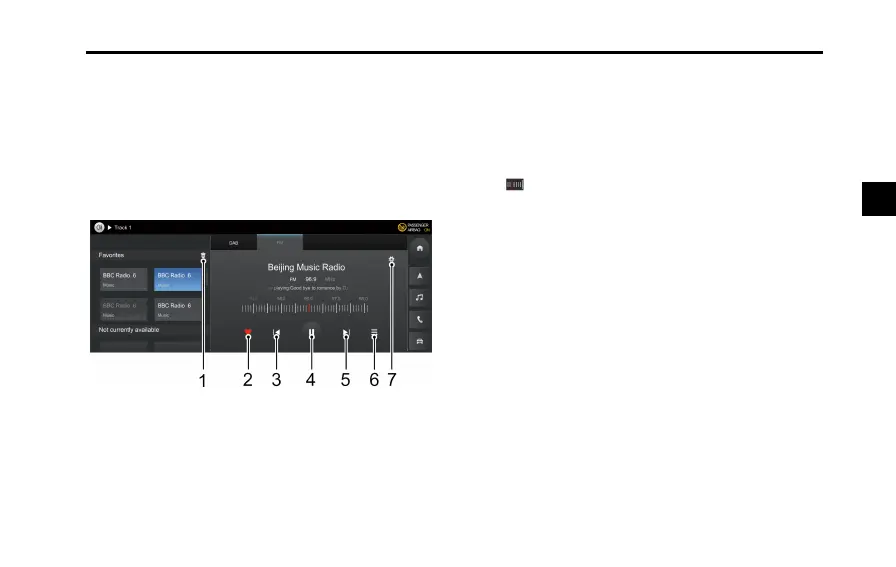
FM
1Clicktoemptythefavorite.
2AddaStationto/RemoveaStationfromFavorites.
3Shortpresstoautomaticallysearchfortheprevious
validstation,andlongpressforquickFM.
4Pause/play.
5Shortpresstoautomaticallysearchforthenextvalid
station,andlongpressforquickFM.
6Stationlist.
7Clicktoenterthestationpreferencessettinginterface.
Dragtonelyadjustthefrequencymodulation.
103
3



 To Next Page