© Microhard Systems Inc. 108
4.0 Configuration
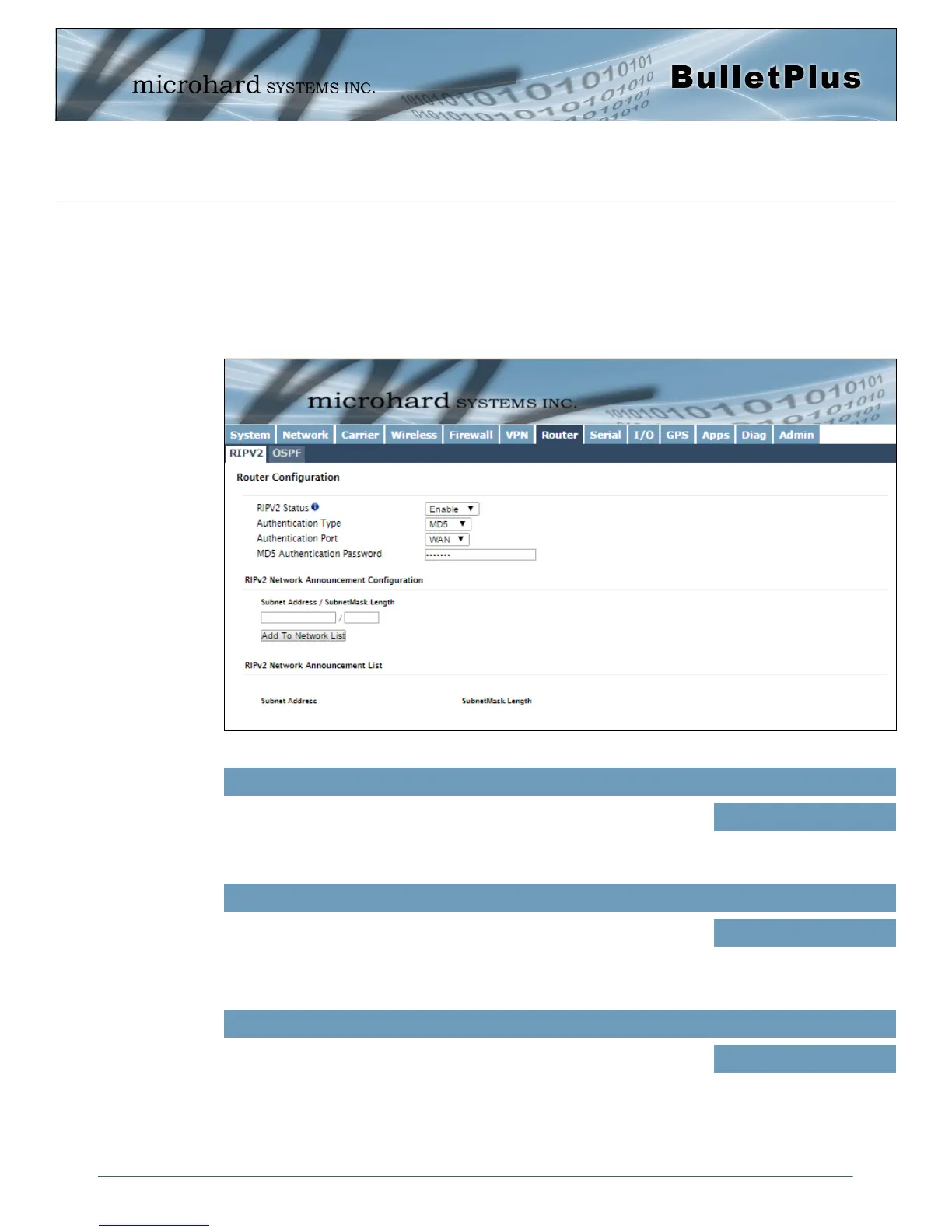
Image 4-7-1: Router > RIPv2
4.7 Router
4.7.1 Router > RIPV2
The BulletPlus is capable of providing and participating in RIPv2 (Routing Information Protocol v2), to
exchange routing information from attached devices. Static routes can also be added in the Network >
Routes menu.
RIPV2 Status
Enable or disable RIPV2 routing on the BulletPlus. If enabled the BulletPlus
will exchange routing information on the specified (interfaces) attached
networks.
Values (selection)
Enable / Disable
Authentication Type / Port / Password
Enable MD5 authentication on for the RIPV2 protocol. Also select the port
used for RIPV2, and the required password.
Values (selection)
None
MD5
RIPV2 Network Announcement Configuration
Each attached network that is to participate with the RIPV2 exchange must
be specified here. Once added they participating networks are shown in the
list.
Values (Subnet/Length))
(no default)



 To Next Page