© Microhard Systems Inc. 51
4.0 Configuration
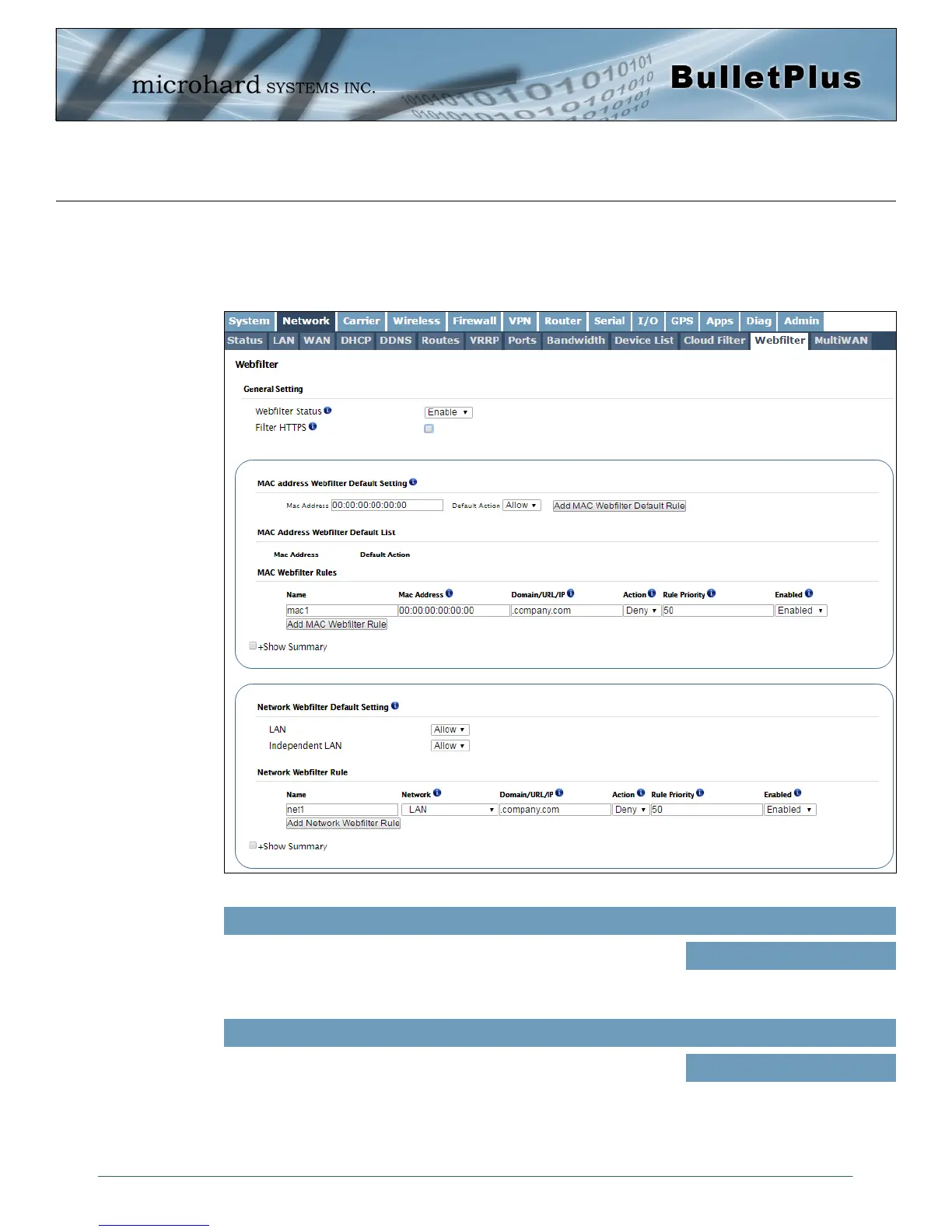
Image 4-2-15: Network > Web Filtering
4.2.12 Network > Webfilter
The BulletPlus can provide comprehensive content filtering, limiting access to specific websites and other
content. By MAC Address, the BulletPlus allows content to be filtering regardless of the assigned IP
address. Filtering can also be applied on a entire network, limiting access to any connected device.
Enable or Disable the Webfilter of the BulletPlus.
Webfilter Status
Values (selection)
Enable / Disable
Check Filter HTTPS will redirect all port 443 traffic into the webfilter.
(Please make sure system DNS works.)
Filter HTTPS
Values (selection)
Enable / Disable



 To Next Page