© Microhard Systems Inc. 76
4.0 Configuration
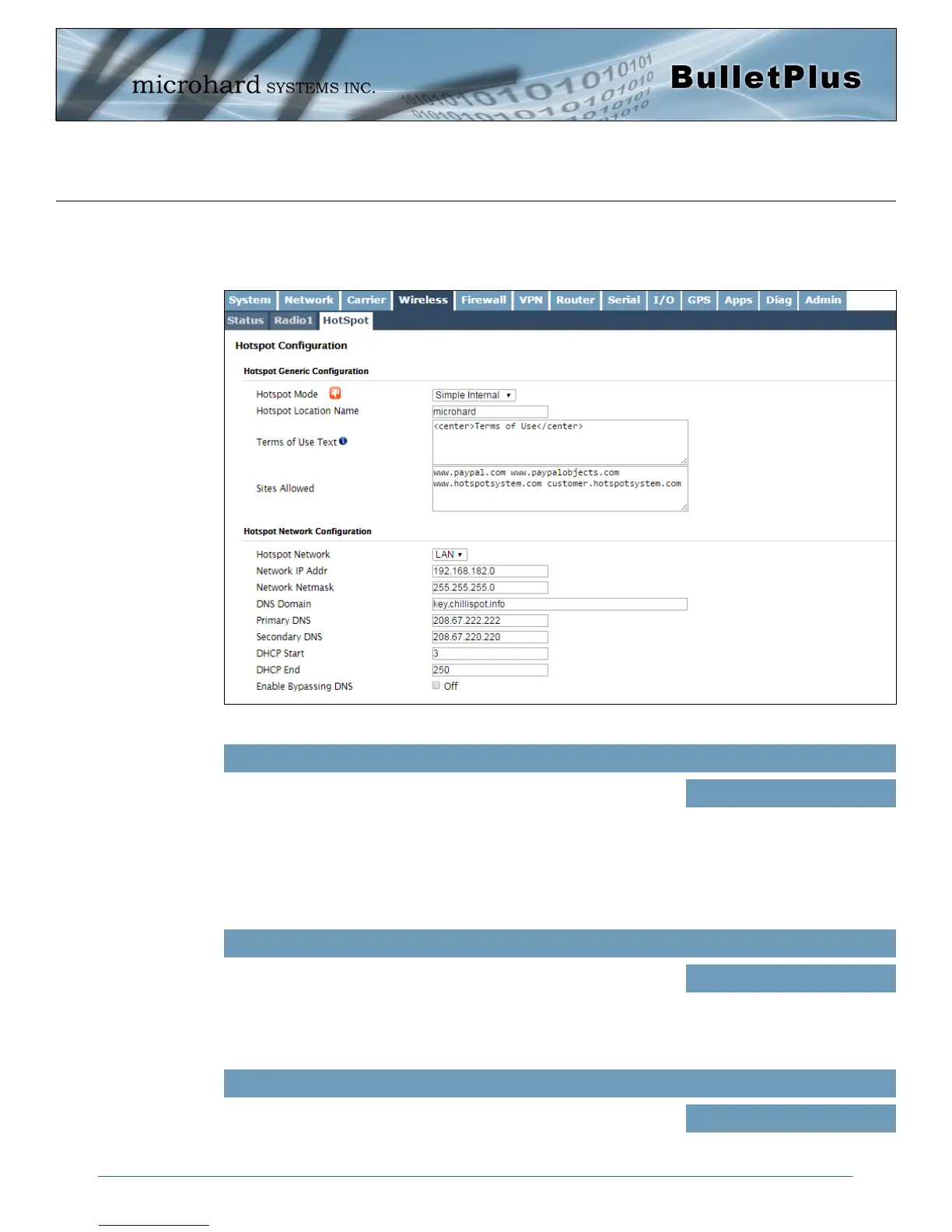
Image 4-4-4: Wireless > Hotspot Network Configuration
4.4.3 Wireless > HotSpot
The Wireless Hotspot configuration is used when providing public hotspot services and it is required to use
a server or web based authentication service to verify users, provide terms of use or other information
Use this option to enable or disable the hotspot authentication service.
There are three different options for the Hotspot Mode:
Simple Internal - Display a simple text based terms of use or
statement to connected users.
Simple External - Display an external webpage
RADIUS/UAM - Use a 3rd Party Authentication service to
authenticate and/or prompt users to agree to terms of
service.
Hotspot Mode
Values (selection)
Disable
Simple Internal
Simple External
RADIUS/UAM
If the Hotspot Mode, RADIUS/UAM is chosen, this is a secret
password between the Redirect URL and the Hotspot given by the
hotspot provider.
UAM Secret
Values
hotsys123
If the Hotspot Mode, RADIUS/UAM is chosen, specify the hotspot URL
as given by your service provider. The address of the UAM Server, the
authentication portal.
UAM Login URL
Values
https://
customer.hotspotsystem.com/
customer/hotspotlogin.php



 To Next Page