© Microhard Systems Inc. 48
4.0 Configuration
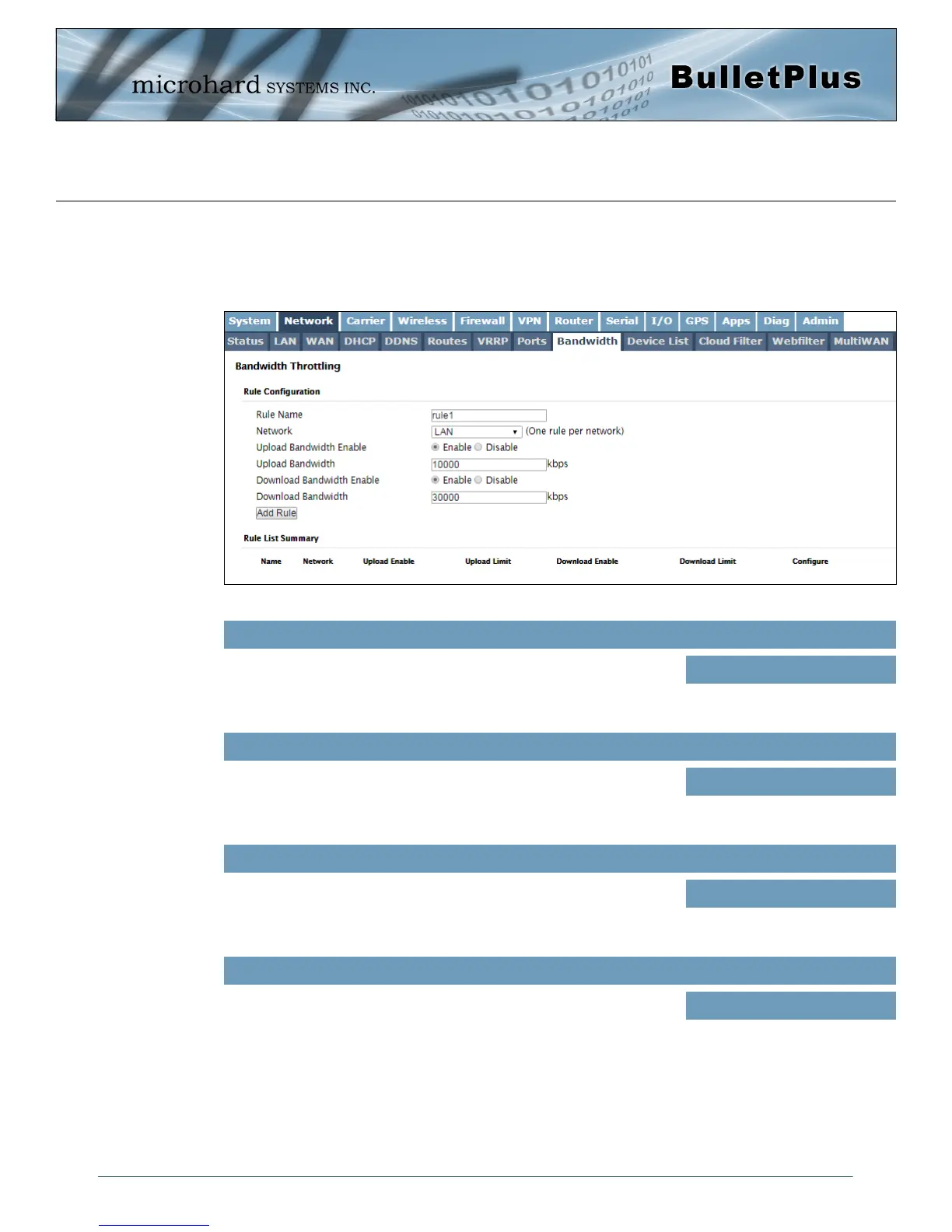
Image 4-2-12: Network > Bandwidth Throttling
4.2.9 Network > Bandwidth
The BulletPlus features Bandwidth Throttling, which allows the upload/download of connected networks/
users data speeds to be limited to a specified value. Network Bandwidth Throttling can be implemented by
each physical Ethernet interface as seen in the image below.
The rule name is used as a reference to be able to help identify which
interface or network is attached to the affected network interface.
Rule Name
Values (chars)
rule1
Select the physical interface to be affected by the Bandwidth Throttling
as defined below.
Network
Values (selection)
(varies)
Enable or disable uploading on the specified interface. This prevent
data from being uploaded to a server. (i.e uploading/sending videos or
other files to a server).
Upload Bandwidth Enable
Values (selection)
Enable / Disable
Set the data limit (speed) for file uploads if uploads have been allowed
using the Upload Bandwidth Enable.
Upload Bandwidth
Values (kbps)
10000



 To Next Page