© Microhard Systems Inc. 47
4.0 Configuration
4.2.8 Network > Ports
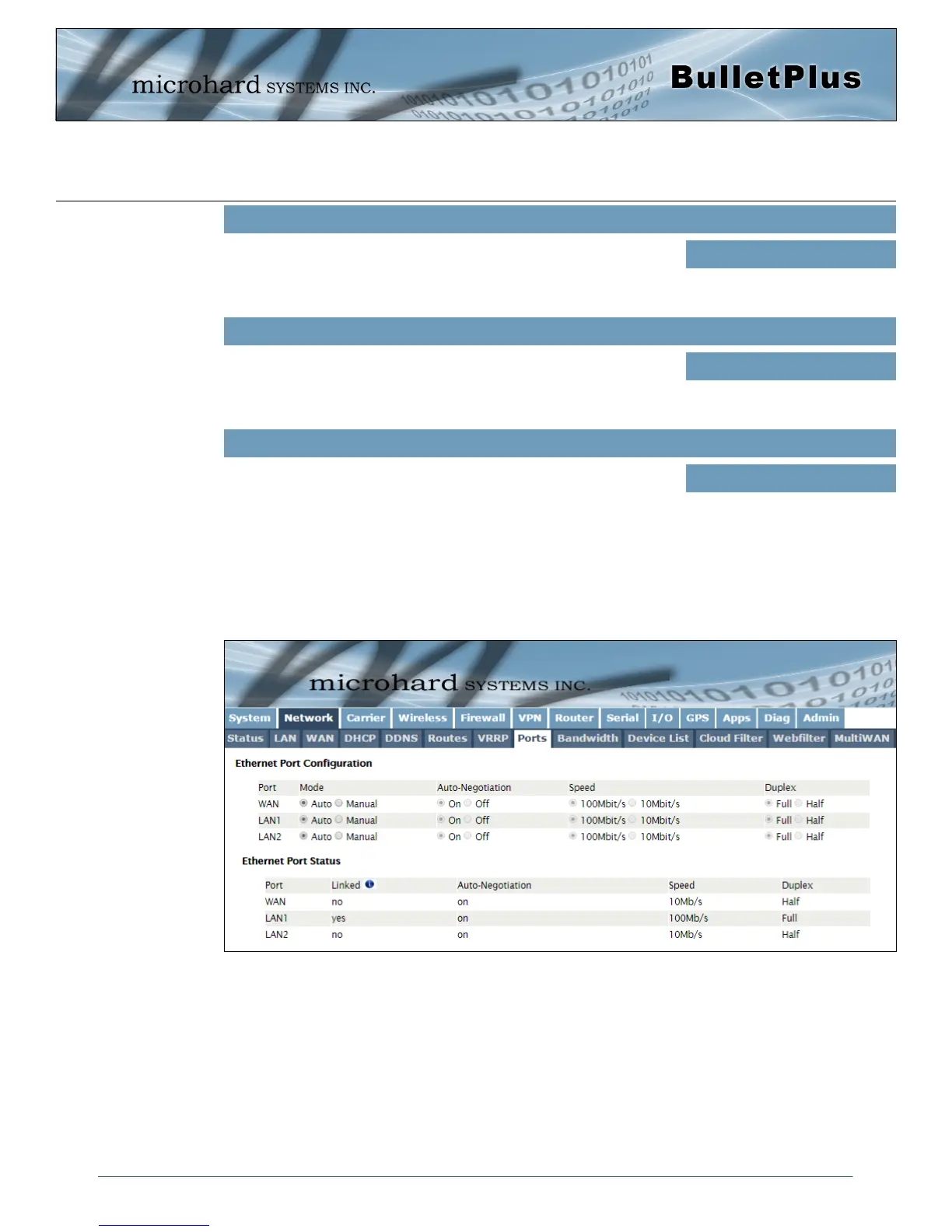
The Network > Ports menu can be used to determine the characteristics of the physical Ethernet interfaces
on the BulletPlus. As seen below the Mode (Auto/Manual), Auto-Negotiation, Speed (10/100Mbit/s) and the
Duplex (Full/Half) can all be configured on the BulletPlus.
Image 4-2-11: Network > Ports
This is the IP Address of the virtual router, this must be the same on all
devices participating in VRRP. This is the IP that any attached LAN
PC/device would use as its default gateway.
Virtual Router IP
Values
192.168.220.211
This is the Router ID. Each router/ participating in VRRP should have
a router ID to distinguish between them.
Virtual Router ID
Values
2
This is the Router priority. This number to assigned to each router to
determine which router(s) will be used first or as the primary. The
higher the ID, the higher the priority.
Router Priority
Values
150



 To Next Page