© Microhard Systems Inc. 33
4.0 Configuration
4.1.6 System > Reboot
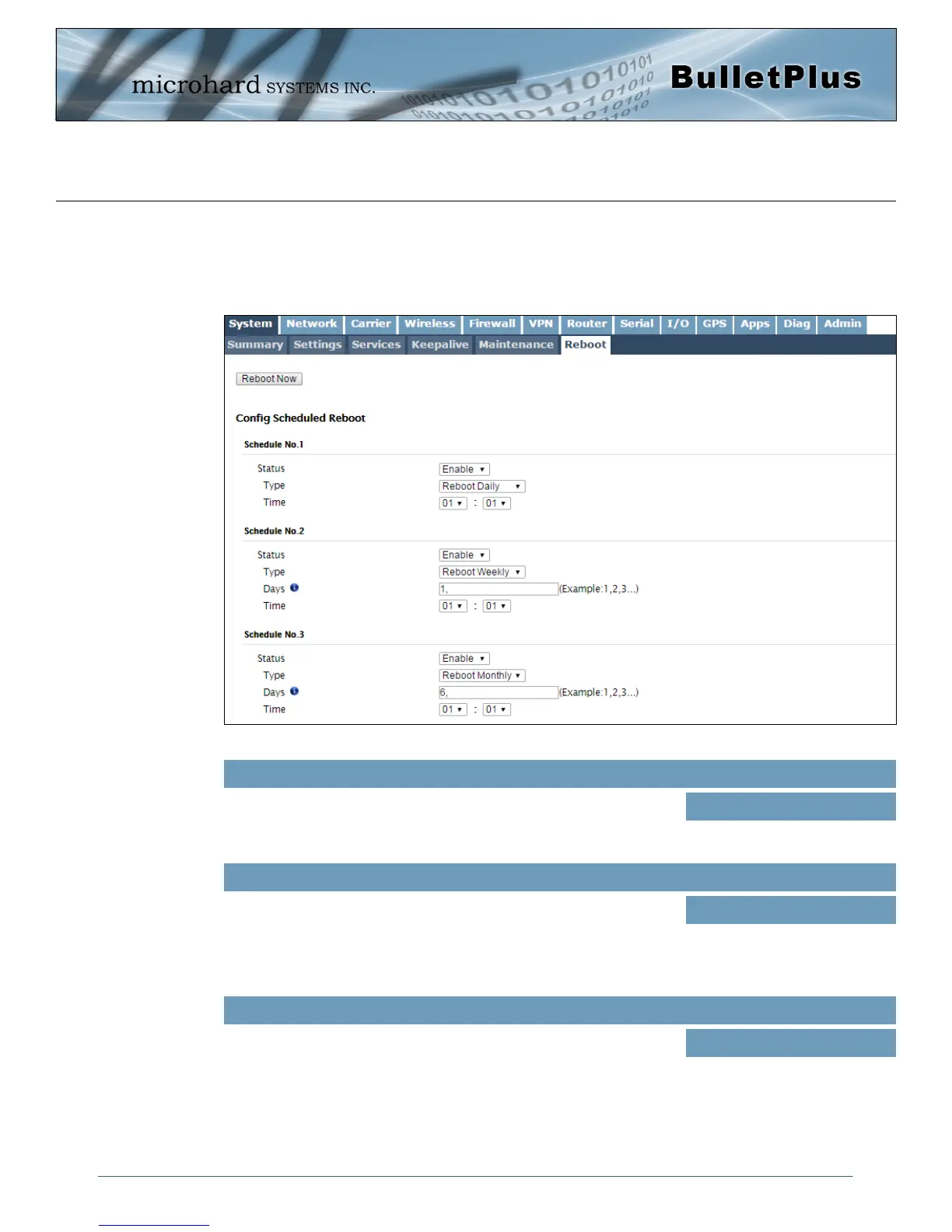
The BulletPlus can be remotely rebooted using the System > Reboot menu. As seen below a button
‘Reboot now’ is provided. Once pressed, the unit immediately reboots and starts its boot up procedure. The
BulletPlus can also be restarted on a regular basis by setting up a daily/weekly/monthly schedules.
Image 4-1-9: System > Reboot
Use this option to enable or disabled schooled reboots. If enabled the
BulletPlus is reboot at the interval defined below.
Status
Values (selection)
Disable / Enable
Schedule daily, weekly or monthly reboots. Setting up a reboot
schedule can help keep the modem connected to the cellular carrier
and prevent physically rebooting the modem if located at a remote
destination.
Type
Values (selection)
Reboot Daily
Reboot Weekly
Reboot Monthly
If set for weekly, days are counted from Sunday to Saturday (0 to 6),
and if set to monthly the days are counted 1 to 31. Multiple days can
be specified by separating with a comma ‘,’.
Set the time of day (24hr clock) for which to reboot the device.
Days / Time
Values (selection)
1,



 To Next Page