© Microhard Systems Inc. 53
4.0 Configuration
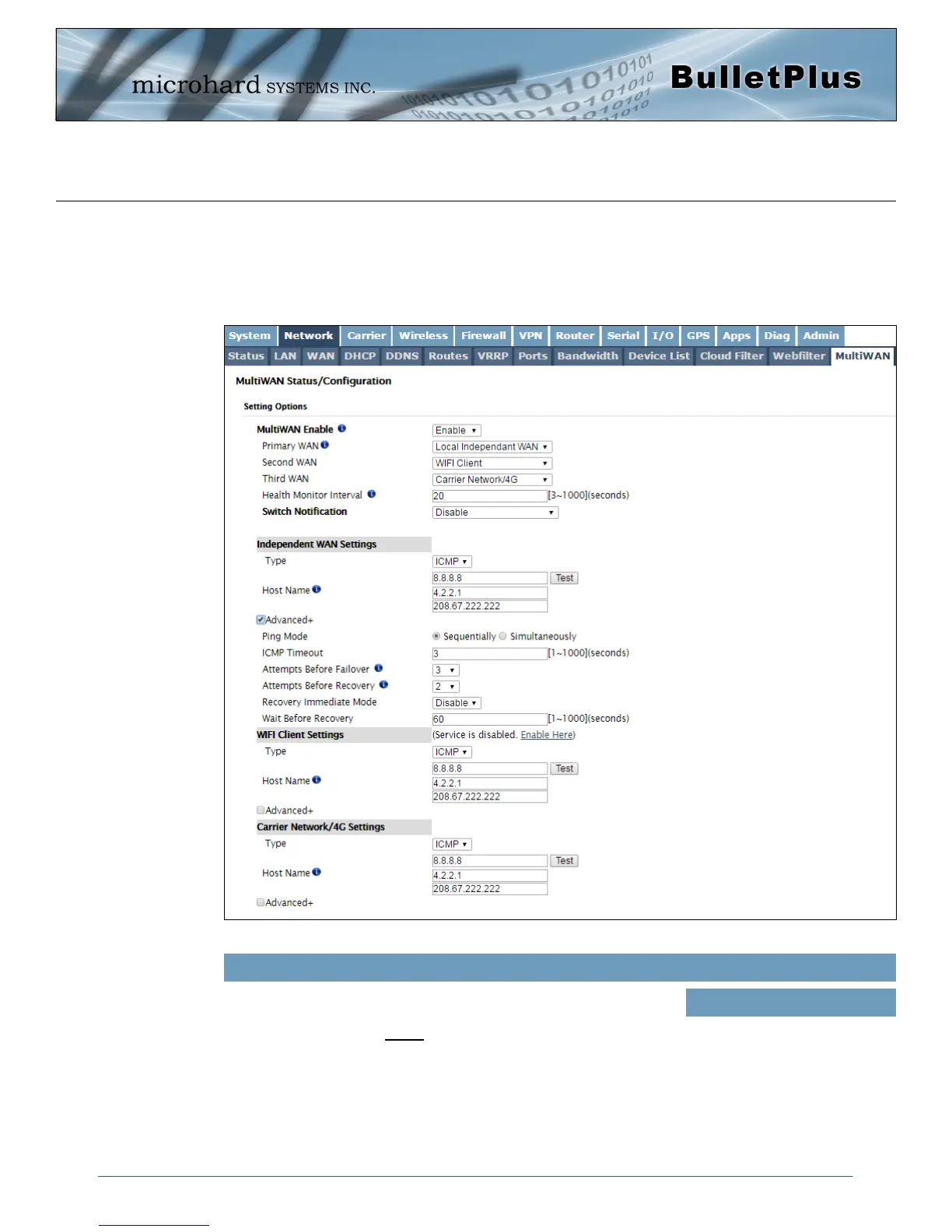
Image 4-2-16: Network > MultiWAN
4.2.13 Network > MultiWAN
MultiWAN is used to manage the primary data connection used by the BulletPlus. In cases where a wired
WAN (ISP) is available it is generally used for the primary connection as data is usually cheaper (unlimited)
than a cellular connection. The BulletPlus can provide automatic failover services, switching the connection
(or default route) used for outside data.
Enable or disable the MultiWAN service on the BulletPlus. To use
MultiWAN, the WAN (wired) must be configured as independent in the
Network > WAN settings and/or the Wireless must be set to Client &
bound to the WIFI interface.
MultiWAN Enable
Values (selection)
Enable / Disable



 To Next Page