© Microhard Systems Inc. 98
4.0 Configuration
4.6.4 Network > OpenVPN
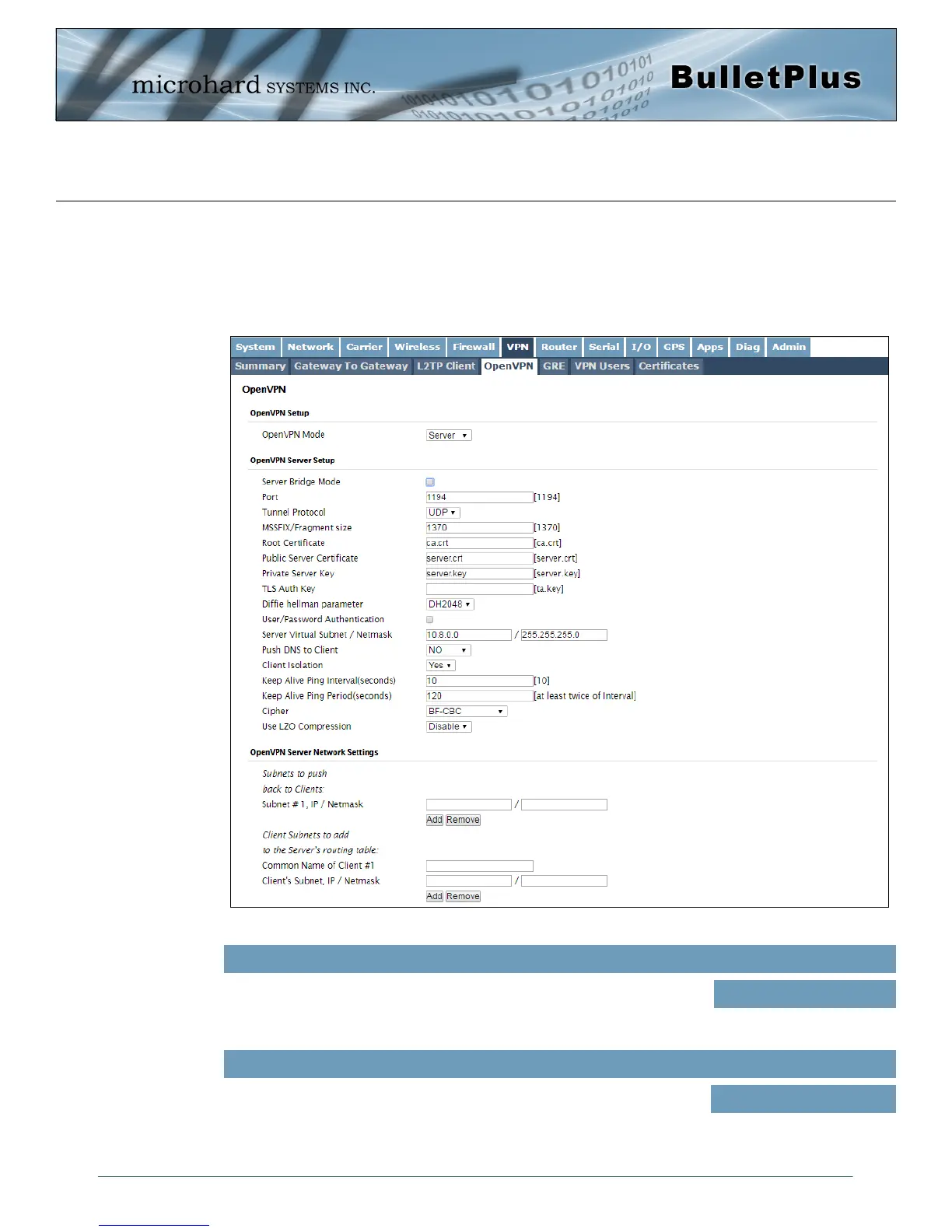
OpenVPN Server
The BulletPlus supports OpenVPN and can be configured as a Server or a Client. This section outlines the
configuration of a OpenVPN Server.
Image 4-6-4: VPN > OpenVPN Server
OpenVPN Mode
Enable/Disable the OpenVPN Mode by selecting the mode to operate in,
Client or Server. When the Server is enabled it will be listening for incoming
connection requests from OpenVPN Clients.
Values (selection)
Client / Server / Disable
The TCP/UDP port which the server is listening on. Default is 1194
Port
Values (port)
1194



 To Next Page