© Microhard Systems Inc. 42
4.0 Configuration
The name field is used to give the device a easily recognizable name.
Name
Values (characters)
(no default)
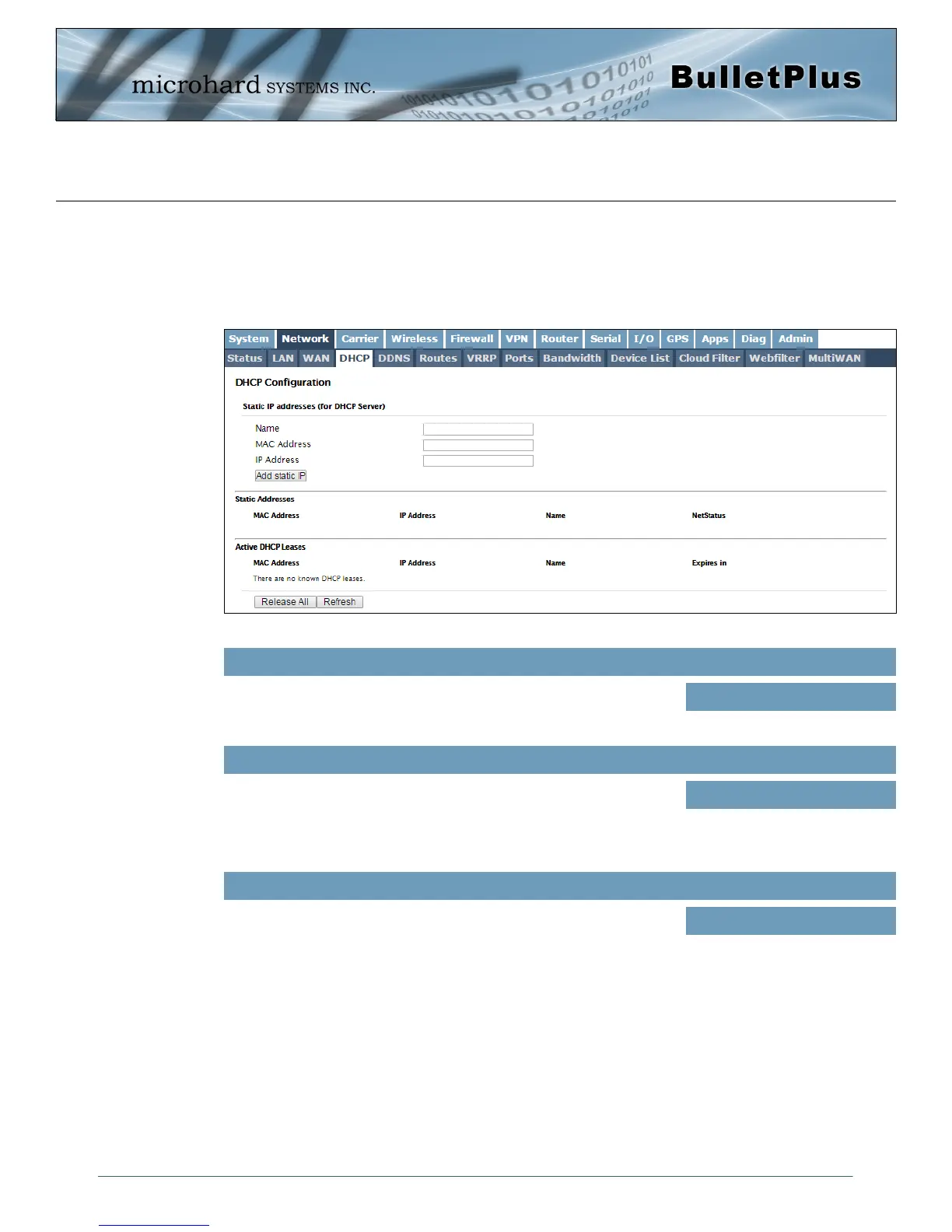
4.2.4 DHCP (MAC Binding)
In some applications it is important that specific devices always have a predetermined IP address. This
menu allows for MAC Address binding to a IP Address, so that whenever the device that has the specified
MAC address, will always get the selected IP address from the DHCP service. In this situation, all attached
(wired or wireless) devices can all be configured for DHCP, but still get a known IP address.
Enter in the MAC address of the device to be bound to a set IP
address. Set the IP Address in the next field. Must use the format:
AB:CD:DF:12:34:D3. It is not case sensitive, but the colons must be
present.
MAC Address
Values (MAC Address)
(no default)
Enter the IP Address to be assign to the device specified by the MAC
address above.
IP Address
Values (IP Address)
(minutes)
Static Addresses
This section displays the IP address and MAC address currently assigned through the DCHP service, that
are bound by it’s MAC address. Also shown is the Name, and the ability to remove the binding by clicking
“Remove _______”.
Active DHCP Leases
This section displays the IP Addresses currently assigned through the DCHP service. Also shown is the
MAC Address, Name and Expiry time of the lease for reference. The ‘Release All’ button terminates all
active leased and requires all connected devices to request new network information (IP/Subnet/etc)
Image 4-2-7: Network > MAC Address Binding



 To Next Page