15
2.3 Placement
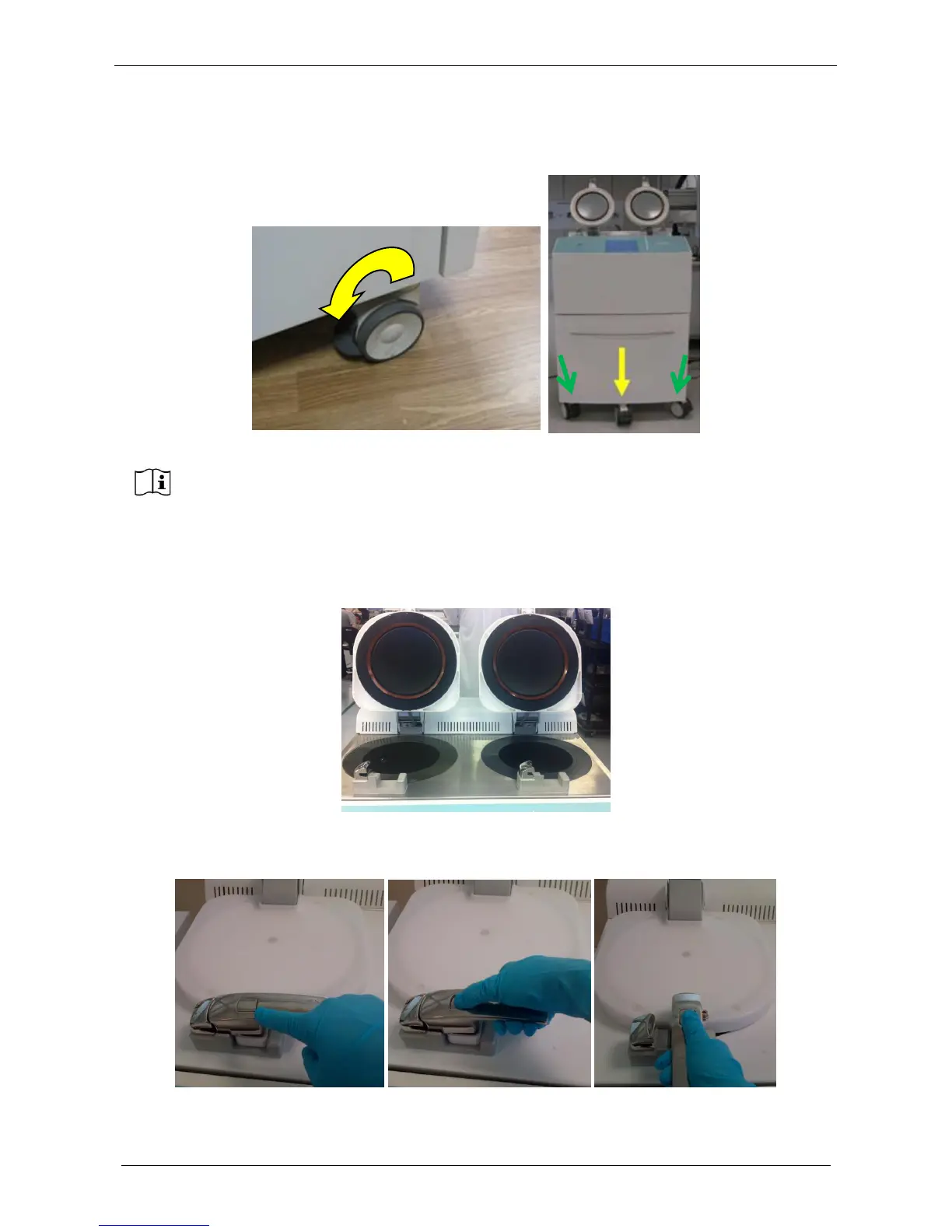
Now LOGOS ONE unit can be positioned in its final place of use. When the instrument is positioned, push
down the lever of the wheels (CODE 66464) to block them.
2.3.1 Unit overview
MAIN CAVITY on the LEFT WAX CAVITY on the RIGHT.
To open the MAIN CAVITY cover: push the button, then rotate the handle (clockwise), then flip up the cover.
To open the WAX CAVITY cover: push the button, then rotate the handle (clockwise), then flip up the cover.
In the bottom of the main cavity (left) there is a mesh filter to block the eventual floaters and dirty parts.
Block the four lateral wheels (indicated with green arrow the two frontal) BUT do not block
the central one of the drawer (indicated with yellow arrow).



 To Next Page