MM098-002 – LOGOS ONE – Operator Manual
74
Press the icon to go back to the Saved processing screen.
3.6.1 How to delete a saved process
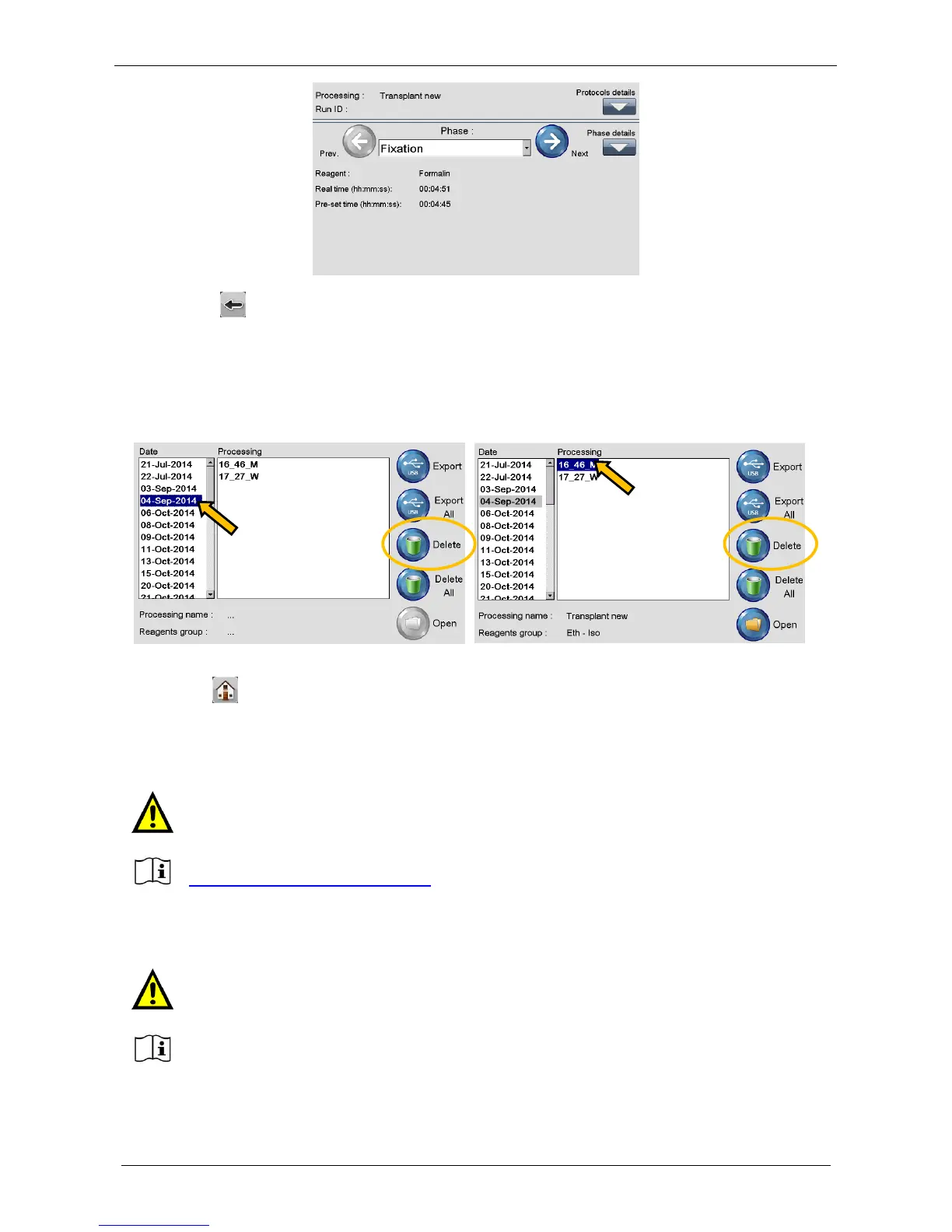
Select a Date and press Delete to cancel all processes saved that day (left figure).
Select a Process and press Delete to cancel ONLY the process highlighted (right figure).
Alternatively press Delete All to cancel ALL programs stored on LOGOS ONE.
Press HOME to return to the MAIN MENU.
3.7 Modify a program
DEFAULT PROTOCOLS: the Owner is MILESTONE and USER can only COPY them.
USER PROTOCOLS: the Owner is USER and he can MODIFY, DELETE and COPY them (if any).
This function is NOT to create a NEW PROGRAM. For this, it is necessary to choose the
default program that most fits your requirements, make a copy and modify its details.
Before making any modifications to a program, please contact our Application support:
application@milestonemedsrl.com.
Modification of a USER’s protocol does NOT require copying it before making the changes
required.
Take care to modify ONLY the Time At Temperature part of the curve.
Do not modify the Ramp - up time.



 To Next Page