90
5 SAFETY MODE PROCEDURE
5.1 Power failure
LOGOS ONE can be equipped with an external UPS system, as described in the chapter 2.6.5, so that, in
case of power failure, the software can put the specimens rack in “Safe mode”.
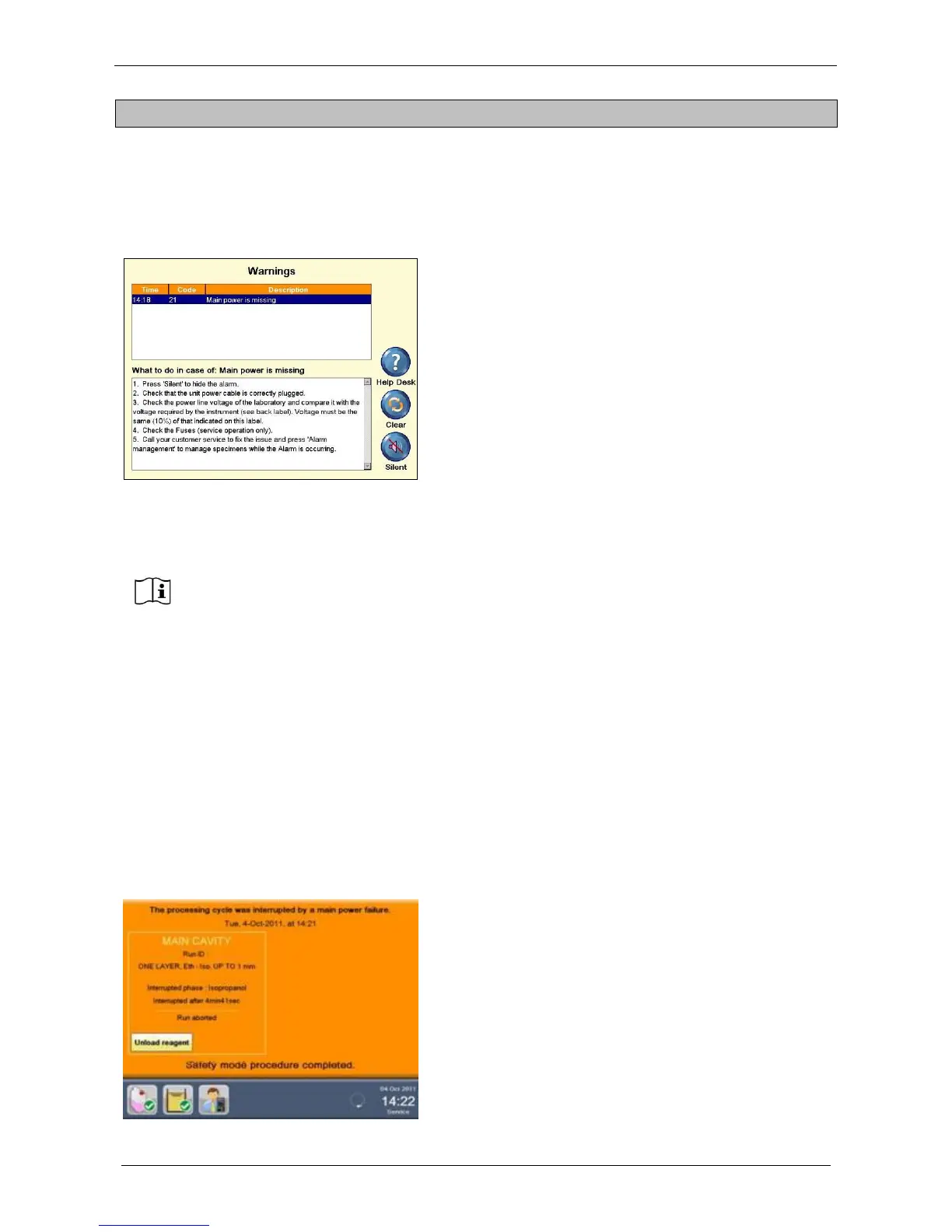
In case of power failure during any phase, the program turns to Pause mode and this screen appears:
The MAIN POWER FAILURE ALARM is audible for 3
minutes with an intermittent audio signal.
The insulation of the cavities assures that the reagent loaded
and the WAX are kept warm during this period.
DURING THE 3 MINUTES COUNTDOWN
An auxiliary connector exit on the back of the unit is activated: here it is possible to connect an external
light/sound alarm or a beeper to call the hospital service assistance to remove the specimens rack from
LOGOS ONE (see the chapters 2.7).
In case of power failure, these functions are interrupted:
- Main cavity heating
- Wax heating
- Tissue processing
The terminal and the built-in stirrers remain operative in order to put the samples in the “safety position”.
The Terminal Computer remains active during the countdown, BUT:
If during this time the main power comes back on, the system will restart from the point the
program stopped.
Instead, if the system goes in “Power failure procedure” at the end of the countdown (3
minutes), at the next start up the system will advise of what happened, showing the details of
the step where the program stopped, thus allowing, through a STEP START program (for
further details see chapter 3.2.4), to end the interrupted program.
When the power supply comes back ON after a power failure, the system will automatically
reboot and the following screen appears:
The screen reports that a power failure occurred, with
following details:
Date and Time: when the program stopped
Processing Cycle: Run ID, protocol name and size
Interrupted phase
Interrupted after
The operator is then able to Unload Reagent, Unload
cassettes and then CONTINUE the processing by STEP
START (for further details see chapter 3.2.4), according to
the indications of the last step performed by the unit prior to
power failure.



 To Next Page