25
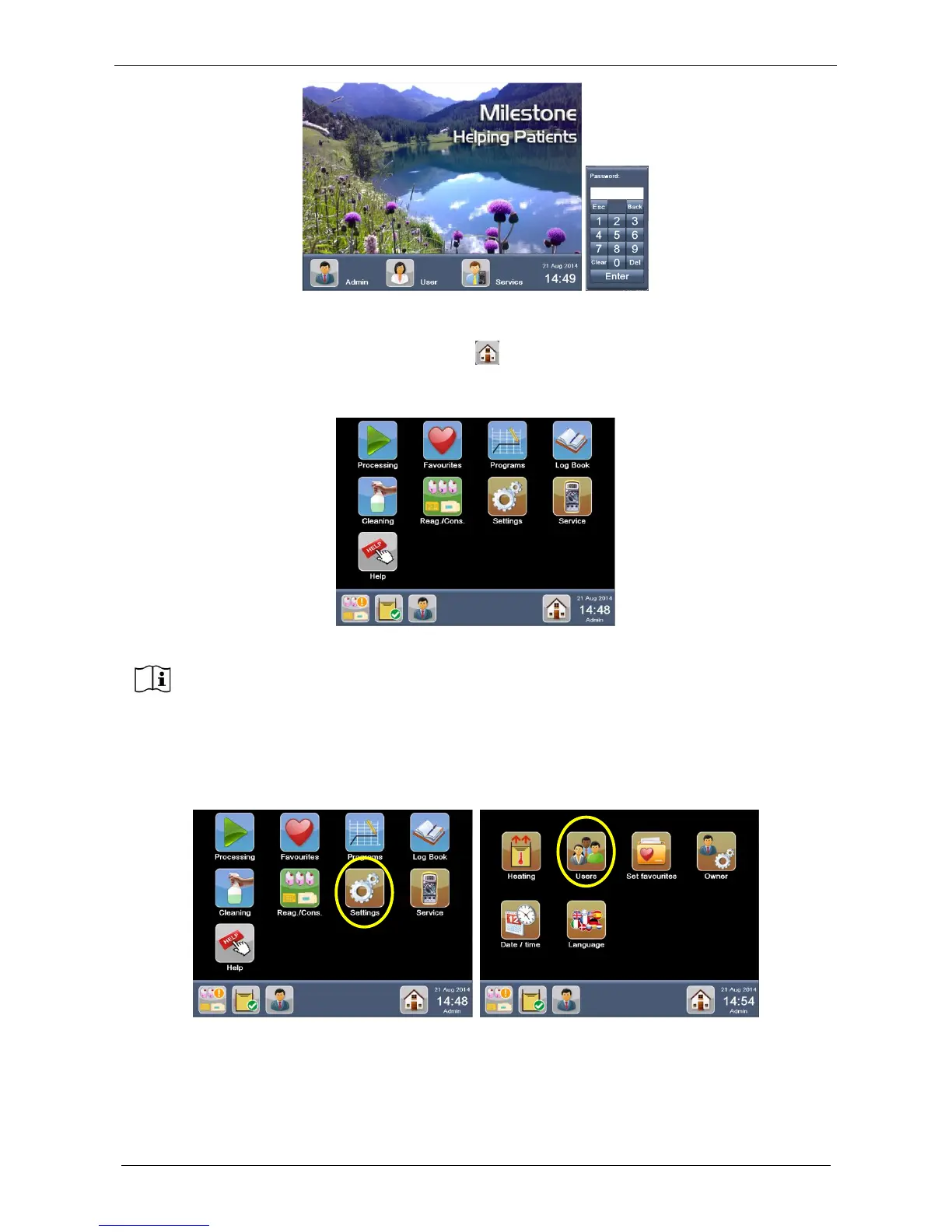
The Administrator HOME PAGE appears showing, as a default, the main functions grouped by different
colors.
In whatever screen you are, press the “Home” button to return to the HOME PAGE. You can customize
the HOME PAGE under the USERS settings, choosing between “Favorites” and “Main functions” (see
below).
2.10.1 Create a new user
Go to the Settings screen and select Users to create a NEW USER.
The USERS setting screen appears, as shown below. Click on Add, a keyboard appears. Enter the NEW
USER name and press Enter.
SERVICE Log-in is available for authorized personnel only.
ADMINISTRATOR can access to a restricted SERVICE functions.
SERVICE has complete access to the unit functionalities.



 To Next Page