26
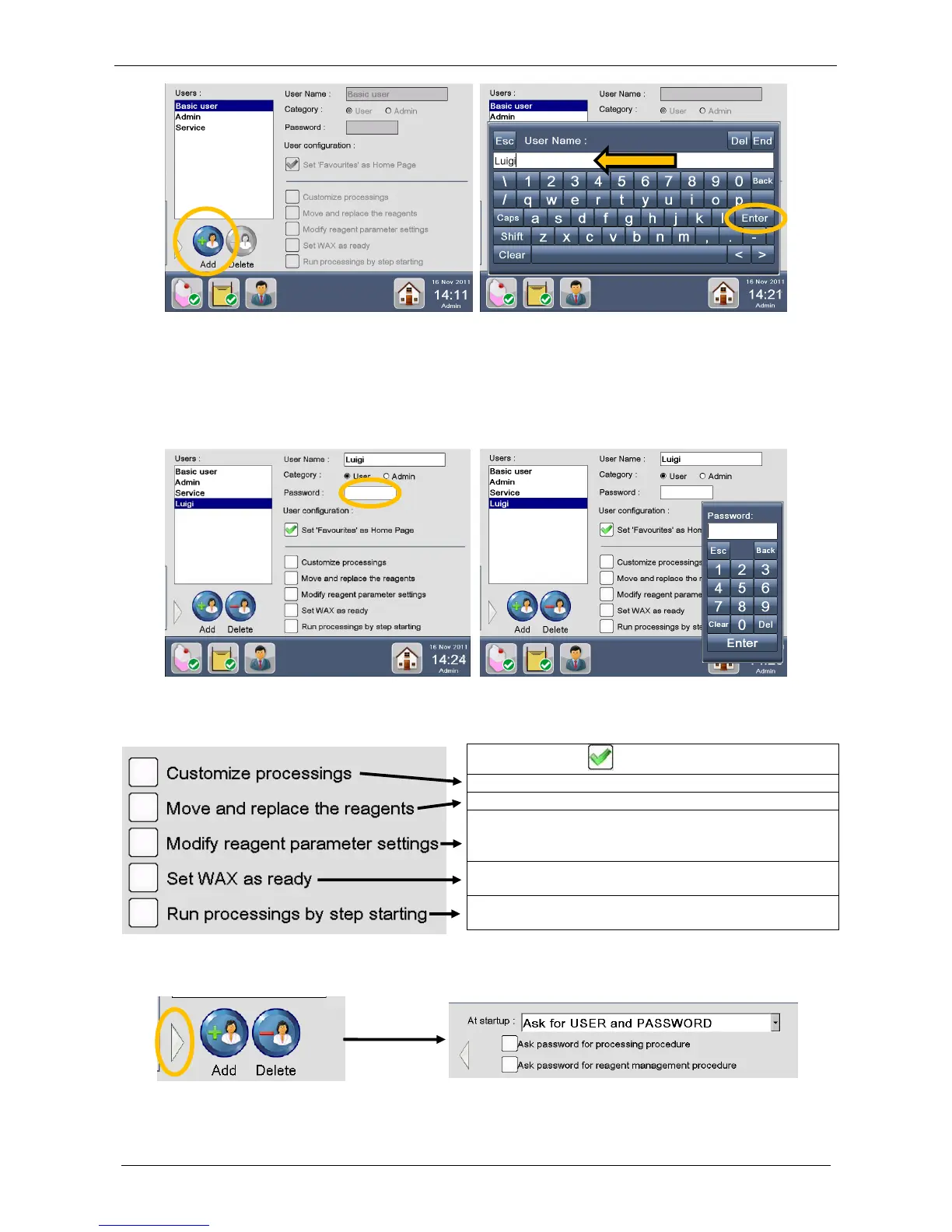
Now select and configure the parameters of the NEW USER choosing the:
USER CATEGORY.
USER PASSWORD: click on the password box, a num-pad appears as shown below, enter the
password (max 6 numbers) and confirm.
USER CONFIGURATION (HOME PAGE): select the Set Favourites as HOME Page checkbox to
have FAVOURITES PROGRAMS as default.
Now select the appropriate FUNCTIONS for the NEW USER:
Pressing the arrow (see figure below, circle) it is possible to choose the appropriate ACCESS LEVEL in the
program startup (here automatically Ask for USER and PASSWORD). The following window will appear:
Set the tanks status (empty/fill the tank), open the
reagents list and modify the reagents details (ex: max
number of processed cassettes)



 To Next Page