MM098-002 – LOGOS ONE – Operator Manual
20
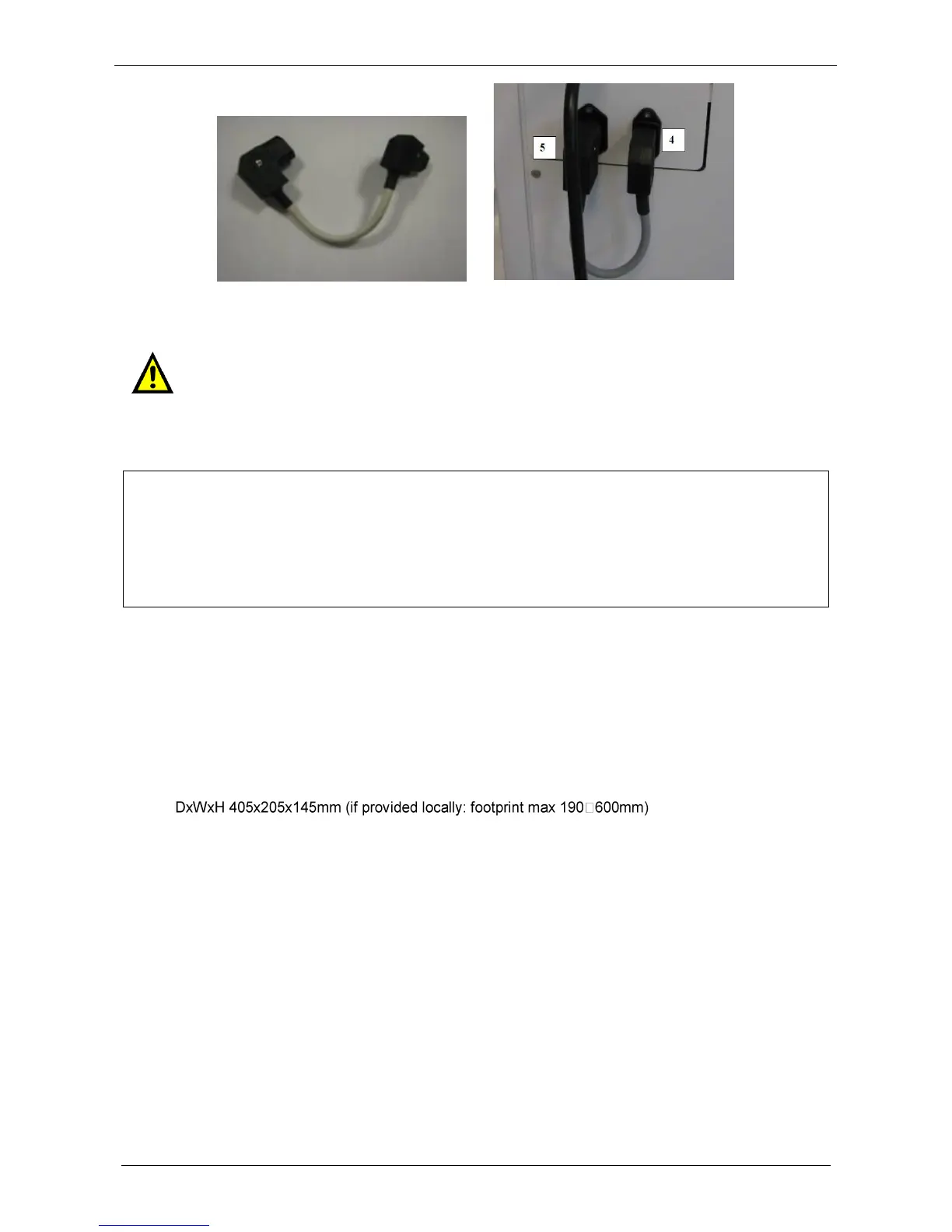
Connect the by-pass cable (CODE 66643) from (5) UPS supplier socket to (4) UPS side supply.
Then connect the socket to main power supply (6): now it is possible to turn the LOGOS ONE “ON”.
Do not connect UPS supplier socket (4) directly to the laboratory socket power supply:
this input power supply complies to CISPR 11 class A and may cause electromagnetic
interference to other devices.
2.6.5 Power supply connection (Local UPS mode)
Characteristic: Milestone s.r.l. strongly recommends this type of connection as it protects the LOGOS ONE
from power supply failure. In this case, in fact, LOGOS ONE cannot process, but can execute all other
procedures. In fact “UPS side supply” provides energy at logic circuits.
Even when LOGOS ONE is directly plugged into the main hospital UPS line or power emergency line, we
observed occurring of delays or discontinuity of a few seconds/ minutes of the power supply. In this case,
LOGOS ONE stops working and the standard power failure procedure, that puts tissues in safety, is not
activated. For this reason, we highly recommend to install a UPS module on any LOGOS ONE unit.
Milestone can supply only UPS at 230Volt-50/60Hz (CODE 66100) with the following technical
specifications:
230V version (CODE 66100)
Voltage input 230V 50/60Hz according to your power supply
Power 1000VA/600W (minimum)
Capacity 15 minutes @ 500W (minimum)
Output 230V±10% 50/60±1Hz
Transfer time 6ms (max)
With cord set for connections
Weight: 9.6 kg (if provided locally: max 20kg - 44lb)
UPS unit at 115Volt-60Hz must be provided locally with the following minimum technical specifications:
115V version
Voltage input 115V 60Hz according to your power supply
Power 1000VA/600W (minimum)
Capacity 15 minutes @ 500W (minimum)
Output 230V±10% 60±1Hz
Transfer time 6ms (max)
With cord set for connections
Footprint max 190x600 mm
Weight max 20kg (44lb)
Before using the UPS, charge the battery according to the manufacturer's specifications.
Before connecting the UPS to the Unit, mount the UPS holder supplied with the Unit as shown below.



 To Next Page