28
2.13 Load LOGOS ONE with wax
Log in as Administrator to switch on the Wax heating power and reset wax loading date.
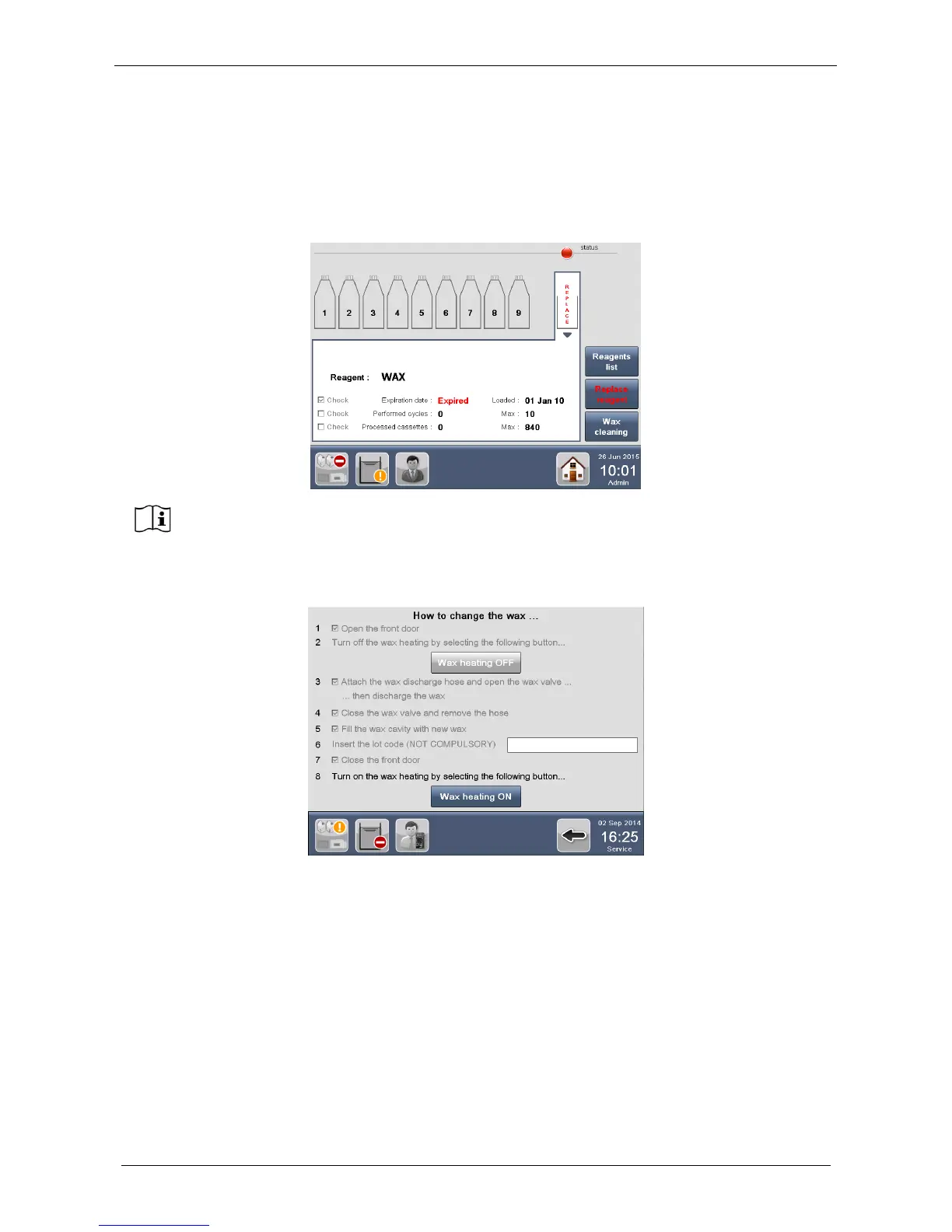
Enter in Reag./Cons. screen: a RED icon appears over the WAX CAVITY and the word Replace is RED.
Select the WAX CAVITY and press Replace reagent button (figure below).
The screen below appears, showing the WAX replacement procedure. Follow the procedure displayed on
the screen.



 To Next Page