MM098-002 – LOGOS ONE – Operator Manual
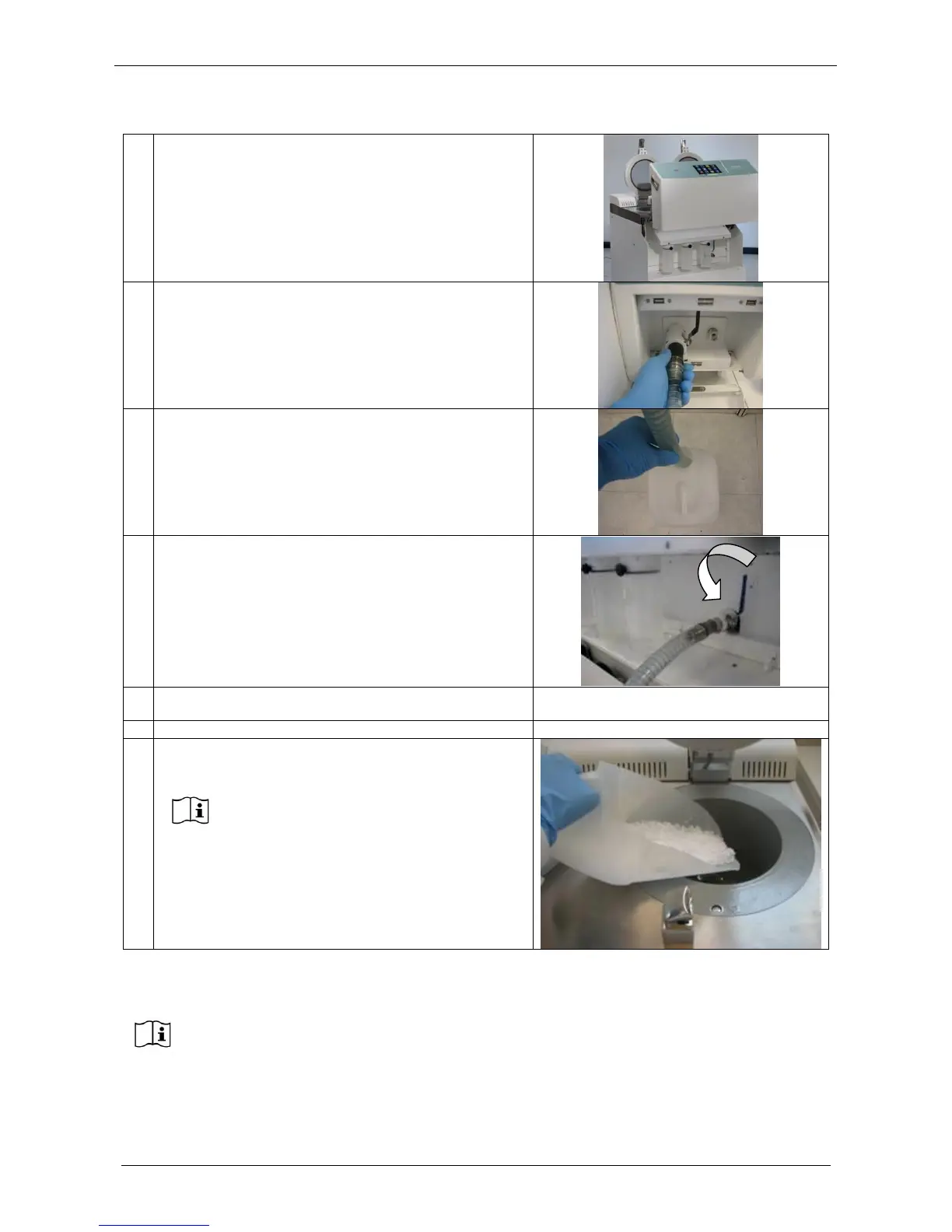
Lift up the frontal panel
Lock the tube on the unit
Place the other end of the hose into a wax waste
container
Turn the lever down to open
At the end of the discharge close the wax valve and
remove the hose
Lift down the frontal panel
Open the right cover of LOGOS ONE and place paraffin
in the cavity.
We suggest to clean the cavity with
paper before insert new paraffin.
In LOGOS ONE it is possible to load solid as well as already molten new WAX.
It is necessary to fill the LOGOS ONE WAX CAVITY (right side cavity) with approximately
4kg of histology grade WAX.
MAX and MIN levels for the MOLTEN WAX are etched on the LOGOS ONE WAX CAVITY
wall.
Strictly maintaining the molten WAX level between these markings assures the
appropriate coverage of all three cassette layers of the rack during process.



 To Next Page