59
While the WAX phase is running in the WAX CAVITY, it’s possible to start a new process in the MAIN
CAVITY, as shown below.
During the WAX impregnation phase in wax cavity, 3 icons are displayed on the left screen as shown above.
It’s possible to start a new process in the MAIN CAVITY.
Press:
Processing: to run a standard or a modified protocol, as described in the chapter 3.2.2.
Favourites: to run a Favourite protocol, as described in the chapter 3.2.1.
MAIN CAVITY Cleaning: to run a cleaning of the MAIN CAVITY, as described in the chapter 3.3.
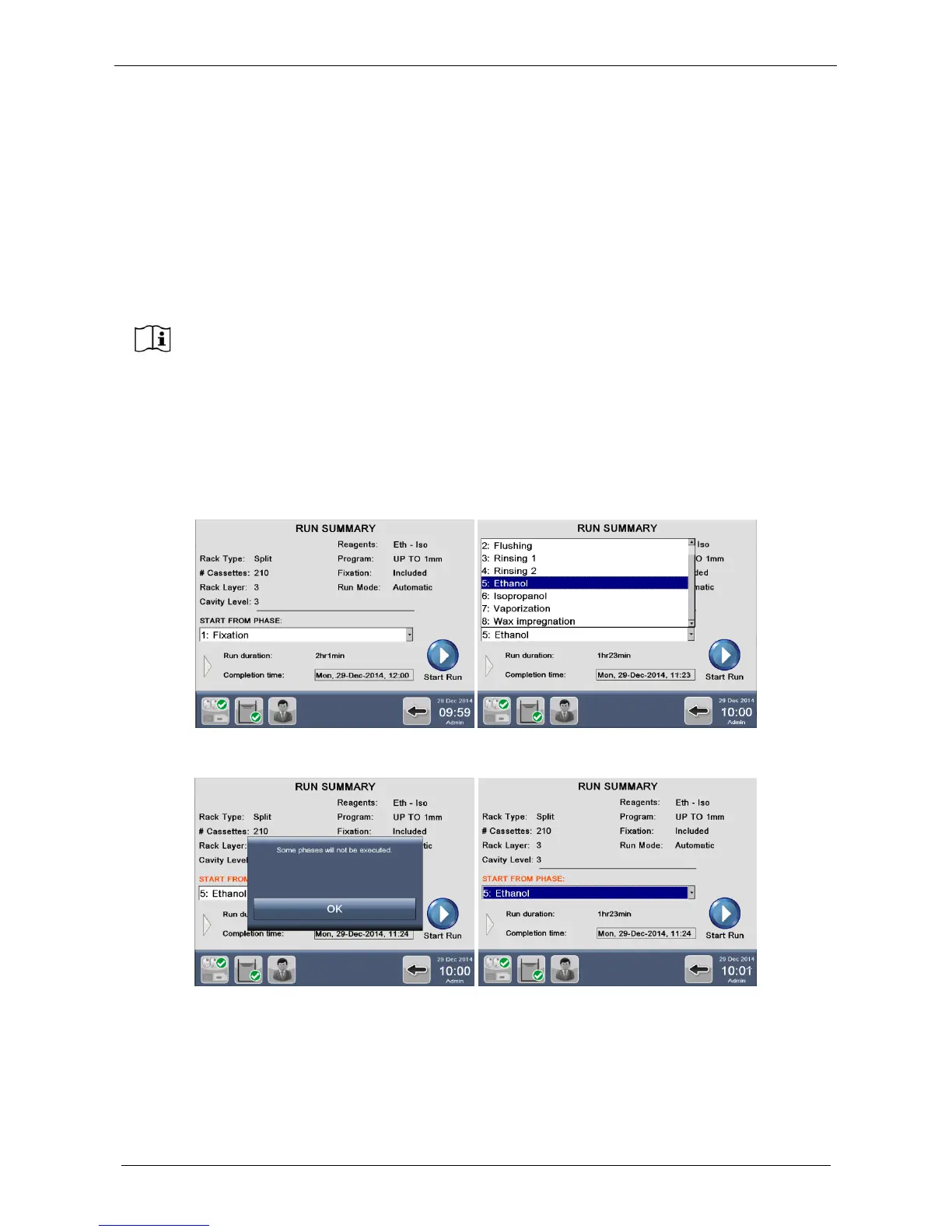
3.2.4 Run a program using the STEP START function
In the starting screen listing all process details (“Run Summary”), select the starting phase you require, as
shown below.
In the example, “Ethanol” is selected as the starting phase (so, phase number 5), and then press “Start Run”.
If WAX must be cleaned after this run the software automatically calculates WAX cleaning
program time and wax availability.



 To Next Page