MM098-002 – LOGOS ONE – Operator Manual
22
2.7 Remote alarm connection
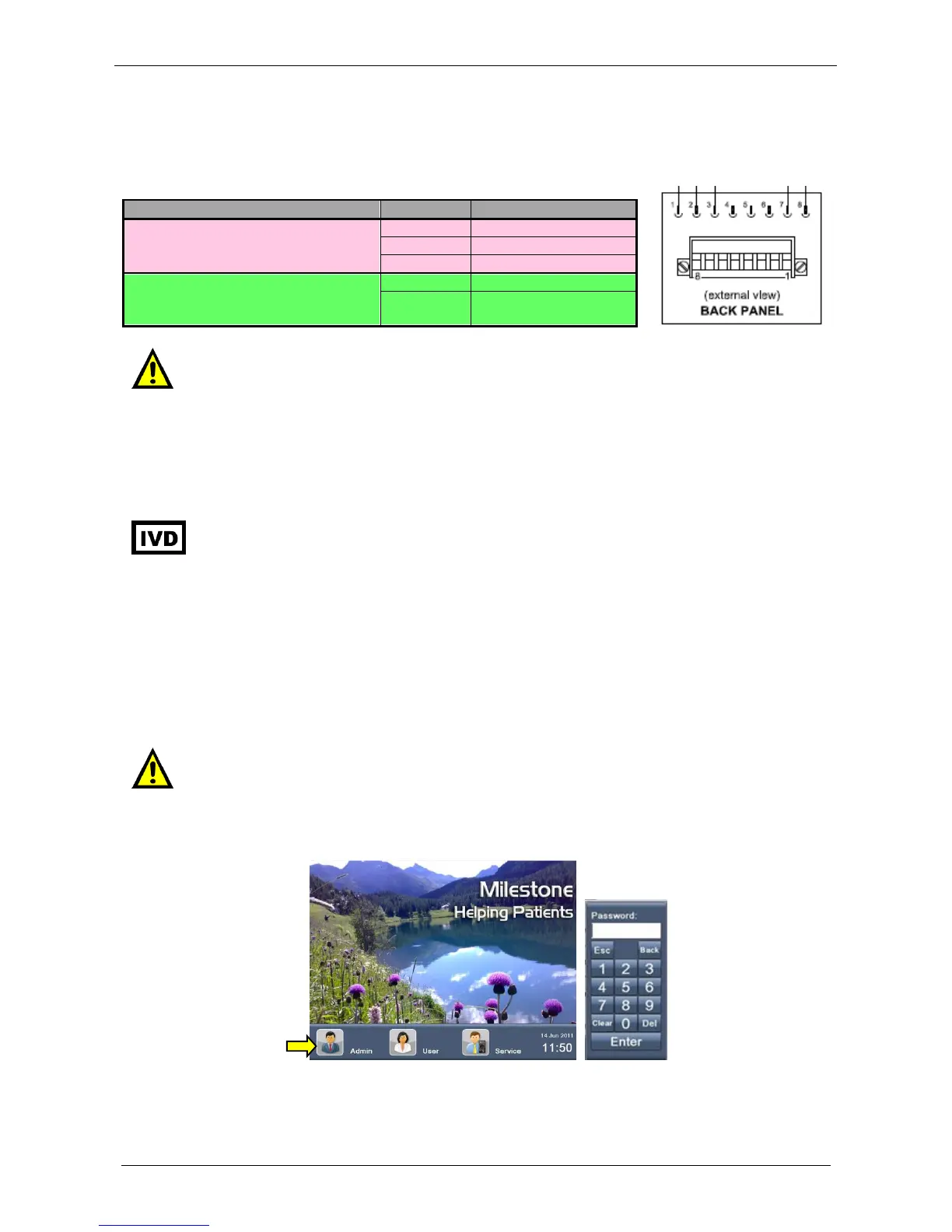
LOGOS ONE is also provided with two auxiliary outputs in order to connect external devices:
2.8 Internet connection
It is necessary to connect LOGOS ONE to Internet to get Remote Assistance services.
IT IS NOT ADVISED TO RUN PROGRAMS WITH LOGOS ONE WHILE USING THE
REMOTE ASSISTANCE CONNECTION.
PROCESSES IN REMOTE ASSISTANCE ARE FOR TESTING USE ONLY,
NEVER PLACE SPECIMENS INSIDE LOGOS ONE.
In order to access the remote assistance (as described in the chapter 7.7), you need to get the following data
from the Information Technology Department/Network Administrator of the customer:
LAN connection with standard RJ45 Ethernet cable and connector,
Dedicated IP address and Subnet Mask (strongly preferred to DHCP service); only port 80 has to be
enabled without limitations,
LAN gateway and DNS server addresses,
At least 150kb/s real transfer rate (uploading and downloading).
When connecting LOGOS ONE to remote assistance, it is necessary that Firewall, traffic
data filters and all software are disabled. Milestone s.r.l. suggests to fix the IP address in
order to properly set up the LAN defenders.
From Log-in screen click on ADMINISTRATOR. Insert ADMINISTRATOR password (issued as a separate
document inserted in the Operator Manual) and press enter.
1
Identifies the LOGOS ONE alarm
switch
2
Identifies the LOGOS ONE end
program
For safety reasons and for preventing any damage to the internal relays, any external
devices that need to be connected to LOGOS ONE unit must have a maximum Voltage
lower than 40 VDC – 1A.



 To Next Page