MM098-002 – LOGOS ONE – Operator Manual
Ask password for processing
procedure
The software recognizes (through a password system) who is
performing some operations during the processing (who starts the
program, unloads the cassettes, aborts the program).
Ask password for reagent
management procedure
The software recognizes (through a password system) who is
performing some operations during the reagent management (who
replaces the reagents manually).
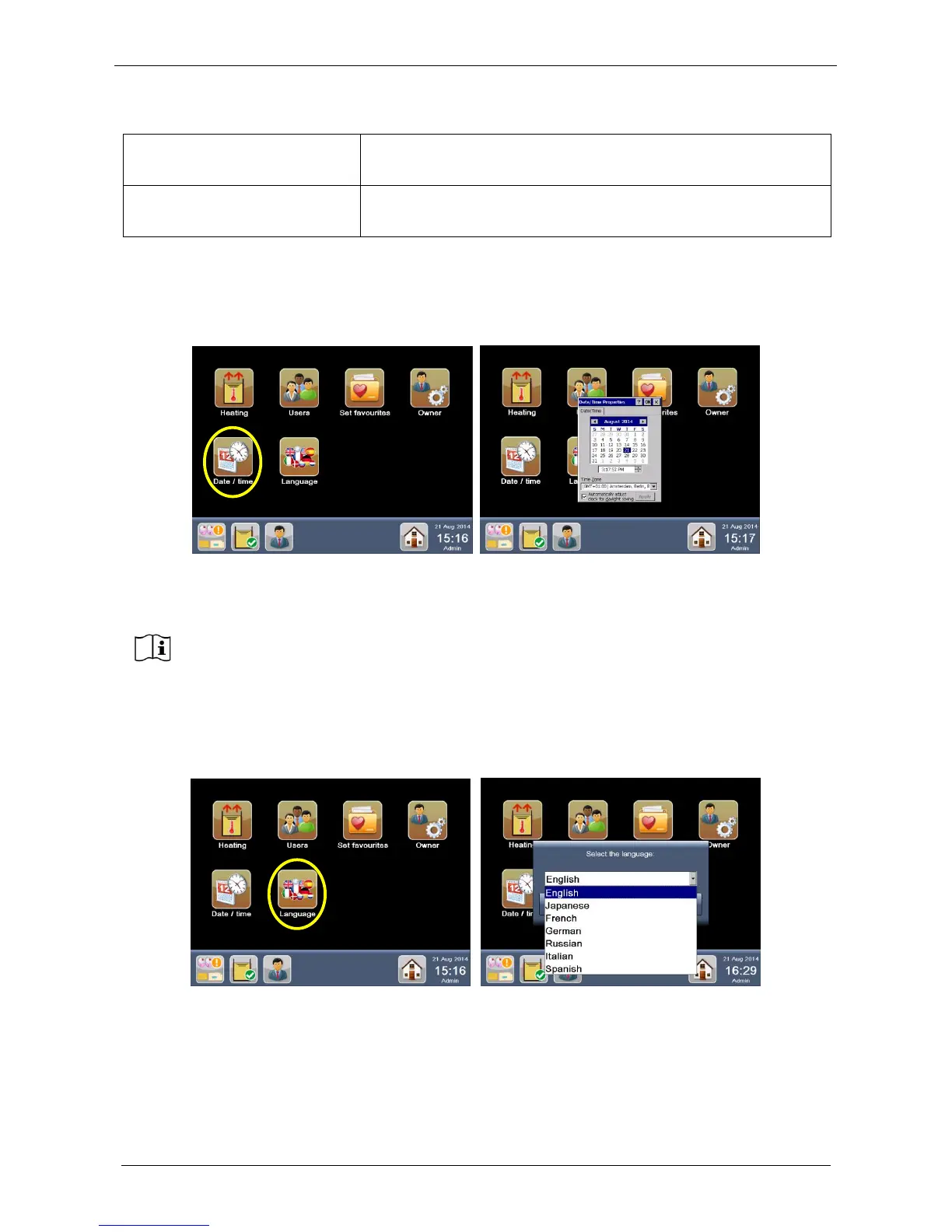
2.11 Set system date and time
From the HOME PAGE, go into the “Settings” screen and select “Date/time” (see figure below).
In the time setting window, it is possible to set the TIME ZONE, thus activating the automatic update of time
during the year.
2.12 Set language
From the HOME PAGE, go into the “Settings” screen and select “Language” (see figure below).
Choose the language required from the drop down menu then press YES and the system automatically
reboots to enable changes.
After changing this setting, please reboot the system.



 To Next Page