57
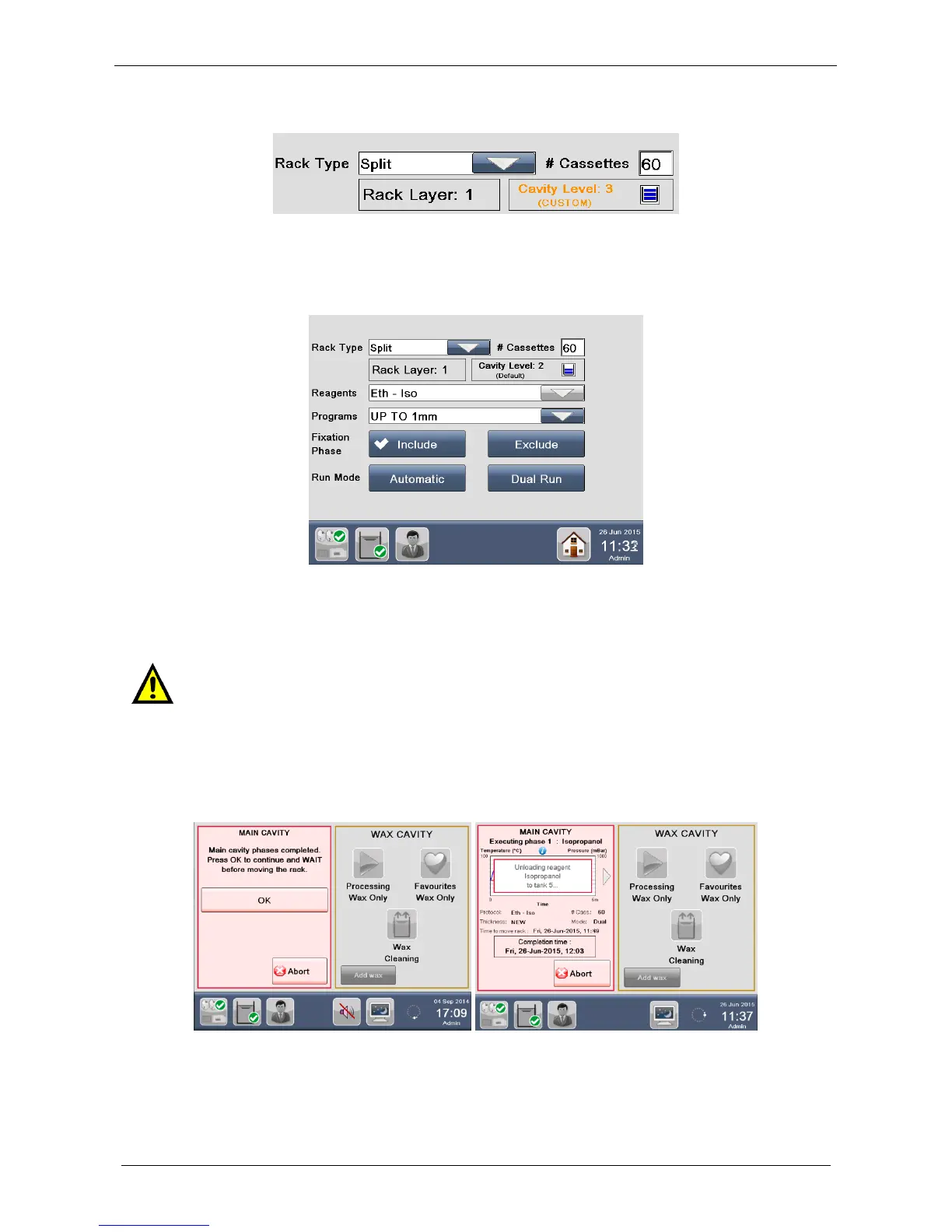
If you select a CUSTOM level (for example “Cavity Level: 2” as shown below), the color displayed is orange.
The following description will be performed by using the “Cavity level: 2 (Default)”.
When you insert the number of cassettes, the following screen appears. Choose the “Reagents” (for
example “Eth-Iso”) and the “Program” (in this case “UP TO 1mm”), as shown below.
The following screen appears.
To run the process follow the instructions reported above, in the chapter 3.2.1.
3.2.3 Run two processes simultaneously
In DUAL RUN mode (described in the chapter 3.2.1.2), an audio alarm warns the operator that the last
phase in the MAIN CAVITY has been completed.
1. The following screen appears, with an audio alarm that requires USER to press OK to unload the reagent
from the MAIN CAVITY.
A. If operator presses OK, immediately the UNLOADING of the last reagent starts.
B. If operator does not press OK, the UNLOADING of the last reagent AUTOMATICALLY starts after 4
minutes.
When running parallel processing, it is required to perform the pre-soaking outside the
unit. Refer to chapter 9.6 for Presoaking guidelines.



 To Next Page