40
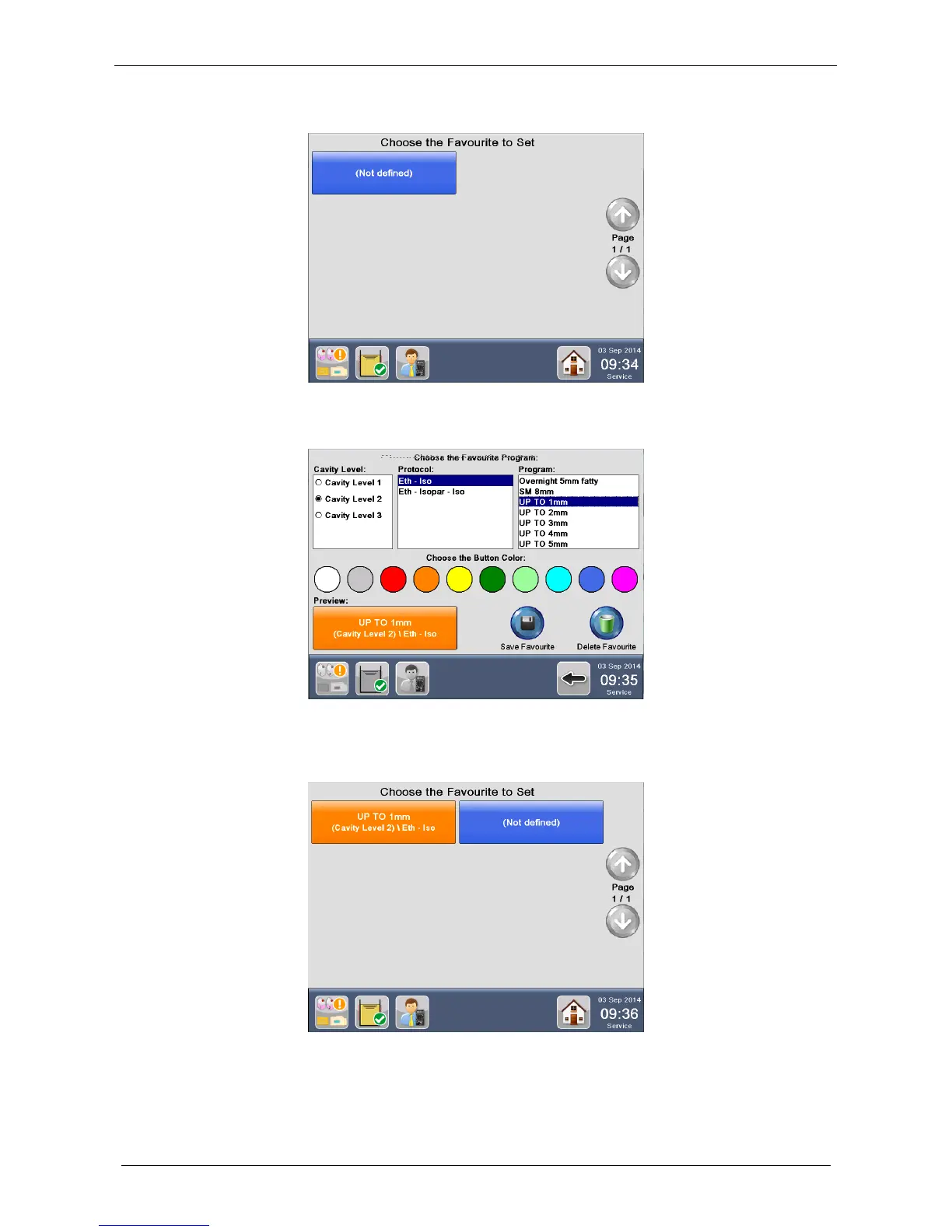
2. Click on NOT DEFINED icon:
3. Select the CAVITY LEVEL, the PROTOCOL, the PROGRAM and the BUTTON COLOR to change
TEXT and BACKGROUND COLOR. Preview is displayed on bottom left.
4. Press Save Favourite to save changes.
5. The program icon is now listed in the Choose the Favourite to Set screen.



 To Next Page