55
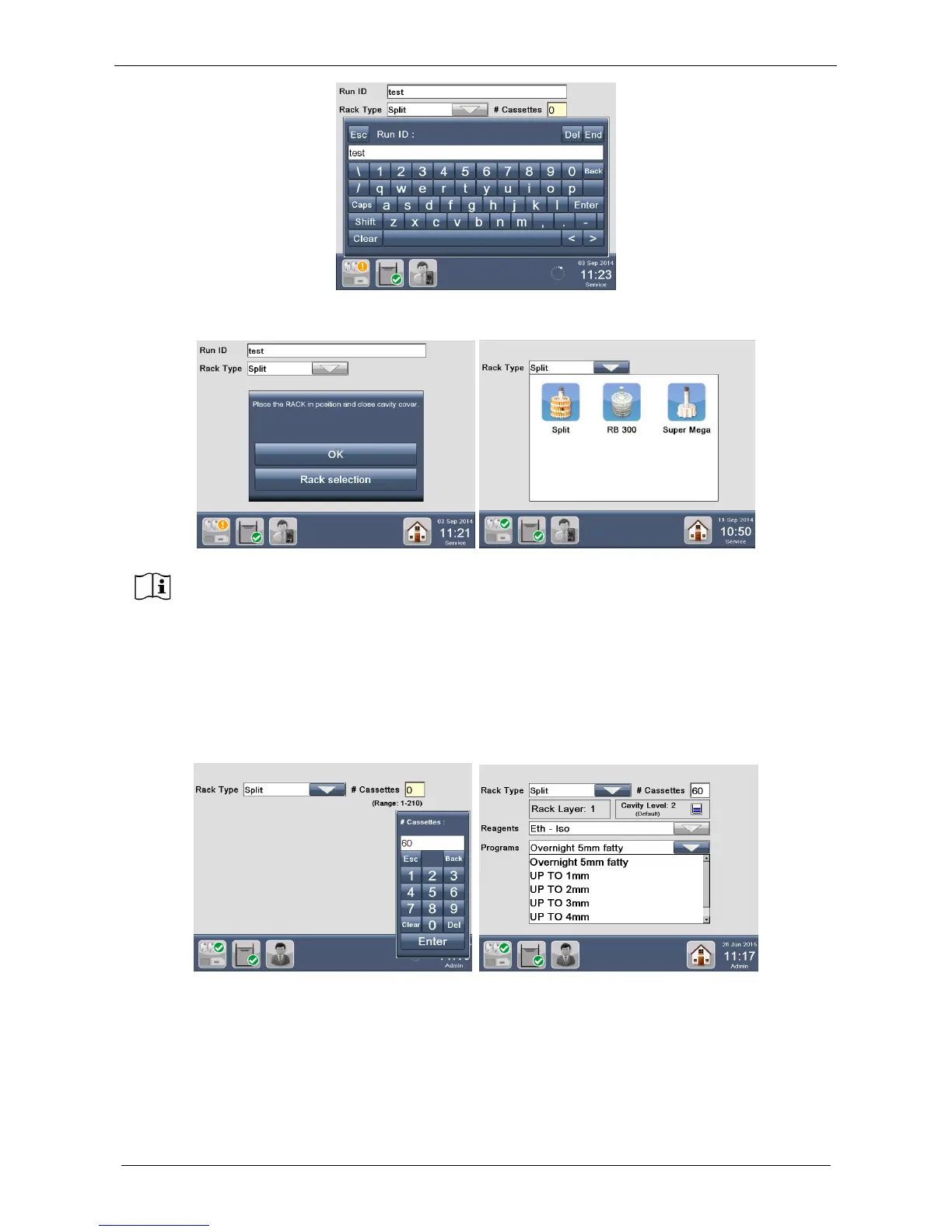
The window below appears.
The window shown below appears, enter number of cassettes (60 in this case) to be processed: up to 140
two layers would be selected, up to 210 three layers. Press “Enter”.
In the example, 60 cassettes have been selected, so the software automatically sets a process of 2 layers
rack and the following posts appear (figure below):
- Rack Layer: 1
- Cavity Layer: 2 (Default)
At the start of a program the software automatically remembers the last rack selected, if
another rack model must be selected press RACK SELECTION and all the rack models will
be displayed.



 To Next Page