70
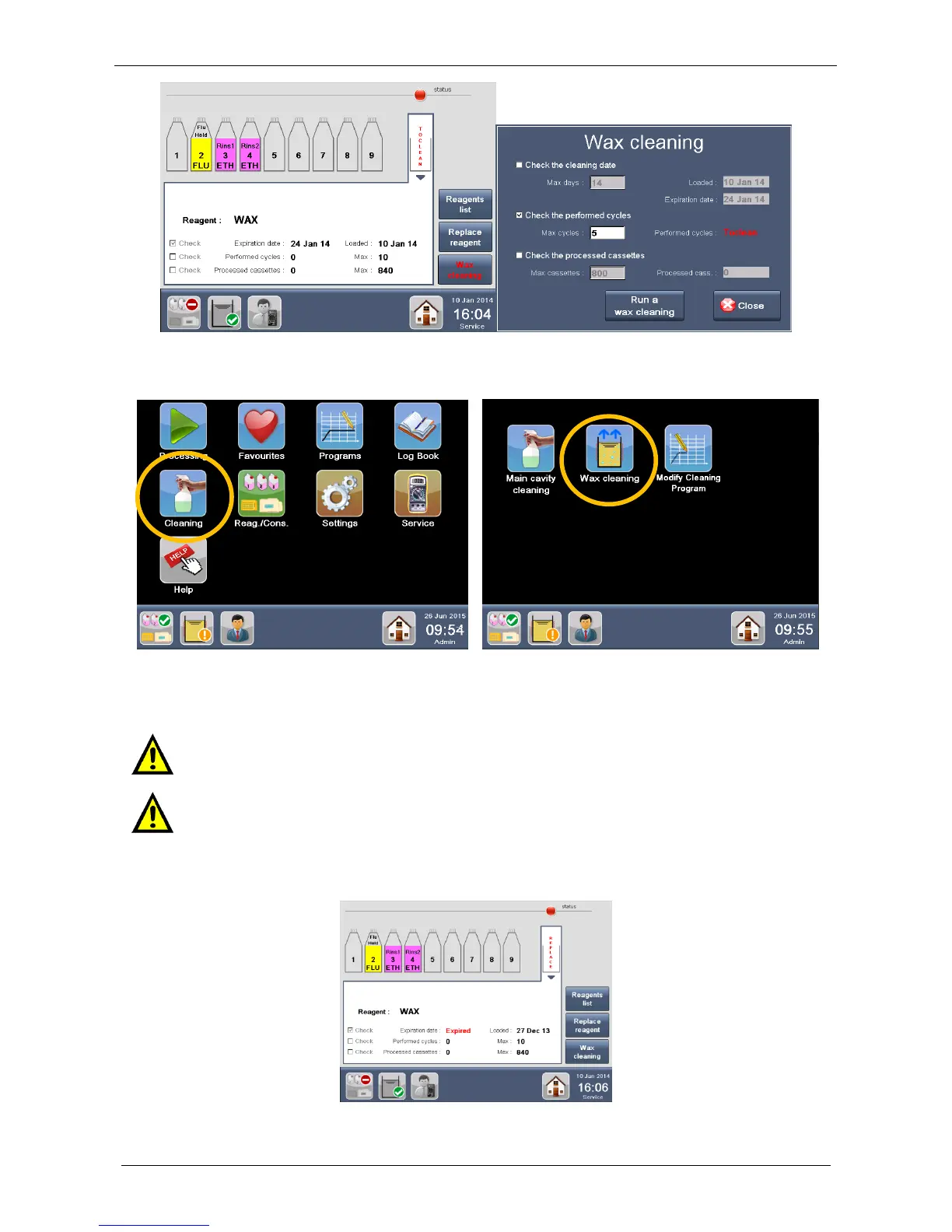
Another way to run a “Wax cleaning” protocol is to select “Cleaning” from the MAIN FUNCTIONS screen and
then “Wax cleaning”, as shown below.
When a wax cleaning cycle has been COMPLETED, the wax values reported in the Reagent Configuration
screen under the WAX cleaning icon (number of cassettes processed, performed cycles and loading date)
are RESET to zero but not the EXPIRATION LIMITS in the reagent configuration screen.
Wax must be completely replaced (and NOT cleaned) at least twice a month, depending on
the use of LOGOS ONE. See the chapter 2.13 for the wax replacement procedure.



 To Next Page