85
Dispose of the exhausted reagent.
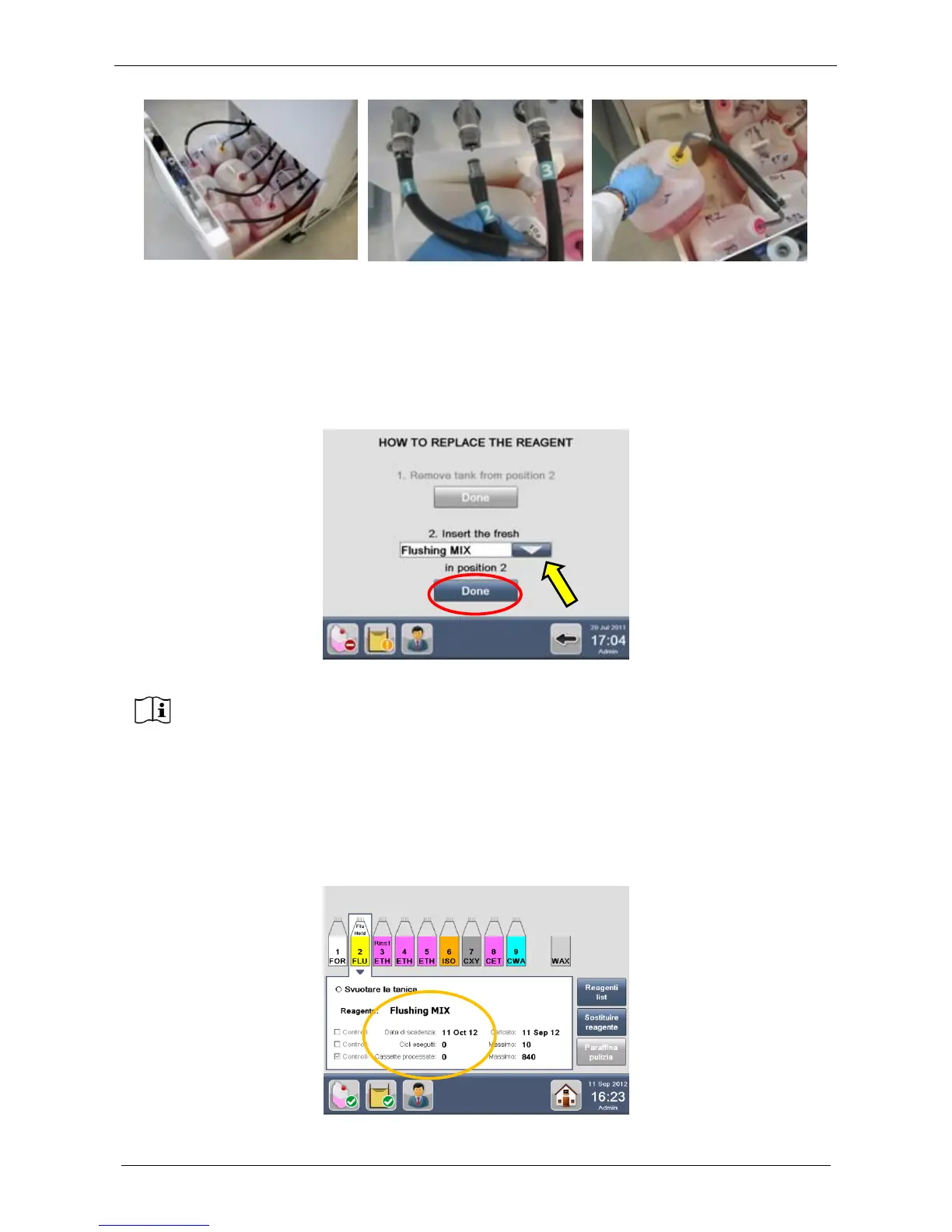
Load the tank with the FRESH REAGENT (Flushing MIX in this case).
Put the tank containing fresh reagent into the position indicated by the software (number 2 in this case).
Select the reagent in the drop-down menu. The software, as a default, suggests filling with the same reagent
already loaded into the tank. To load a different reagent, select it from the drop-down menu (figure below,
circle). Press Done to confirm and return directly to the REAGENT CONFIGURATION screen.
Close the tanks holder doors and check the reagent level (working label).
Settings are automatically saved by the software.
After the replacement, the software resets the reagent management count to zero and the loading date
automatically changes to the current date (figure below). The reagents status icon also turns from red to
GREEN (figure below).



 To Next Page