111
3. OPERATING WITH MacroPath SOFTWARE
For the letters referring to the codes, see chapter 1.3.1.
Refer to the MM161 Operator Manual supplied with the unit to operate with the MacroPath software and to
change the English language of the operator panel (if necessary, only for letter T).
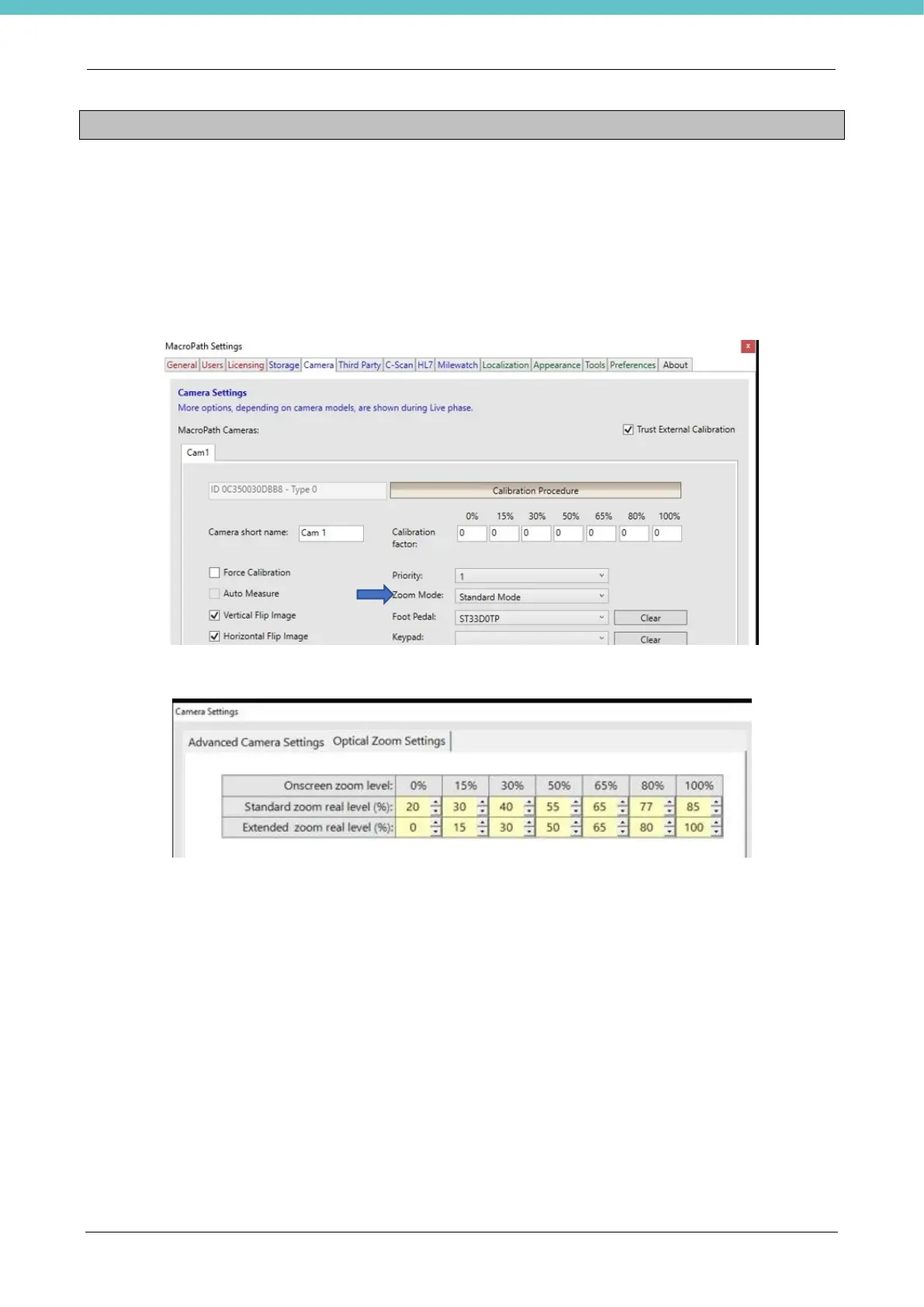
The MM161 manual explains how to set the zooms during installation if you want to change the framed area.
With UltraGROSS (letter T), the default settings are shown below.
In Camera settings, the zoom is set at “Standard mode” as shown in the following figure.
The zooms in the camera settings (which open by keeping the CAM in live button pressed) are the following.
For letter C, it is recommended to set as indicated above.



 To Next Page