49
2.5.6. Installation of touch screen PC (only for letter T in code)
If there are two letters T in the code, the unit will have two 19” touchscreen PCs.
To assemble the components, follow the procedure below:
Unscrew the rear panel fixing screws and then remove the rear panel.
Mount the arm according to the instructions in chapter 2.5.4 if letter S or in chapter 2.5.5 if letter H in code.
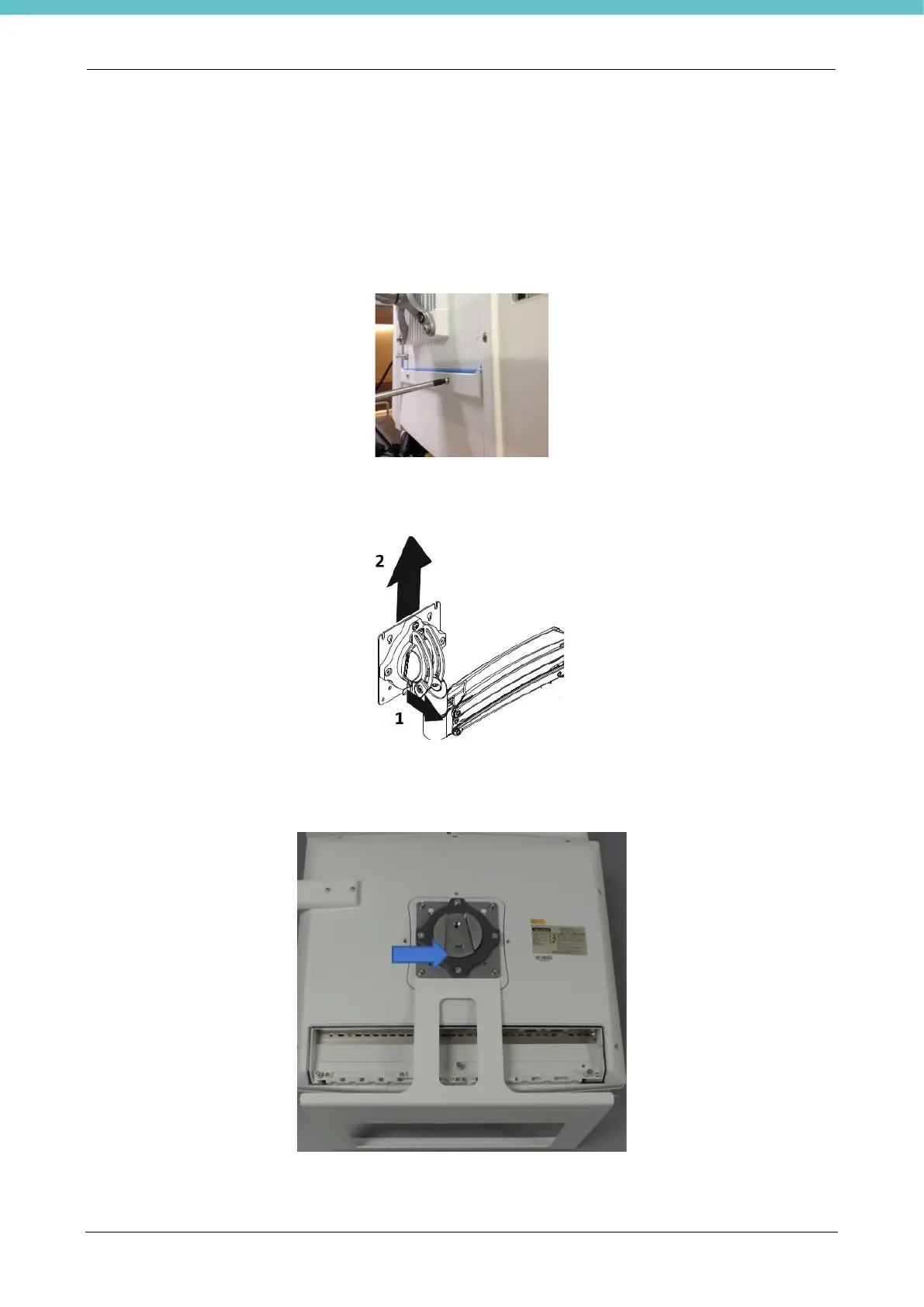
Detach the VESA plate from the arm, as per following image.
Join the VESA plate to the keyboard and PC support, as per photo, with the supplied screws, making sure to
direct it as shown by the arrow in the following figure.
Apply the unit on the support arm.



 To Next Page