MM182-001 – Operator Manual
50
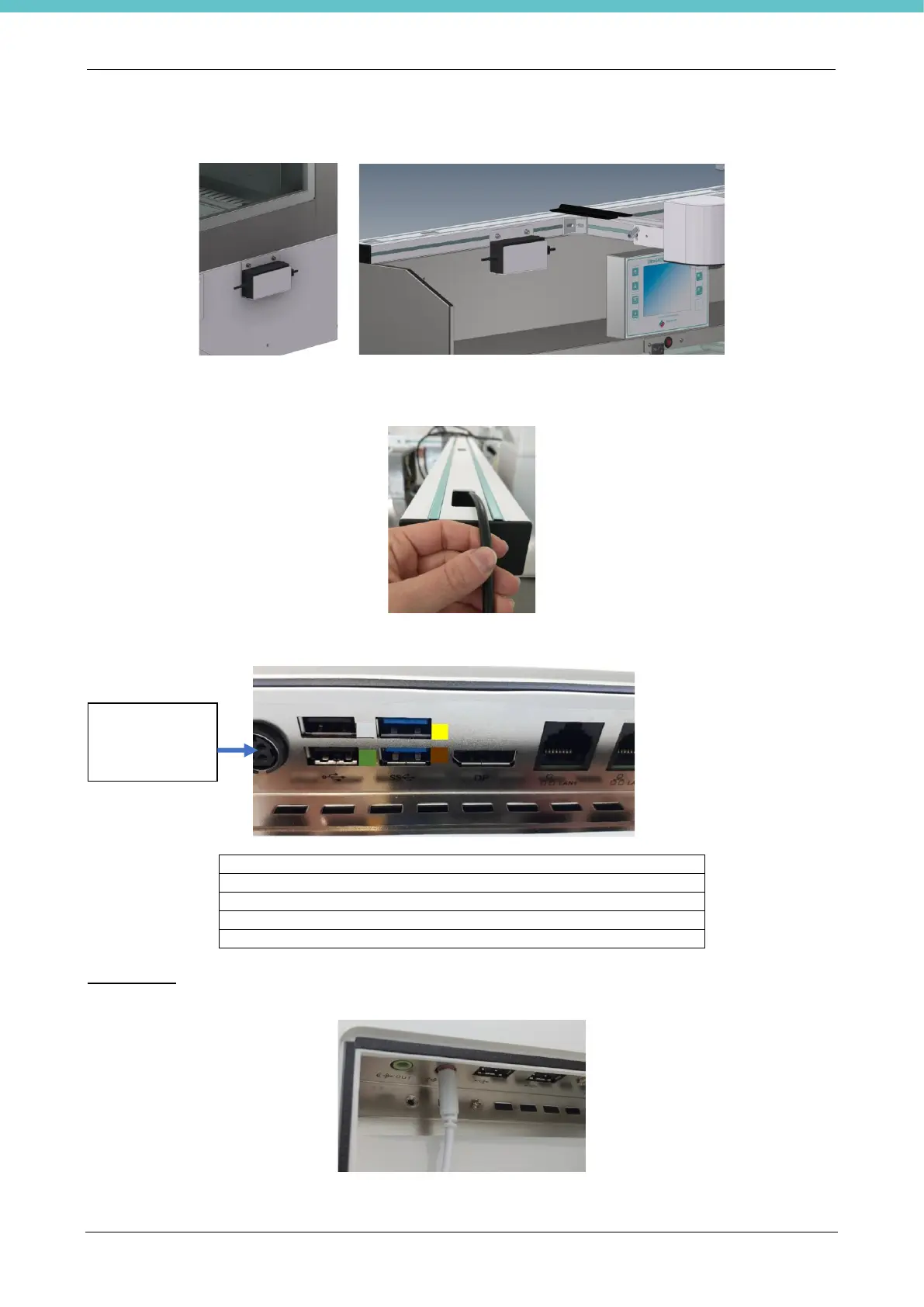
Fix the 19” touch screen PC power supply by means of the specific bracket as shown in the following figures
(figure to the left only for letter S, figure to the right only for letter H).
Plug the power cable into the PC and into the power socket of the laboratory.
The USB cable of the camera will exit the crosspiece, as shown below.
Connect the cables to the control terminal (as shown in the following photo).
USB CAMERA connection marked yellow
USB KEYBOARD free connection
USB FOOT PEDAL connection marked brown
USB TOUCH PEN free connection
USB BAR CODE READER free connection
Microphone
The following figure shows the lower side of the PC and the microphone connector.



 To Next Page