MM182-001 – Operator Manual
93
2.6.10. Remote assistance
This procedure explains how to activate Remote Assistance in case of request by the Service Department.
Enter the system as Administrator or Service user.
UltraGROSS must be connected to the Internet to enable Remote Assistance services.
IT IS NOT ALLOWED TO USE ULTRAGROSS WHILE USING THE REMOTE ASSISTANCE
CONNECTION.
In order to access the remote assistance, the following data must be obtained from the IT Department/Network
Administrator:
• a LAN connection with standard RJ45 Ethernet cable and connector with a LAN connection with standard
Ethernet RJ45 Ethernet cable (not supplied by Milestone),
• a dedicated IP address and Subnet Mask (strongly preferable to DHCP service); only port 80 must be
enabled without limitations,
• LAN gateway and DNS server address,
• at least 150kb/s real transfer rate (uploading and downloading).
When connecting UltraGROSS to remote assistance, the Firewall, traffic data filters and all
software must be disabled. Milestone s.r.l. strongly recommends using a static IP address
in order to properly set up the LAN protection.
Connect UltraGROSS to the Internet following the instructions in the previous chapter. Only Administrator and
Service users are enabled to do so.
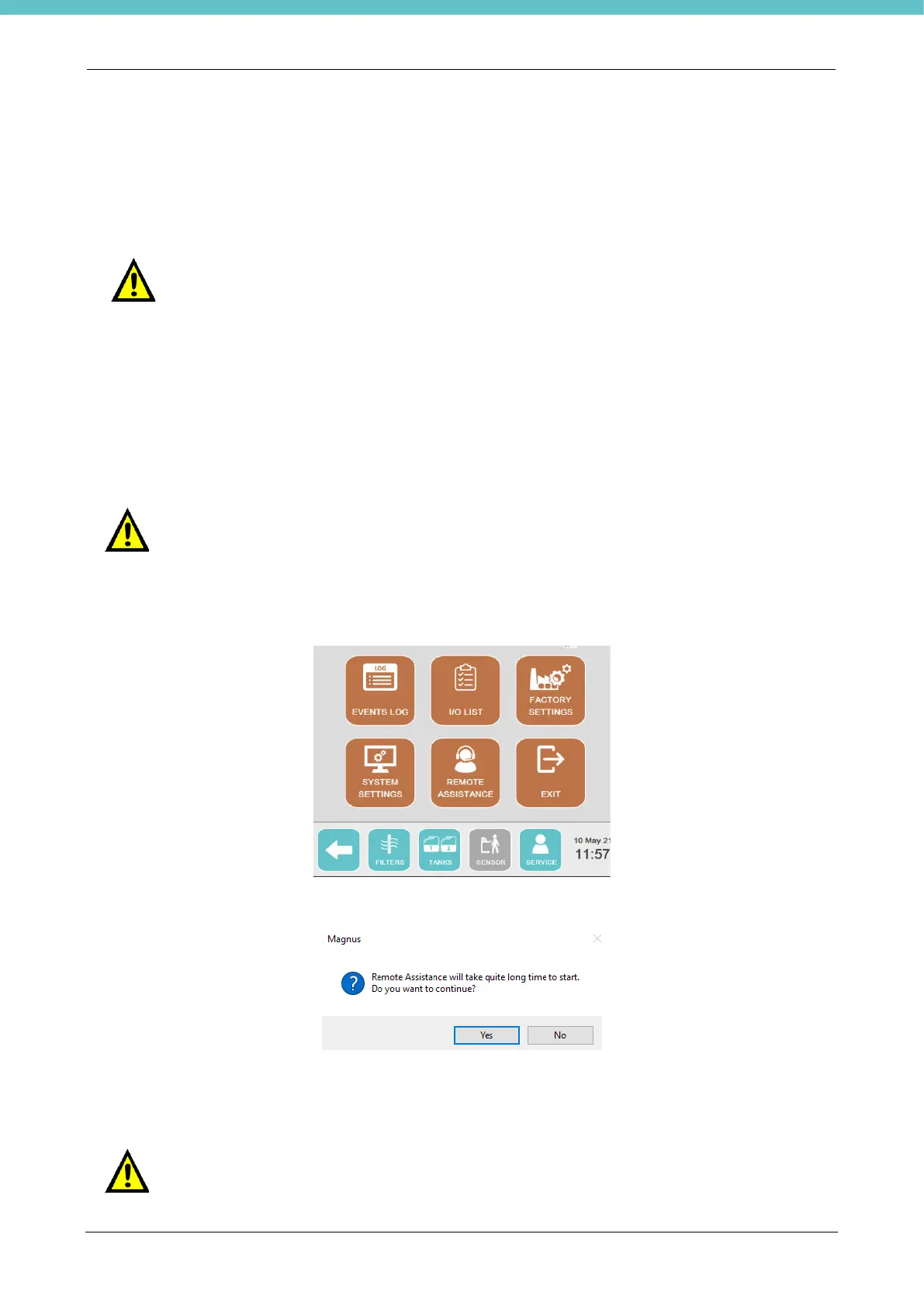
Then go to the "Service” screen and select “Remote assistance”.
The following message will appear, click “Yes” and wait.
A box appears with an ID and a password to be provided to the remote assistance technician to allow them to
connect to the unit.
At this point remote service works on the instrument.
The Remote Assistance will be disabled by the remote service.
Do not disconnect or restart the instrument during the remote connection.



 To Next Page