80
2.6.3. Log in and log out
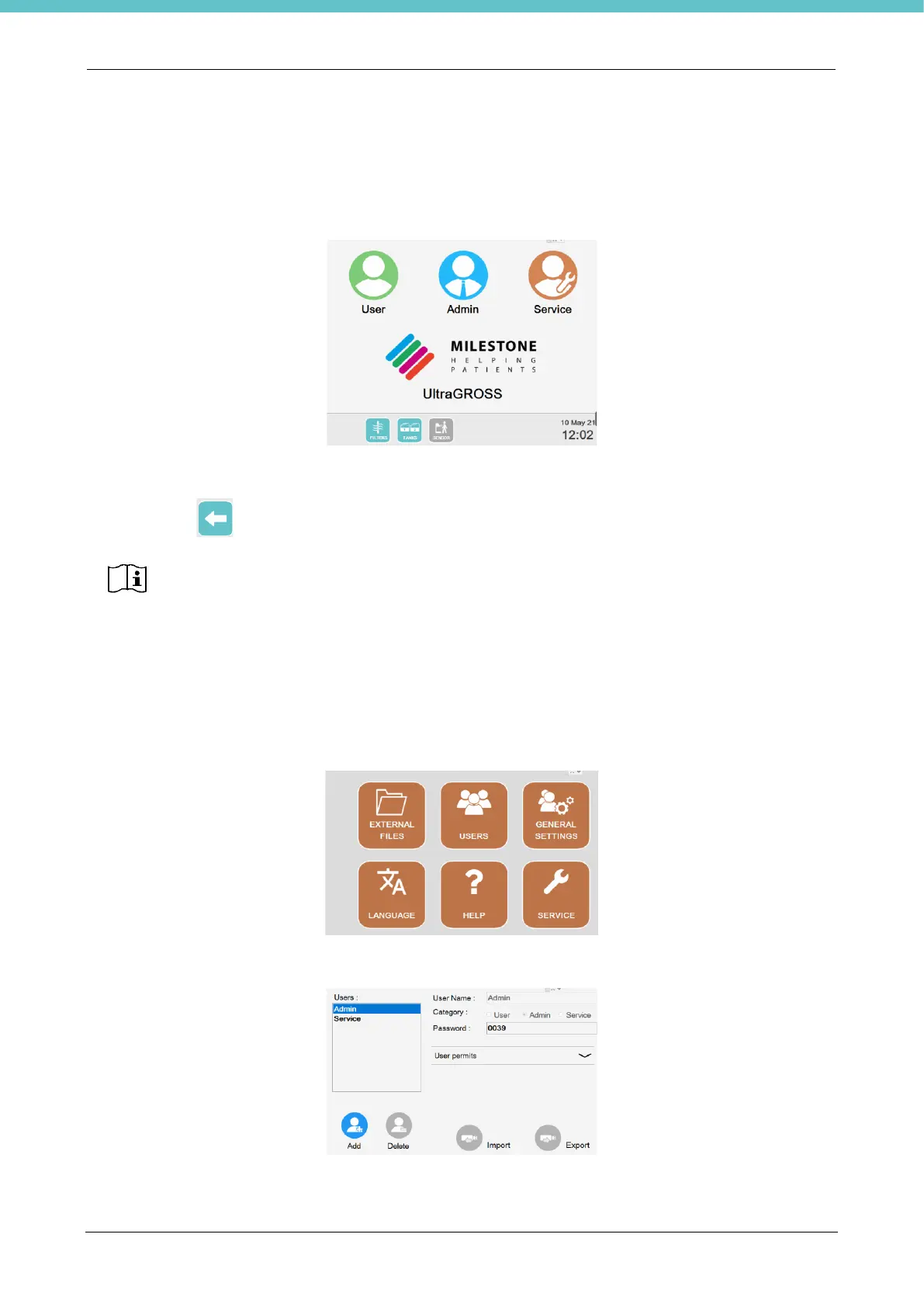
The LOG IN screen appears by default when the system is switched on. Press the “Admin” button, enter the
password (issued as a separate document provided with the Manual) and press “Enter”.
The home page is open.
Press the arrow on the status bar to go back to the previous page from any screen.
Refer to the next chapter for management of the users.
2.6.4. Users
To have access, press “Settings” on the status bar of the main screen, and then “Users”.
The following page opens displaying the two default users, Administrator and Service.
SERVICE log-in is allowed for authorized personnel only.
The ADMINISTRATOR can access restricted SERVICE functions.
SERVICE has complete access to all functions.



 To Next Page