94
2.6.11. Events log
The software has an Events log with useful information for customer support such as alarms, status changes
and logged in username.
It is possible to export the Events log to a USB key and then to view it with the LogVIEWER program that
comes with the unit.
Insert a USB key into one of the two slots on the right side of the terminal.
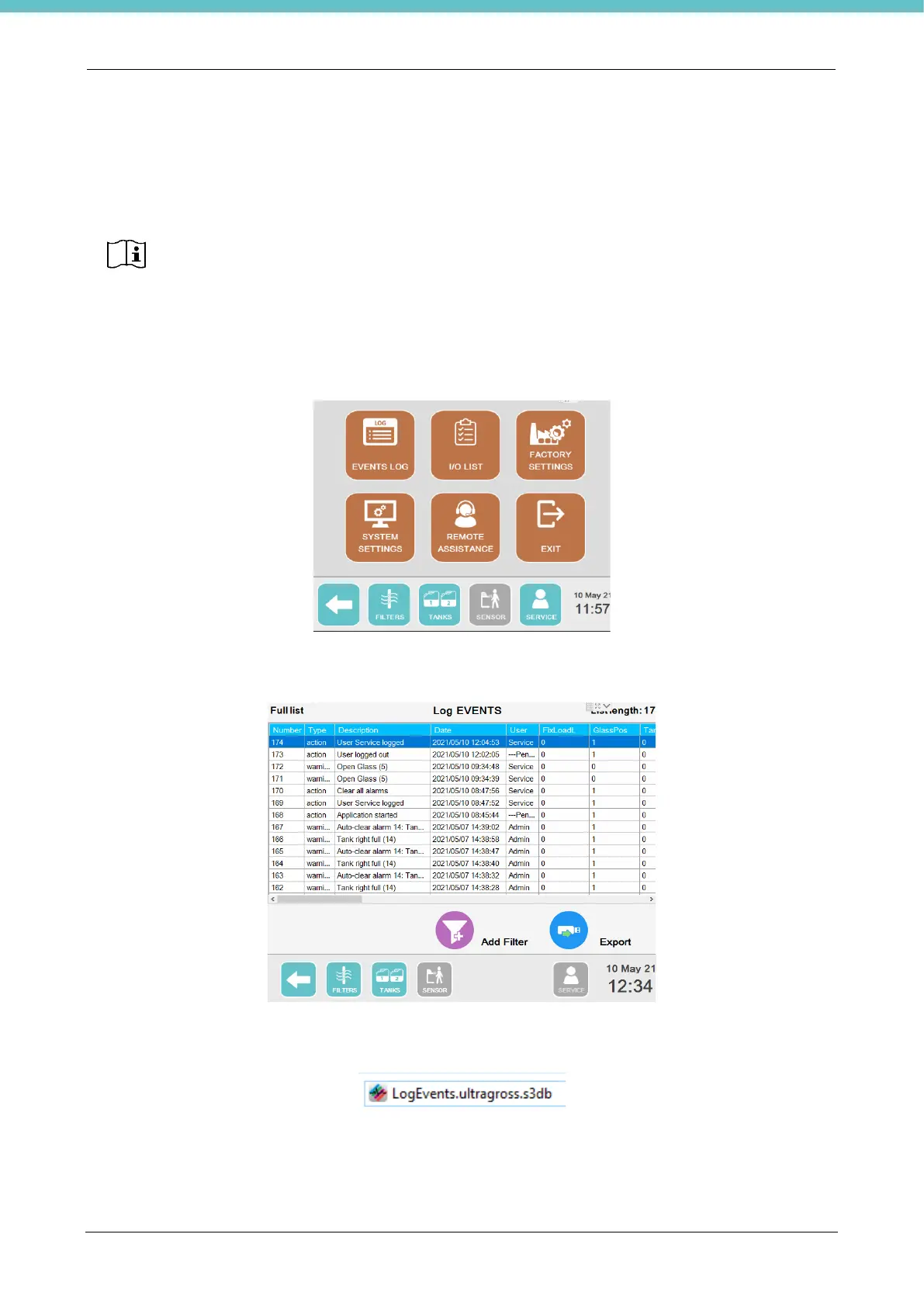
Access the "Service” screen and select “Events log”.
The following screen appears where it is possible to export the List of logged Events: press Export to copy it
onto the USB key you have just inserted.
After exporting, insert the USB key in a PC: there is a folder called “UltraGROSS_unit serial number” which
contains folder “CustomData” containing the file “LogEvents.ultragross.s3db”.
To open the events log, install the LogVIEWER program on a PC as explained previously.
Now simply double-click the file without needing to open the program. The following is an example of an Events
log open on the PC.



 To Next Page