43
2.5.4. Installation of keyboard support arm (only for letter S)
Present on all models except MALPIGHI.
If letter H, refer to the next chapter.
If there are one or two letters T, refer to chapter 2.5.6.
To assemble the components, follow the procedure below.
A monitor weighing up to 9Kg can be connected with the VESA 75/100 bracket.
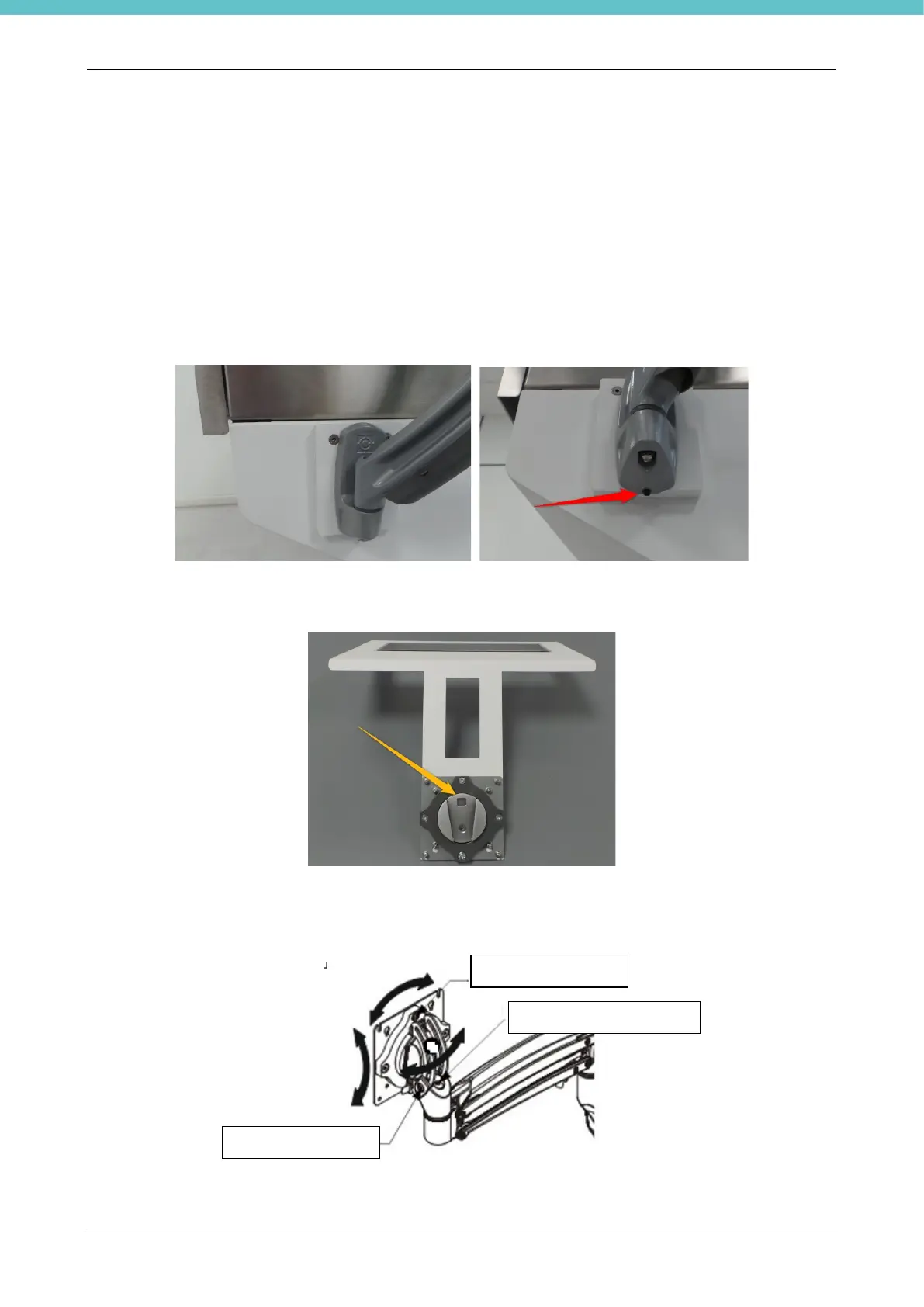
Fit the keyboard support arm in one of the two positions (right or left) securing it with the supplied screw.
Join the VESA plate to the keyboard support, as per photo, with the supplied screws, making sure to direct it
as shown by the arrow in the following figure.
Adjust the arm frictions according to the instructions below. Act on the screws indicated in the following figure
to modify the frictions.



 To Next Page