3-CONTROLSANDINSTRUMENTS
Climateiconsandscreens
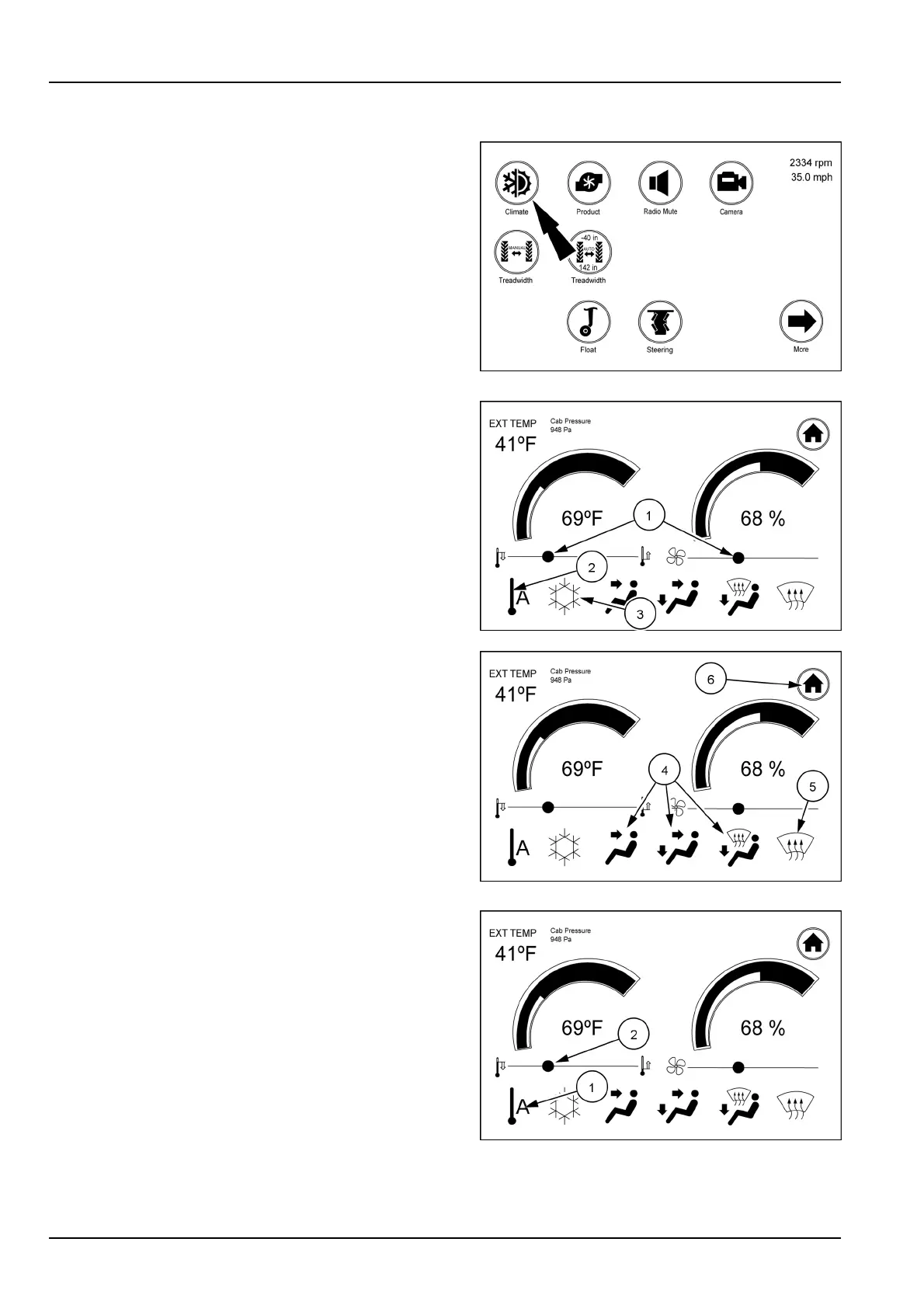
Cabclimateiconandscreens
Toadjustcabairtemperatureandfanspeed,touchthe
climateicononthersthomedisplayscreen.
RAIL17SP00184AA1
Fromthisscreenyoucanadjustthecabinsidetemper-
atureorfanspeedbyslidingtheappropriatewhitecircle
(1)totherightorleft.
Inthelowerpartofthescreenyoucansetthe“Auto”tem-
peraturecontrol(2),airconditioning(snowake)constant
on(3),determinewhichvents(4)youwanttobeactive
orsettingtheventstodefrost(5)only.Simplytouchthe
appropriateiconanditwillturnwhitesignifyingthatithas
beenselected.
Onceallthesettingsarecomplete,touchthe“Home”icon
(6)toreturntothehomepage.
TheEXTTEMPintheupperleft-handcornerofthescreen
monitorsthetemperatureoutsideofthecab
RAIL17SP00182AA2
RAIL17SP00182AA3
Automode
Theautomodeissetbytouchingtheautotemperature
icon(1).Oncetheautotemperatureiconistouched,all
theiconsbelowthelinewilldisappearaswellastheset-
tingsliderforthefanspeed.Usethetemperatureslider
(2)tosetthedesiredinsidetemperature.Intheautomode
thistemperaturewillbemaintained.
RAIL17SP00182AA4
3-62



 To Next Page