6-WORKINGOPERATIONS
Tankllmonitoroperation(ifequipped)
Thetankllmonitorisanoptionthecanbettedtothevehicleandisusedtomonitorthellingoftheproducttank
whenusingthesnorkelllsystem.ThisoptionalmonitordoesnotcommunicatewiththeIntelliSpray™monitor.
Accessthetankllmonitorbyloweringthequick-lldoor.Thetankllmonitorismountedtothetopsideofthequick-ll
doorframe.Thetankllmonitorhasfourdifferentscreensthatareaccessible.Theyare:HomeScreen,FillMeter
CalScreen,MainRunScreenandInformationScreen.Thedescriptionofthescreensisasfollows:
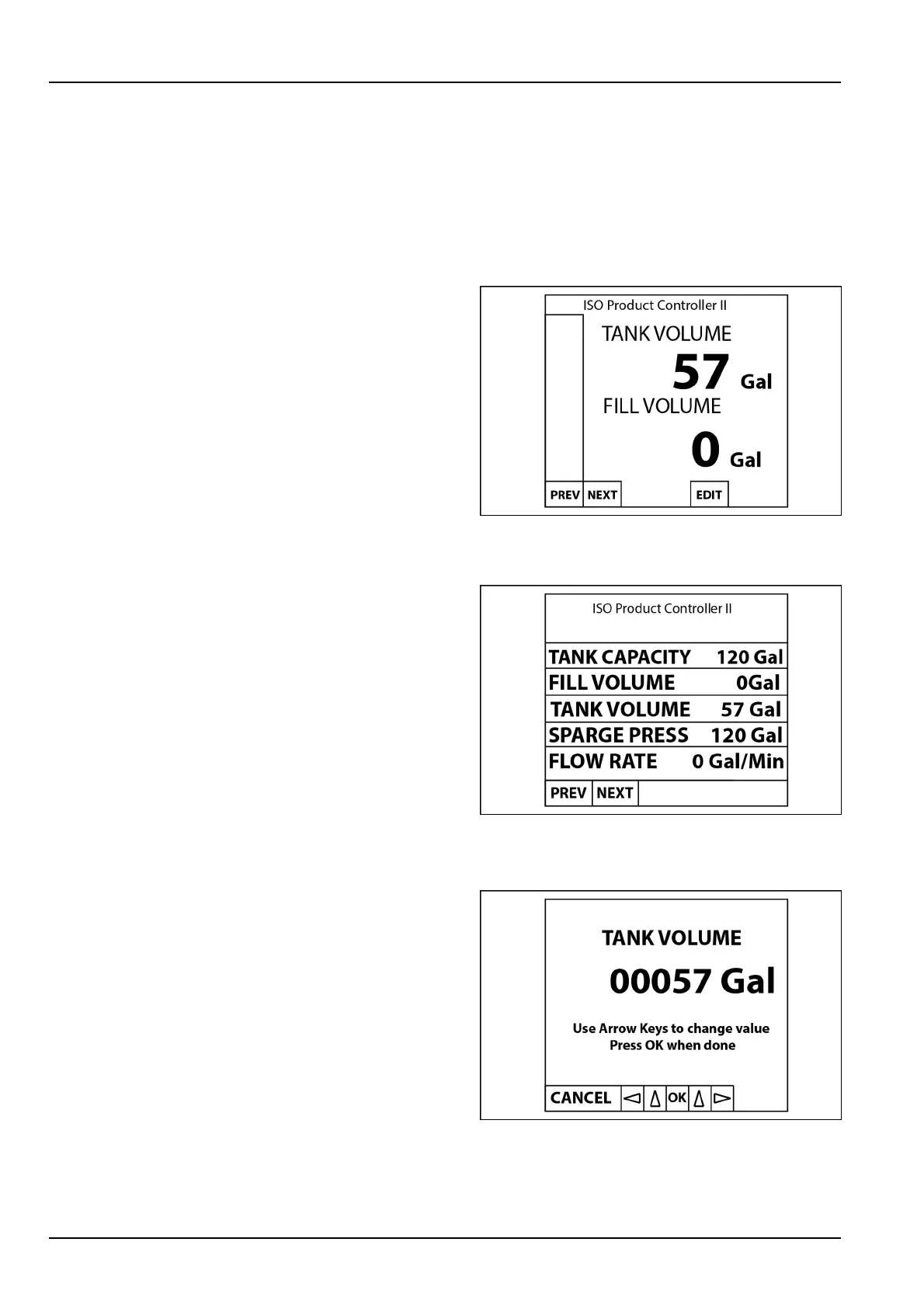
Homescreen
TankVolume-Theamountofproductcurrentlyinthetank.
FillVolume-Amountofproductaddedtothetankthrough
thellowline.
EDIT-PresstheEDITbuttontoopenascreentoeditthe
tankvolume.
RAIL16SP00239AA1
MainRunScreen
TankCapacity-Displaysthemaximumtankcapacity.
FillVolume-Amountofproductaddedtothetankthrough
thellowline.
TankVolume-Theamountofproductcurrentlyinthetank.
SpargePressure-Displaystheproductpumppressure(if
available).
TotalVolume(notshown)-Thetotalamountapplied.As
thetankvolumedecreases,thetotalvolumeincreases.
FlowRate-Currentowrateoftheproductthroughthe
llowline.
RAIL16SP00241AA2
FillMeterCalScreen
Usethearrowkeystomanuallyadjustthecurrenttank
volume.PresstheOKbuttonafteradjusting.
RAIL16SP00240AA3
6-30



 To Next Page