3-CONTROLSANDINSTRUMENTS
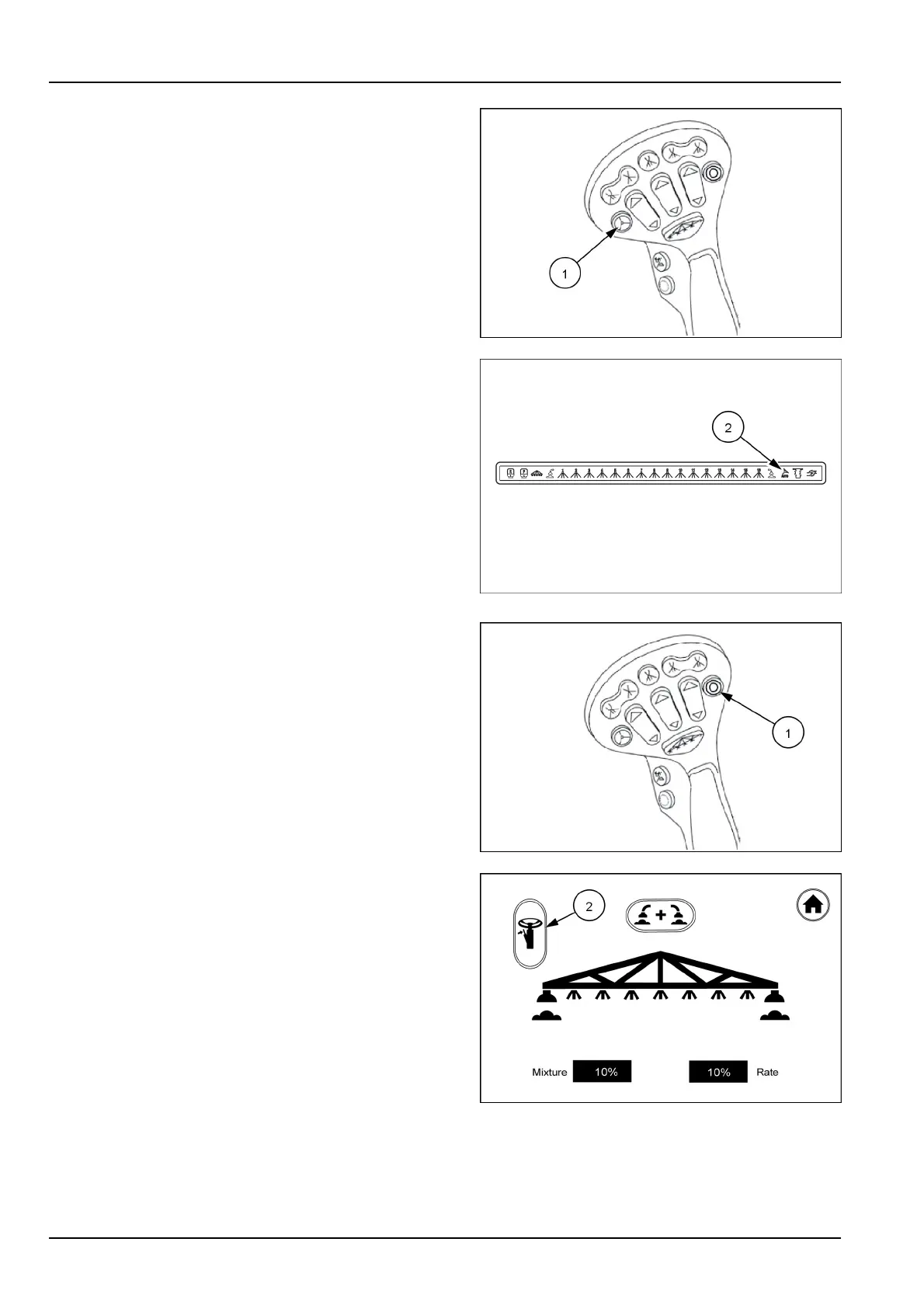
Autosteeron/offbutton(optional)
Whenequippedwiththeautosteeroption,itwillbeturned
onandoffusingtheautosteerbutton(1)onthejoystick.
Pushthebuttontoactivatetheautosteeroption.Oncethe
autosteerisengaged,thebuttonwillturngreen.Theauto
steericon(2)onthefrontoverheaddisplaywillilluminate.
Pushthebuttonagaintoturnthesystemoff.Oncethe
autosteerdisengages,thebuttonwillturnbacktored.
Turningthesteeringwheelmanuallywillalsodisengage
theautosteer.
NOTE:YoumustengageAutoSteerviathedisplaybefore
youcanusethefunctionality.
RAIL17SP00391AA33
RAIL17SP00309FA34
Multi-functionbutton
Themulti-functionbutton(1)onthejoystickwillwork
asoff-right-off-left-offbypressinginthisorderwhenthe
foameroptionisactive.
Themulti-functionbuttononthejoystickwilltoggleboth
sides(off-both-off)whenthedualfoameristurnedonwith
thescreenandtheturnsignallevericon(2)onthescreen
hasbeenactivated.
RAIL17SP00391AA35
RAIL17SP00204AA36
3-42



 To Next Page