3-CONTROLSANDINSTRUMENTS
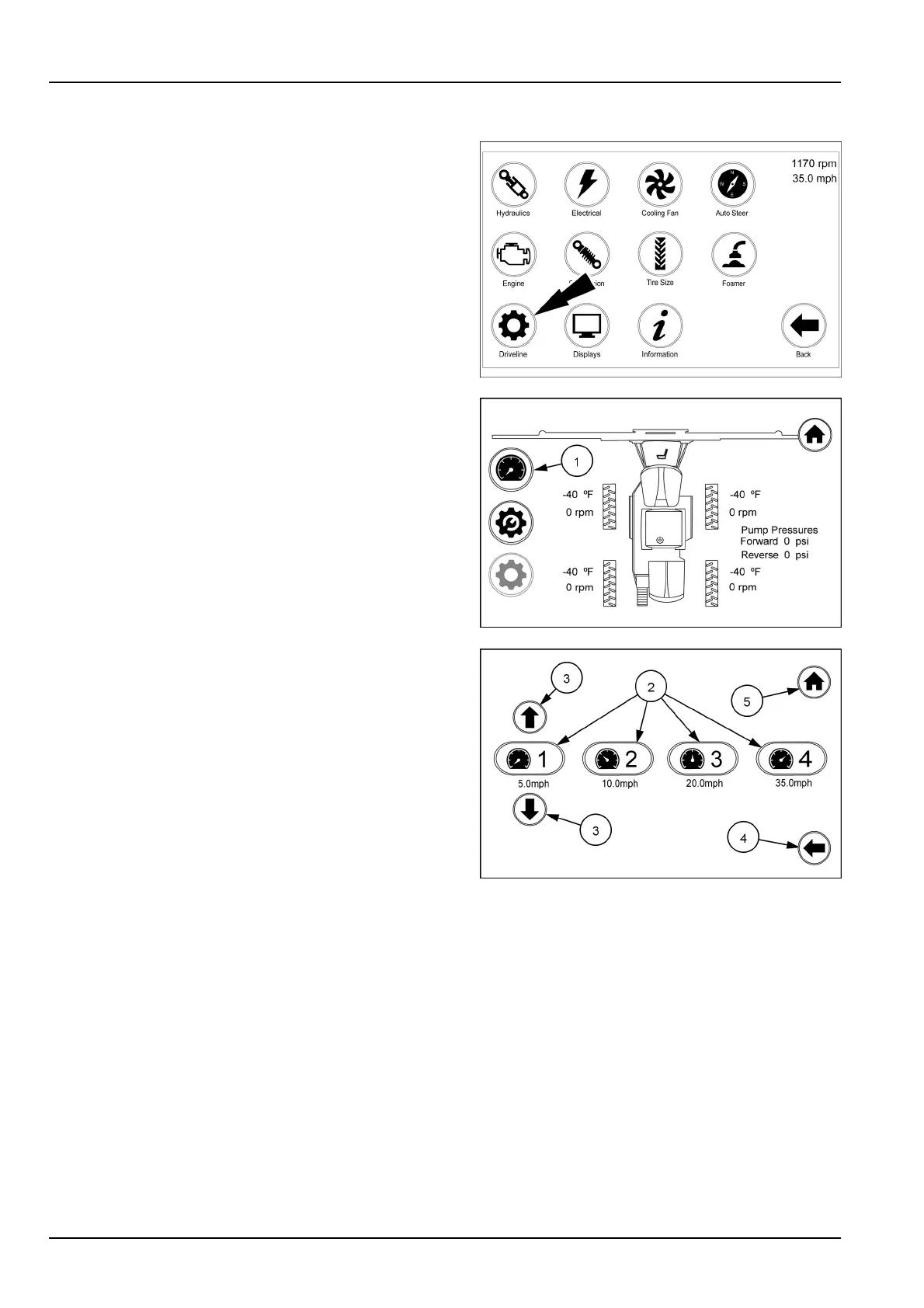
Drivelineiconandscreens
Fromthearmrestdisplaysecondhomepagetouchthe
Drivelineicon.
Onthedrivelinescreentouchtherangesetupicon(1).
Touchthedesiredrangeicon(2)tobringuptheup/down
arrows(3)forthatrange.Thearrowswillincreaseorde-
creasethespeedby.2mphperpushinthatrange.When
settouchthenextrangeicontobechangedifdesired.
Allthespeedranges1through4arechangedinthesame
manner.
Ifalltherangesaresetat0.0mph,youmuststartthe
adjustmentswithrange4.
Touchthebackarrow(4)togobacktothedriveline
screen.
Touchthehomeicon(5)toreturntothehomepage.
RAIL17SP00109FA1
RAIL17SP00174AA2
RAIL17SP00208AA3
3-88



 To Next Page