3-CONTROLSANDINSTRUMENTS
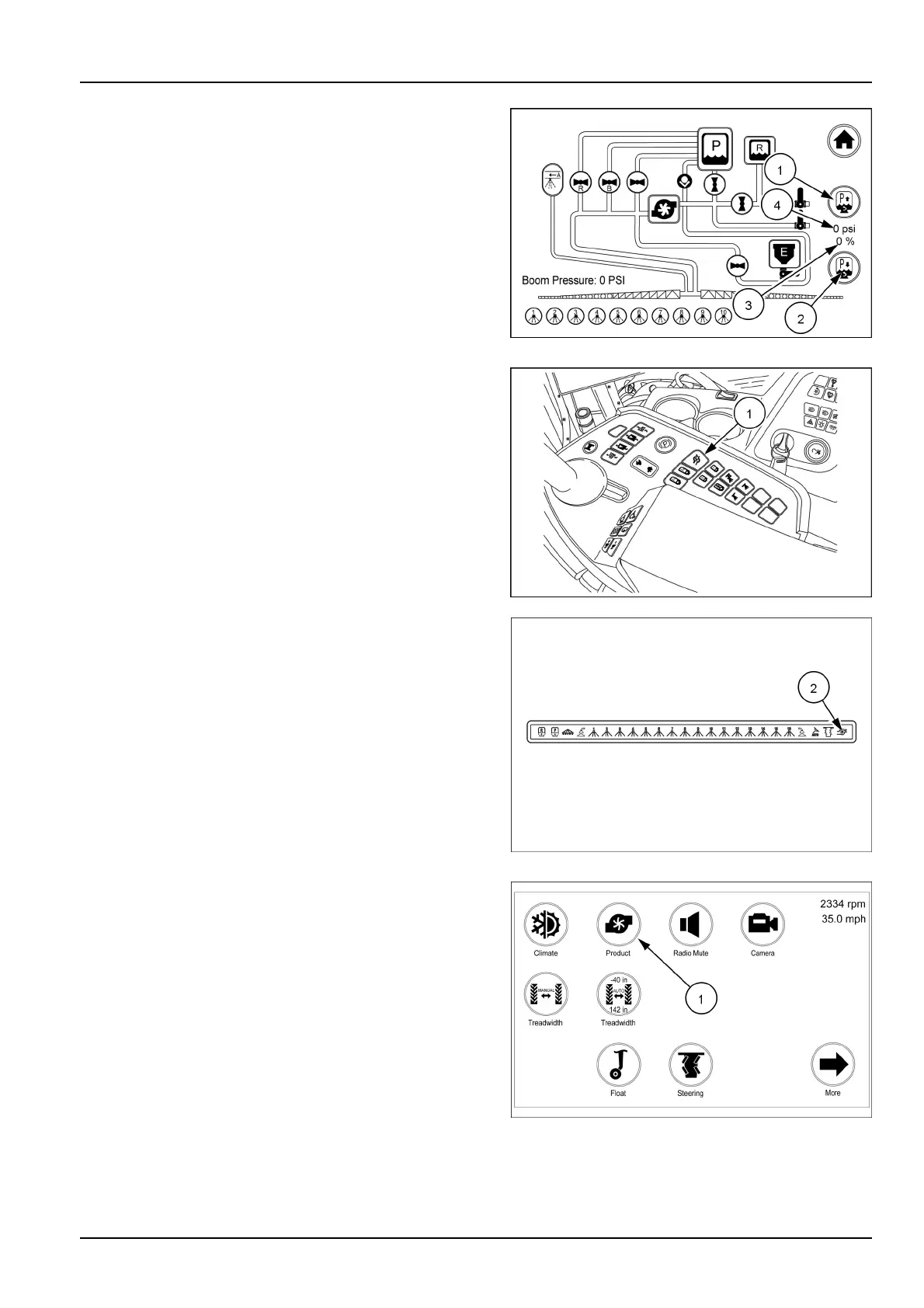
Thespargecanbeincreasedordecreasedfromtheprod-
uctcircuitscreen.Touchthespargeincreaseicon(1)or
spargedecreaseicon(2)toadjust.Observethesparge
percentage(3)orspargepsi(4),increaseordecreaseas
thevalveisopenedorclosed.
RAIL17SP00183AA18
Productpumpon/off
NOTICE:Toavoiddamagetotheproductpump,never
runthepump“Dry”withoutliquidinthepump.
Theproductpumpswitch(1)turnsontheproductpump.
Pushtheswitchoncetoturnthepumpon.Pushtheswitch
againtoturnthepumpoff.Theicon(2)onthefrontover-
headwillilluminatealertingyouthatthepumpison.
Theicononthefrontoverheaddisplaywillalsoalertyou
thattheproductpumpisturnedonwhentheremotepump
switchisused,orwhenthepumpisturnedonwiththe
display.
Turningtheproductpumponwithasumpclosedwill
causethedisplaytoshowamessagestating“Product
Pumpwon’tturnonwhentheProductandRinseSumps
arebothclosed”.
RAIL17SP00287AA19
RAIL17SP00309FA20
Thepumpiconwillalsodisplayonthearmrestdisplay.
Touchtheproducticon(1)onthersthomescreen.The
productcircuitscreendisplays.
RAIL17SP00108FA21
3-19



 To Next Page