3-CONTROLSANDINSTRUMENTS
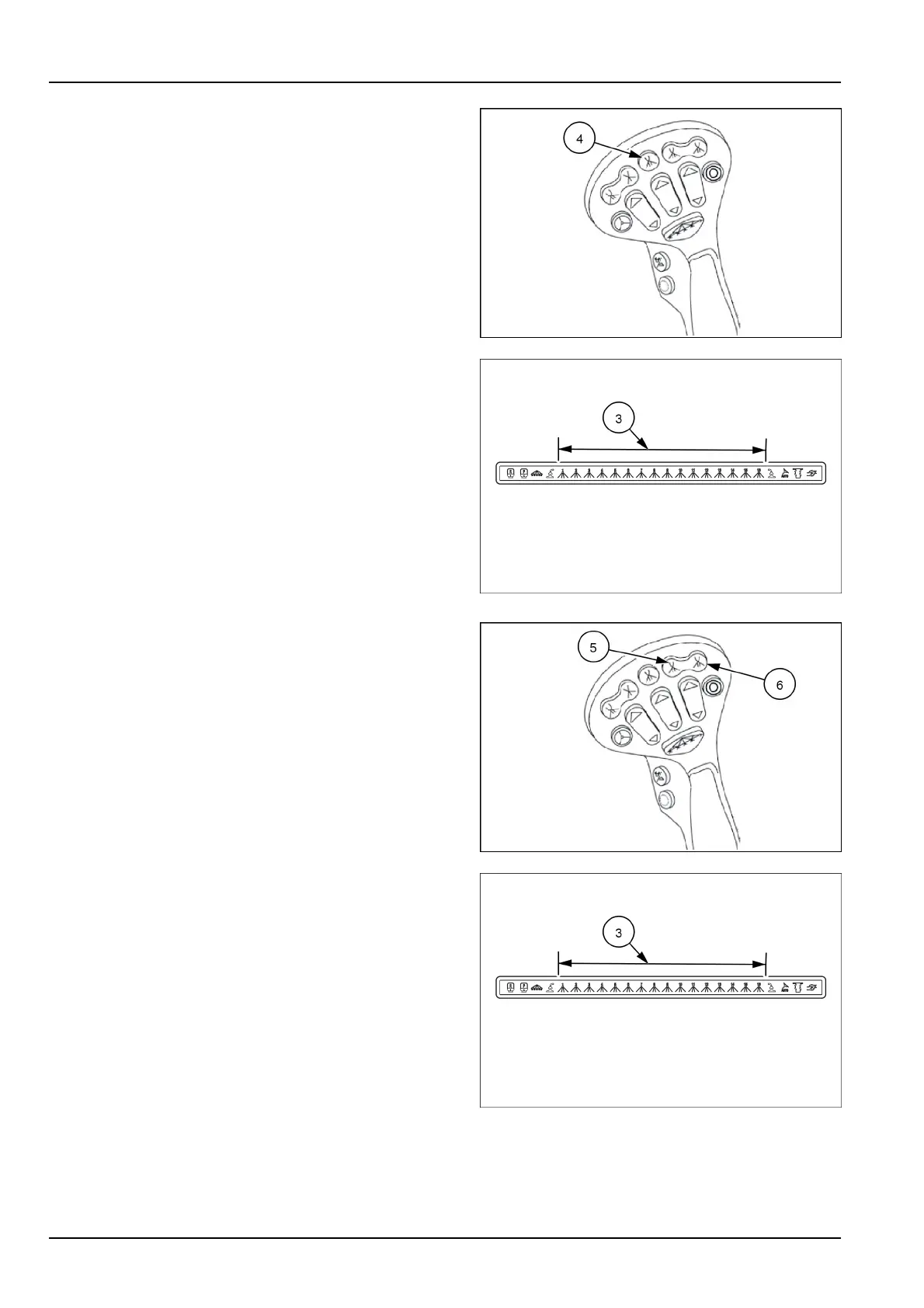
Boomsection3(5and6for10-sectionboom)onandoff
(4):Pushthebuttontoturnboom3on.Theicon(3)on
thefrontoverheaddisplaywillilluminateindicatingthat
thesectionisactive.Thebuttonwillchangetogreen.
Pushthebuttonagaintoturnboom3offandthebutton
willchangebacktored.Thebuttonwillchangetoamber
whentheswitchisonandthemasterisoff
RAIL17SP00391AA8
RAIL17SP00309FA9
Boomsection4(7and8for10-sectionboom)onandoff
(5):Pushtheleftsideofthebuttontoturnboom4on.
Theicon(3)onthefrontoverheaddisplaywillilluminate
indicatingthatthesectionisactive.Thebuttonwillchange
togreen.Pushtheleftsideagaintoturnboom4offand
thebuttonwillchangebacktored.Thebuttonwillchange
toamberwhentheswitchisonandthemasterisoff.
Boomsection5(9and10for10-sectionboom)onand
off(6):Pushtherightsideofthebuttontoturnboom5
on.Theicononthefrontoverheaddisplaywillilluminate
indicatingthatthesectionisactive.Thebuttonwillchange
togreen.Pushtherightsideagaintoturnboom5offand
thebuttonwillchangebacktored.Thebuttonwillchange
toamberwhentheswitchisonandthemasterisoff.
RAIL17SP00391AA10
RAIL17SP00309FA11
3-34



 To Next Page