3-CONTROLSANDINSTRUMENTS
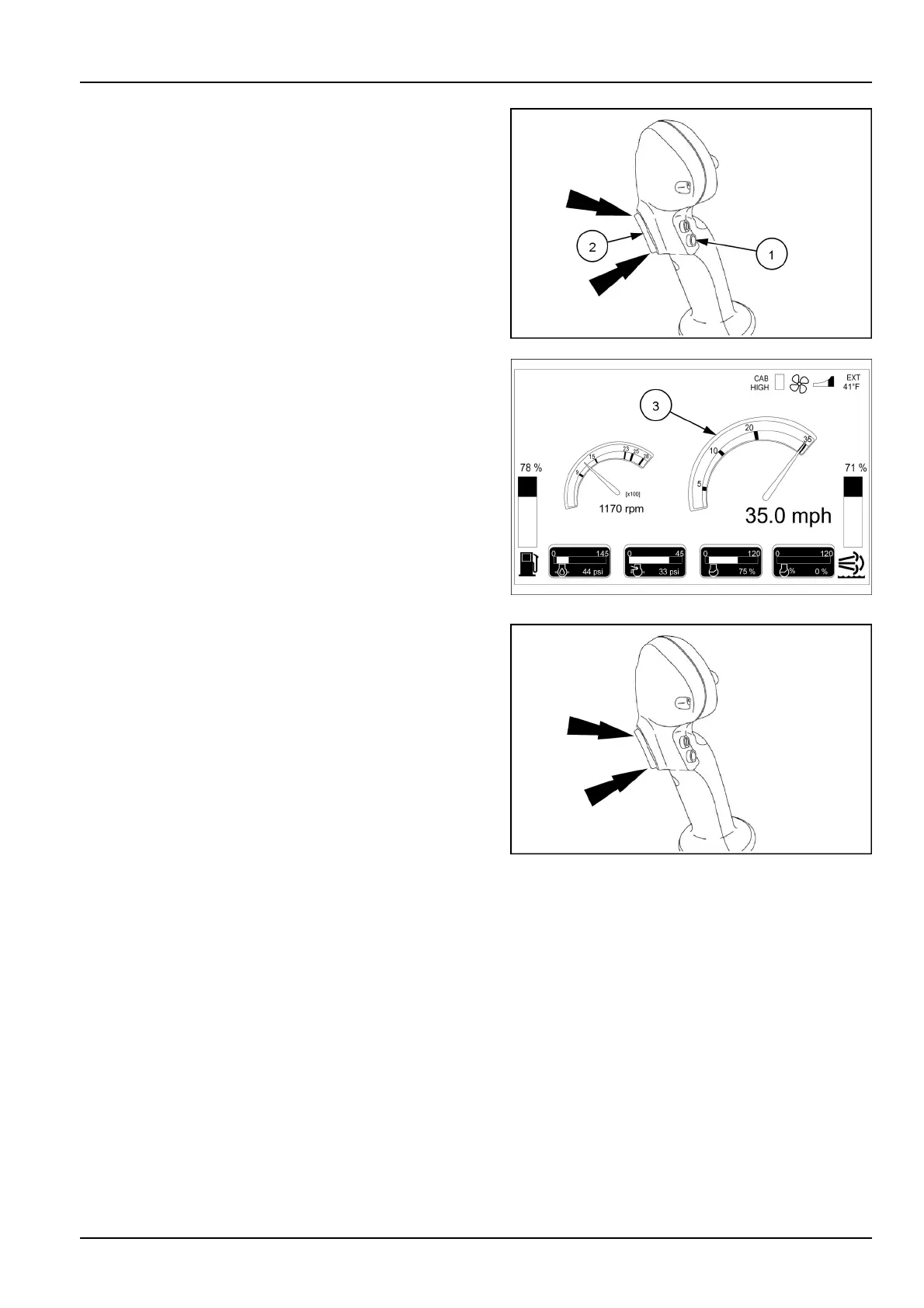
Therangeselectorisapushbutton(1)onthesideofthe
joystickalongwiththetrigger(2)onthefrontofthejoy-
stickandhasfourspeedranges.Speedrangeisselected
withthetrigger,inconjunctionwithpressingtherangebut-
ton.Thespeedrangecanbechangedupordownatany
timewiththevehicleinmotionforwardorreverse“shift
onthego”.Whileholdingtherangeselectorbuttondown,
usethetriggeronthefrontofthejoysticktoshiftup(trig-
gerup)orshiftdown(triggerdown).Therangebutton
mustbehelddownwhileusingthetrigger.Watchthe
speedometer(3)onthehomepageoftheA-postdisplay
asyoushiftthroughtheranges.Thearcofthespeedome-
terwillchangecolorsintheranges.Therangeyouarein
willdisplayaswhiteaswellasthelowerrange.
Therangemarksonthespeedometergaugewillmoveas
yousetthespeeddesiredforeachrange.Referto3-62
foradetailedexplanationofhowtoset.
RAIL17SP00696AA17
RAIL17SP00107FA18
Ineachofthespeedranges,youhavetheabilitytoin-
creaseordecreasethespeedby0.3km/h(0.2mph).T o
changethespeedwithinarange,simplypressthetop
ofthetrigger(withoutpressingtherangeselectorbutton)
toincreasethespeedorpressthebottomofthetrigger
(withoutpressingtherangeselectorbutton)todecrease
thespeed.
Thespeedrangescanalsobeincreasedordecreased
withthedisplayscreen.Referto3-88
RAIL17SP00696AA19
3-37



 To Next Page