Passport V Operating Instructions 0070- 0-0704-02 1 - 11
General Product Description Physical Views
1.5 Physical Views
1.5.1 Front View
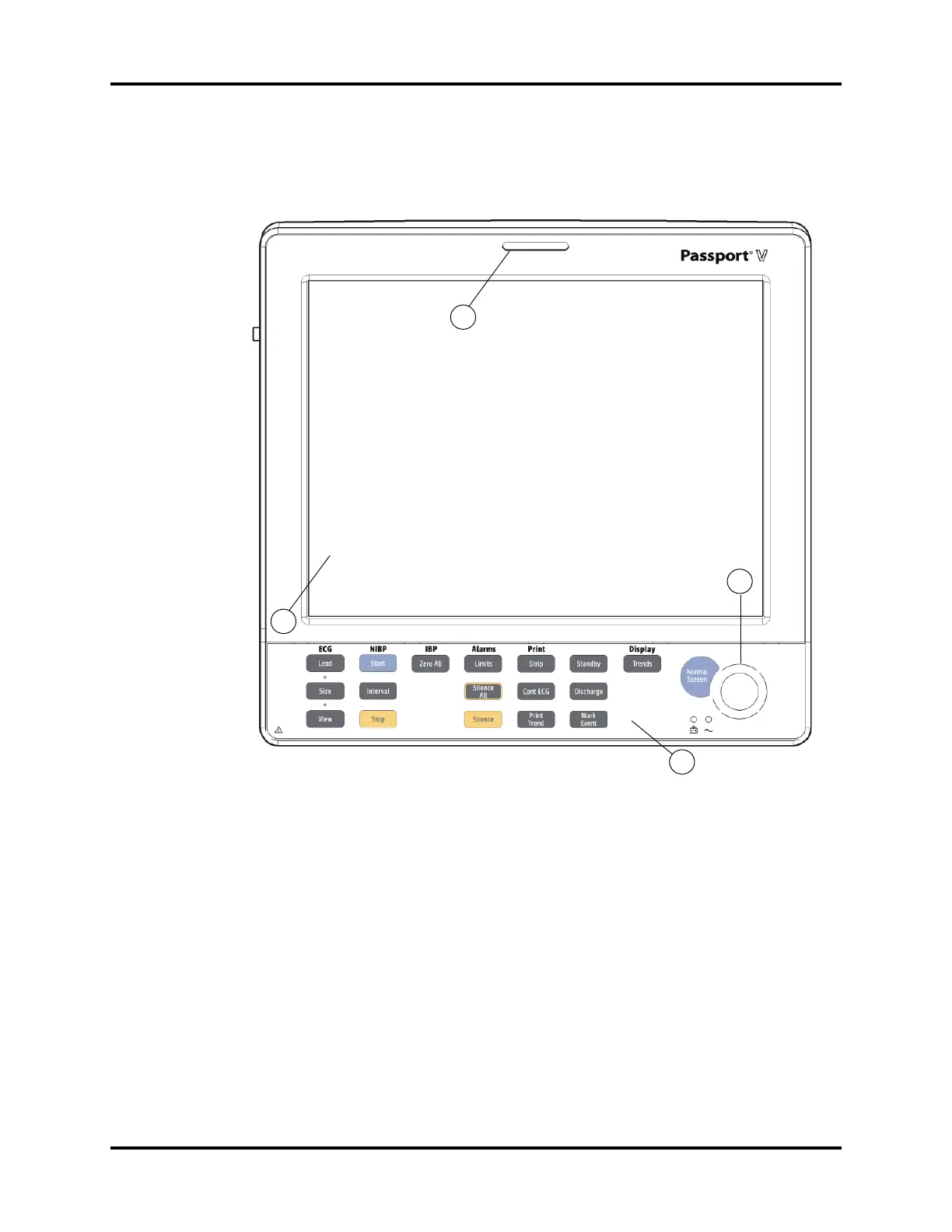
FIGURE 1-4 Front Panel
1. Front Panel Hard Keys
Provides access to most main functions.
2. Navigator Knob
Rotates clockwise and counter-clockwise to navigate through menu selections.
It also can be pressed to select a highlighted item.
3. Display
Displays all waveforms and numeric data.
4. Alarm Light
Indicates that an alarm has been activated.Alarm Light (not shown). The WARNING (or
Priority 1) LED is red. The CAUTION (or Priority 2) LED is yellow.
1
2
3
4
0


 To Next Page
 Loading...