9. Mounting a top module
MiR250 Dynamic Integrator Manual (en) 09/2023 - v.2.1 ©Copyright 2020–2023: Mobile Industrial Robots A/S. 96
9. Mounting a top module
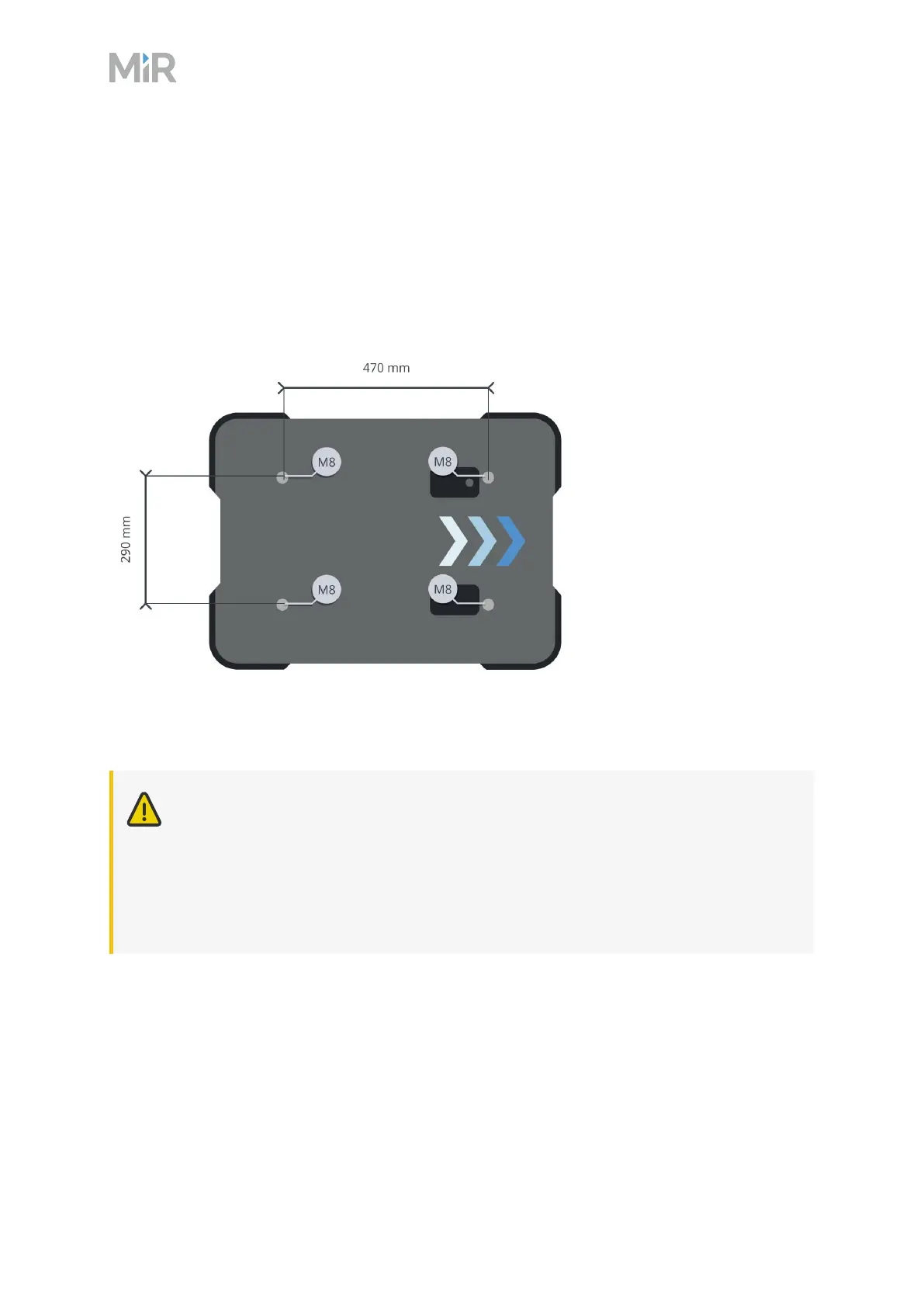
MiR250 Dynamic has four M8 holes for mounting top modules as shown in Figure 9.1. The
tightening torque is 18 Nm. The mounting screws must have a length between 23–33mm from
the top of the top cover.
Figure 9.1 Mounting hole dimensions
The mounting holes are in the chassis, so the top cover does not need to be on the robot when
you mount a top module.
CAUTION
Personnel operating the robot risk injury if they cannot stop the robot in an
emergency situation.
l
If a top module prevents you from connecting the Emergency stop button
delivered with your robot, make sure to install a new button on the top module,
and to perform a risk assessment according to standard ISO 12100.



 To Next Page