Additional Features
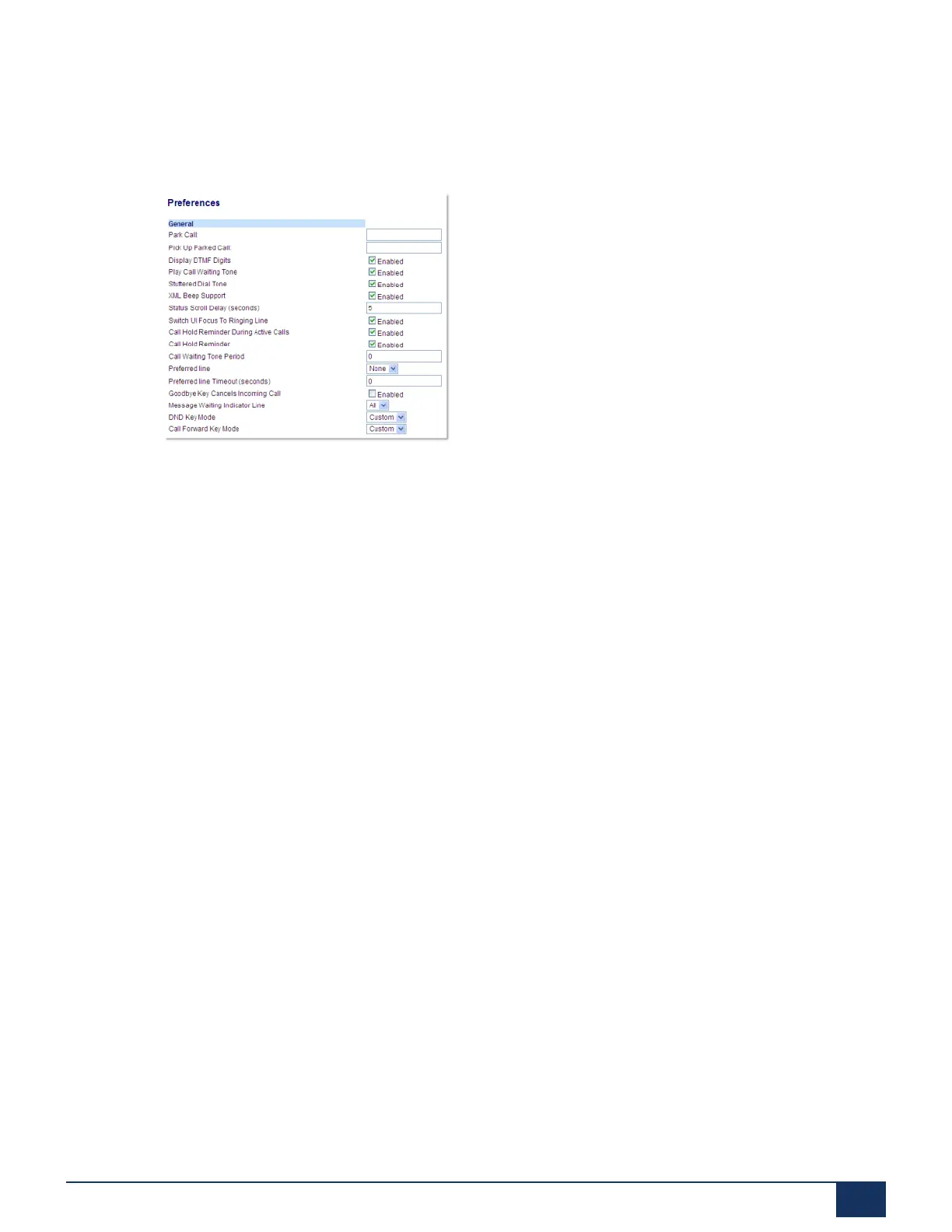
Configuring Message Waiting Indicator
1. Click on Basic Settings > Preferences > General.
2. The Message Waiting Indicator Line field is set to ALL lines by default. If required, change the setting
to a specific line by selecting a line from the list. Valid values are All and lines 1 through 24.
3. Click Save Settings.
12.13 Incoming Intercom Call Features
By default, the IP phone allows incoming intercom calls to be automatically answered without having to
set up an Icom key on your phone. The phone automatically plays a warning tone when it receives an
incoming intercom call. It also mutes the microphone. If the intercom call comes into the phone while an
active call is already present, the phone puts the active call on hold and answers the intercom call.
You can change the behavior of how the phone handles incoming intercom calls by enabling/disabling the
following parameters using the Mitel Web UI:
• Auto Answer
• Microphone Mute
• Play Warning Tone
• Allow Barge In
Auto-Answer/Play Warning Tone
The auto-answer feature on the IP phone allows you to enable or disable automatic answering for an
Intercom call. If Auto-Answer is enabled, the phone automatically answers an incoming intercom call. If
Play Warning Tone is also enabled, the phone plays a tone to alert you before answering the intercom
call. If Auto-Answer is disabled, the phone treats the incoming intercom call as a normal call. Auto-
Answer and Play Warning Tone are enabled by default.
Version 1.0
User Guide 176



 To Next Page