Mitel Wireless LAN Adapter
13.1 Installing and Configuring a WLAN Adapter
1. Factory Reset the WLAN adapter by doing the following:
a. Disconnect the AC plug of the Mitel WLAN adapter from the electrical outlet.
b. Reconnect the AC plug to the outlet and push down the switch to power on the Mitel WLAN Adapter.
The green LED for wired LAN connector illuminates. After 2 seconds, when the LED changes to red,
release the switch to delete all configured data. The device is set to factory default.
2. Plug the WLAN Adapter into the Mitel 6915 IP phone using the network cable provided. Plug one end of
the cable into the network jack on the adapter (POE port) and the other end into the network jack on the
back of the phone.
3. On the DHCP screen, press Skip.The DHCP discovery interludes at approximately 30 seconds and the
Wi-Fi settings menu is displayed on the phone.
4. The phone displays the idle screen and then the Voice Service menu. Press the Options key. Scroll
horizontally to the Wi-Fi menu and press Select.
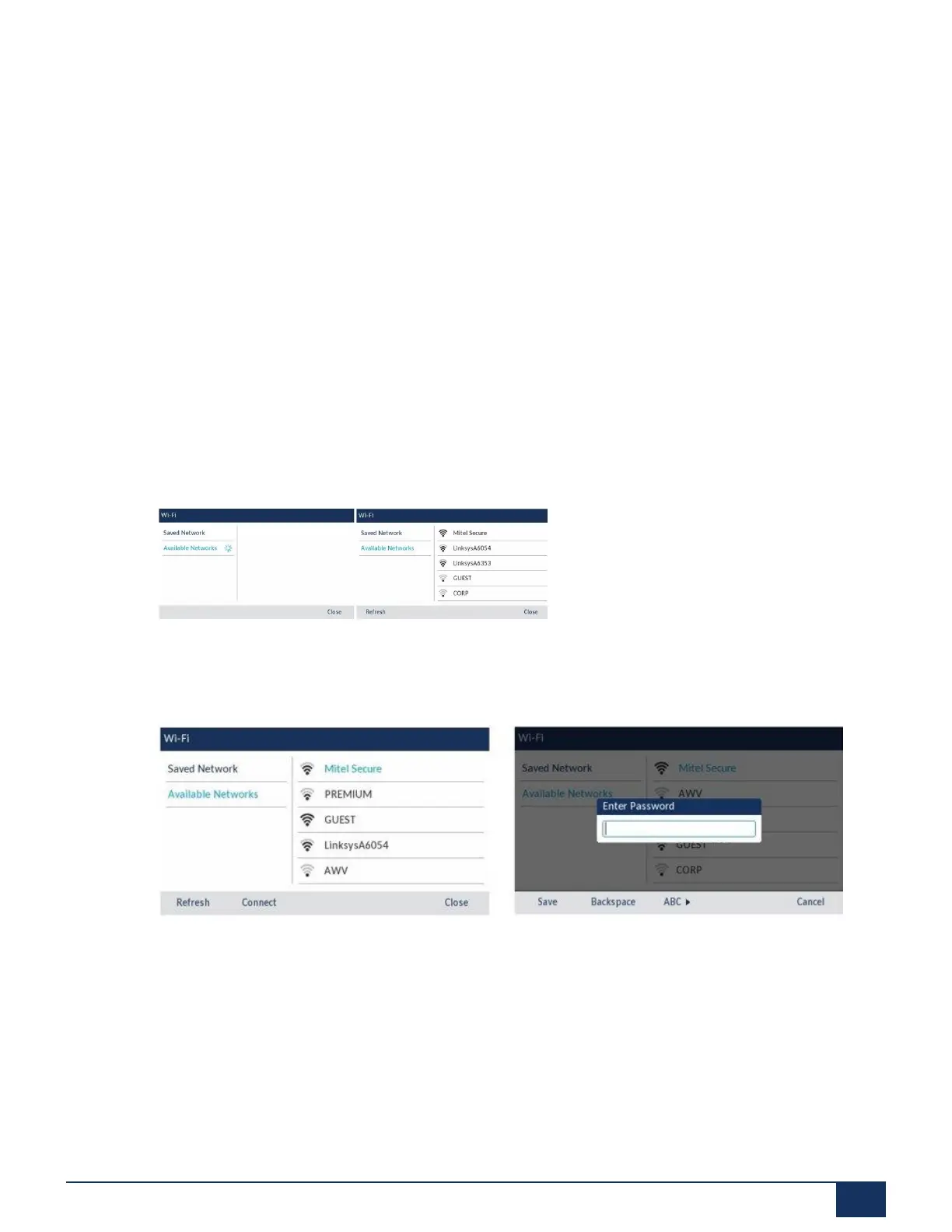
5. The Available Networks settings menu will be displayed after approximately 30 seconds.
6. Select an SSID (that is, the name of a Wi-Fi network; for example, Mitel Secure) from Available
Networks to connect. If the SSID is secured, a password prompt appears.
7. Enter the password for the network and select Save. The Save Settings window appears.
Version 1.0
User Guide 184



 To Next Page