Getting started
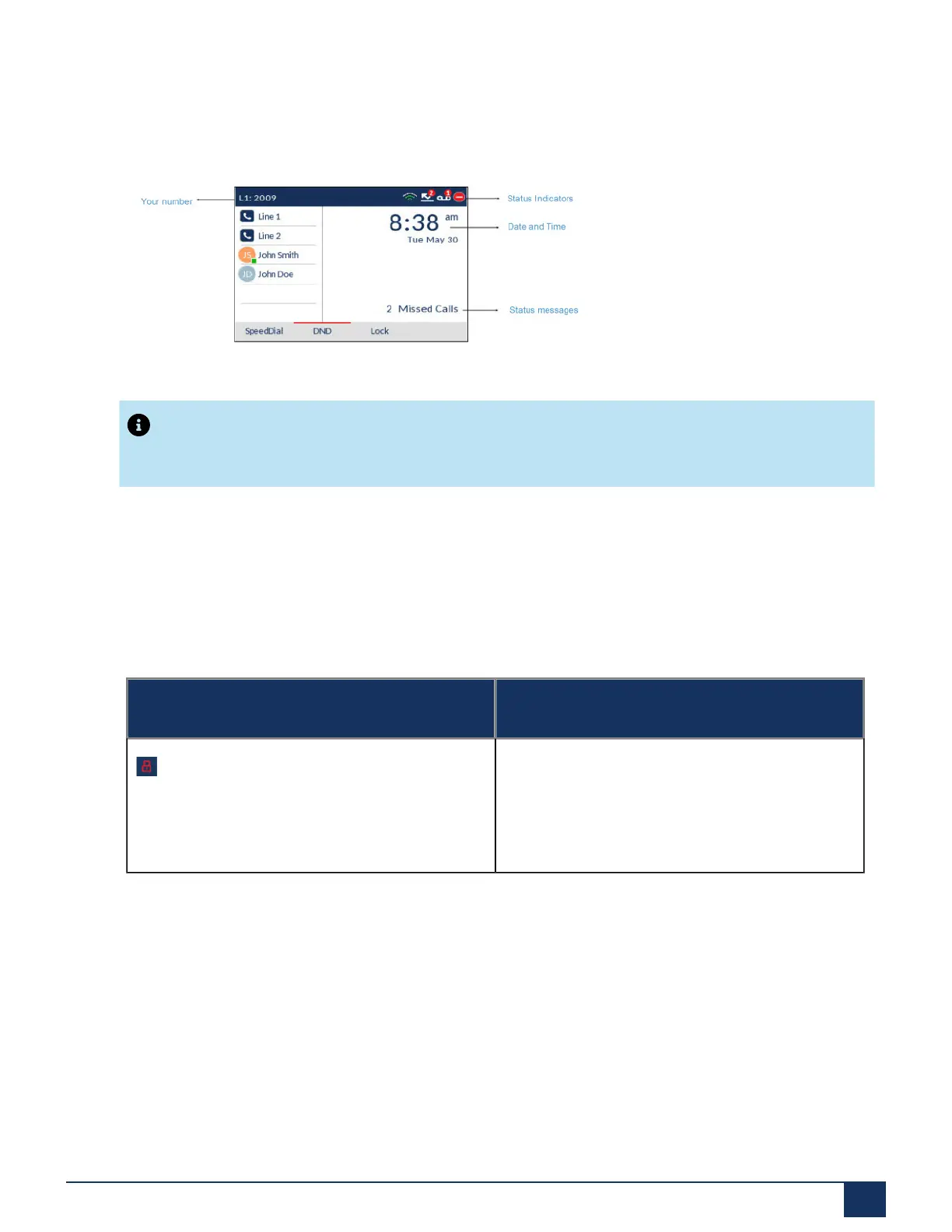
When the phone has successfully booted up and connected to the network, the phone displays the Home
screen. The Home screen shows the date and time along with your number. It is the default screen
displayed when the phone is in an idle state.
Note:
Your System Administrator should have configured your number and any other administrative features
required. If your number does not display on the screen, contact your System Administrator.
Phone and network status indicators
There are icons that display on the phone to indicate the status of the phone and network. These icons
display on the upper right corner of the Home screen.
The following table identifies and describes the phone and network status indicators on the Home screen.
Icon Description
Phone Locked- The lock icon displays on the
Home screen indicating that the phone is in a
locked state preventing the phone from being used
and preventing any changes from being made to
the phone.
Version 1.0
User Guide 16



 To Next Page