Modification mode
(13) Modifying a block (Changing the prior/subsequent data)
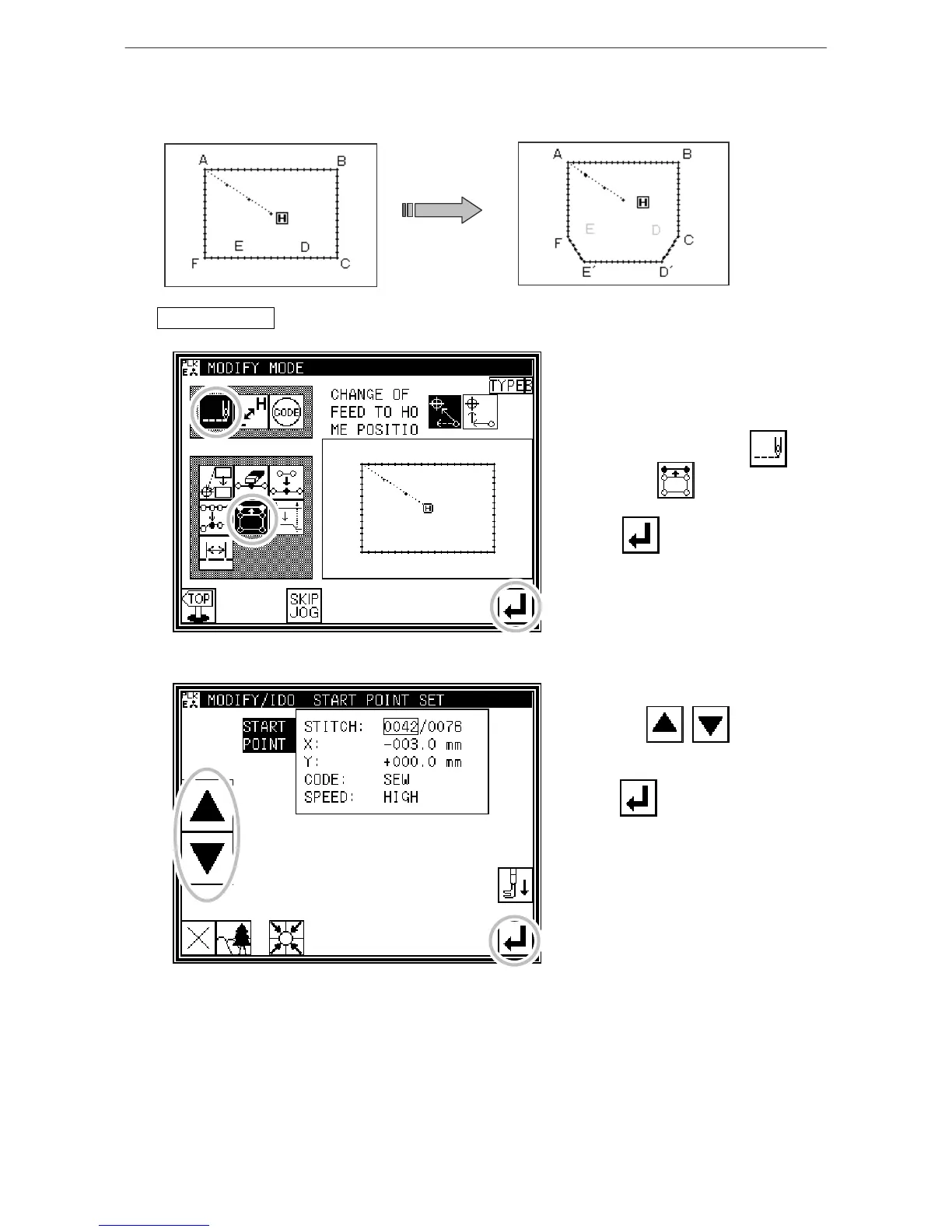
[Example] The section between the D point and E point of the following type of stitching data will be
moved to the D' point to E' point. At this time, the data prior to and after the D' point to E' point
will be changed.
Operationdetails
1. Selecting block movement
* Enter the modification mode. (Refer to
the methods for entering the
modification mode.)
* Press Stitch Data Change and
Block Move .
* Press to open the next screen.
2. Determining the block modification range (start point)
* Using Jog , , determine
the start point position.(D point)
* Press .



 To Next Page
 Loading...





