Reading, writing and erasing data (internal memory)
[6]-3
(3) Erasing (from internal memory)
Operation points
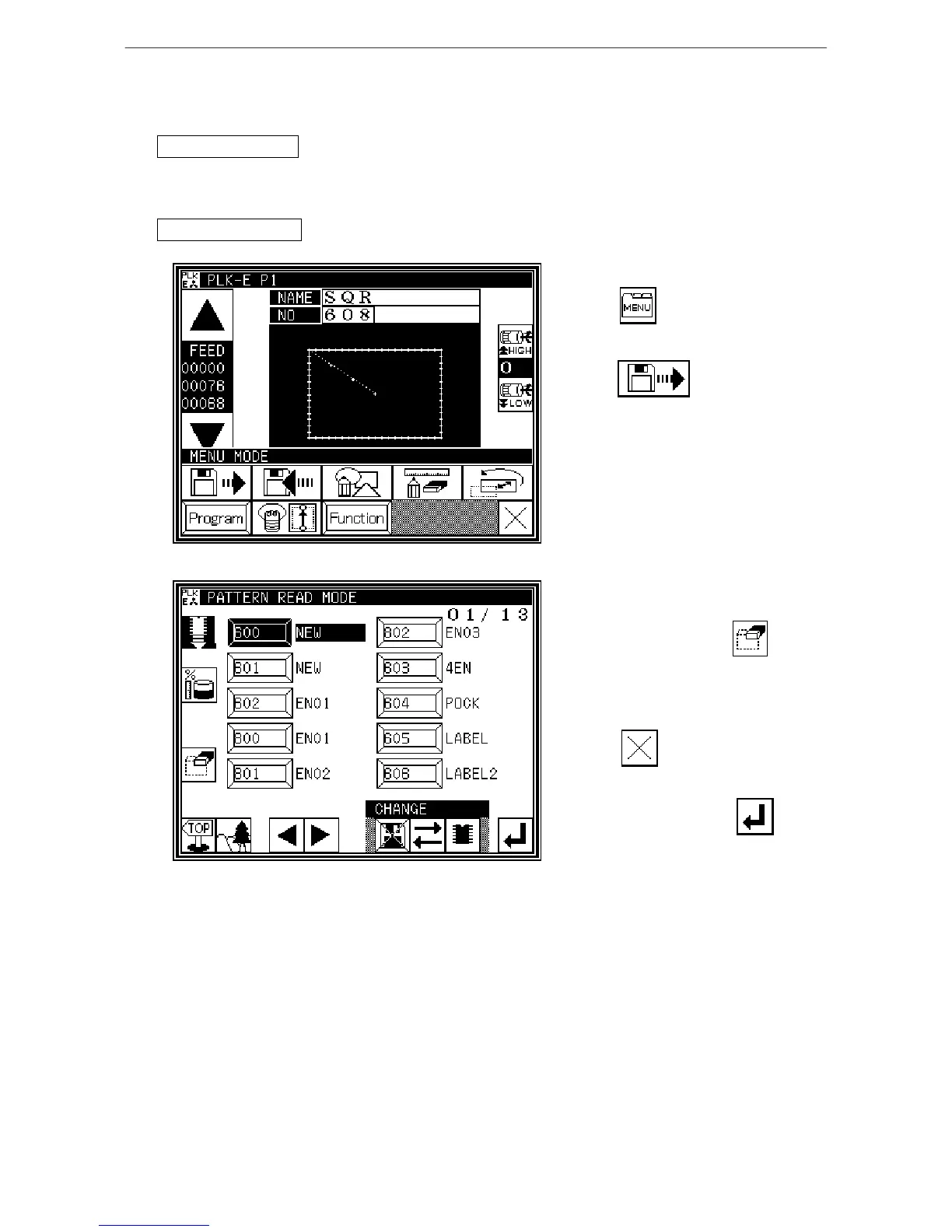
* Select Read from the menu.
* Select the data, and start erasing.
Operation details
1. Selecting data erase
* Press on the Standard
screen, and open the Menu mode.
* Press
2. Selecting and erasing data
* Press (select) the number of the data
to be erased, and press
* A message confirming the erasing will
appear.
To cancel the erasing process,
press . The data will not be
erased, and the Read screen will
reappear.
To erase the data, press .
After a message indicating the erasing
in progress appears, the Standard
screen will reappear.
[Memo] Data currently being used (data
displayed on the Standard
screen) cannot be erased.



 To Next Page
 Loading...





