Explanations of basic screens, keys and operations
[3] Explanations of basic screens, keys and operations
Memo Please adjust the contrast of the panel at first. When the control box is
exchanged, it is necessary to readjust.(Refer to page [14]- 8 Function mode [Panel
related settings])
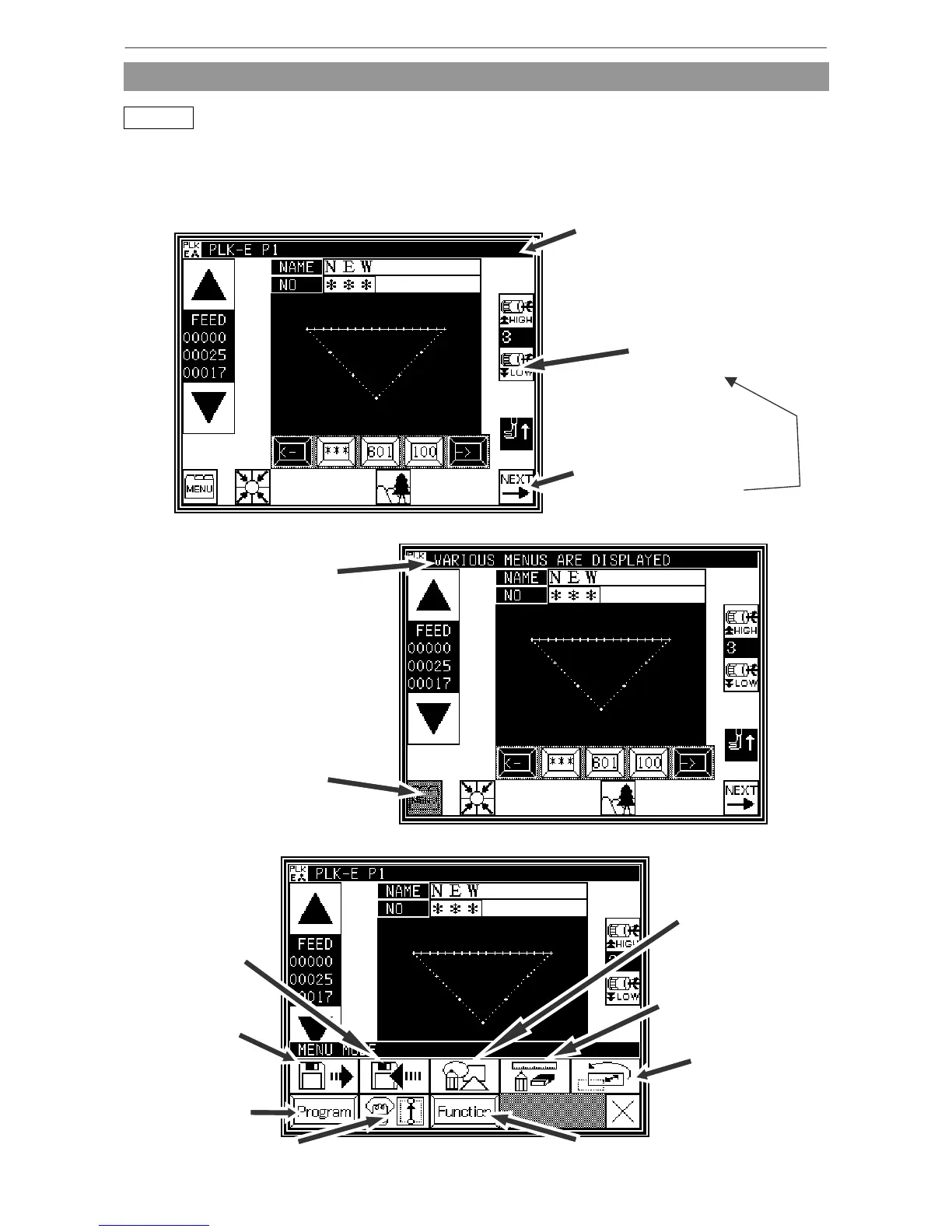
Screen configuration
* Sample screen 1 (Standard screen 1)
Most keys will execute the
operation when the finger is
released. (Keys such as those
above are the exception.)
Some keys will continue
execution while the key is
held down.
[Line at top of screen]
Normal: Index
(simple explanation of screen)
When any key is pressed:
The explanation for that key
will appear.
(Refer to sample screen 2.)
* Sample screen 2 (While menu key on Standard screen 1 is held down)
n explanation of the
key and various menu
will appear.
This key (menu key) is
pressed, so the key will be
highlighted.
* Sample screen 3 (When menu is opened on Standard screen 1)
Data conversion
mode
page[13]-1
Methods of creating
stitching data
page[9]-1
Modification
mode



 To Next Page
 Loading...





