Data conversion mode
(7)Back tacking(Overlap back tacking)
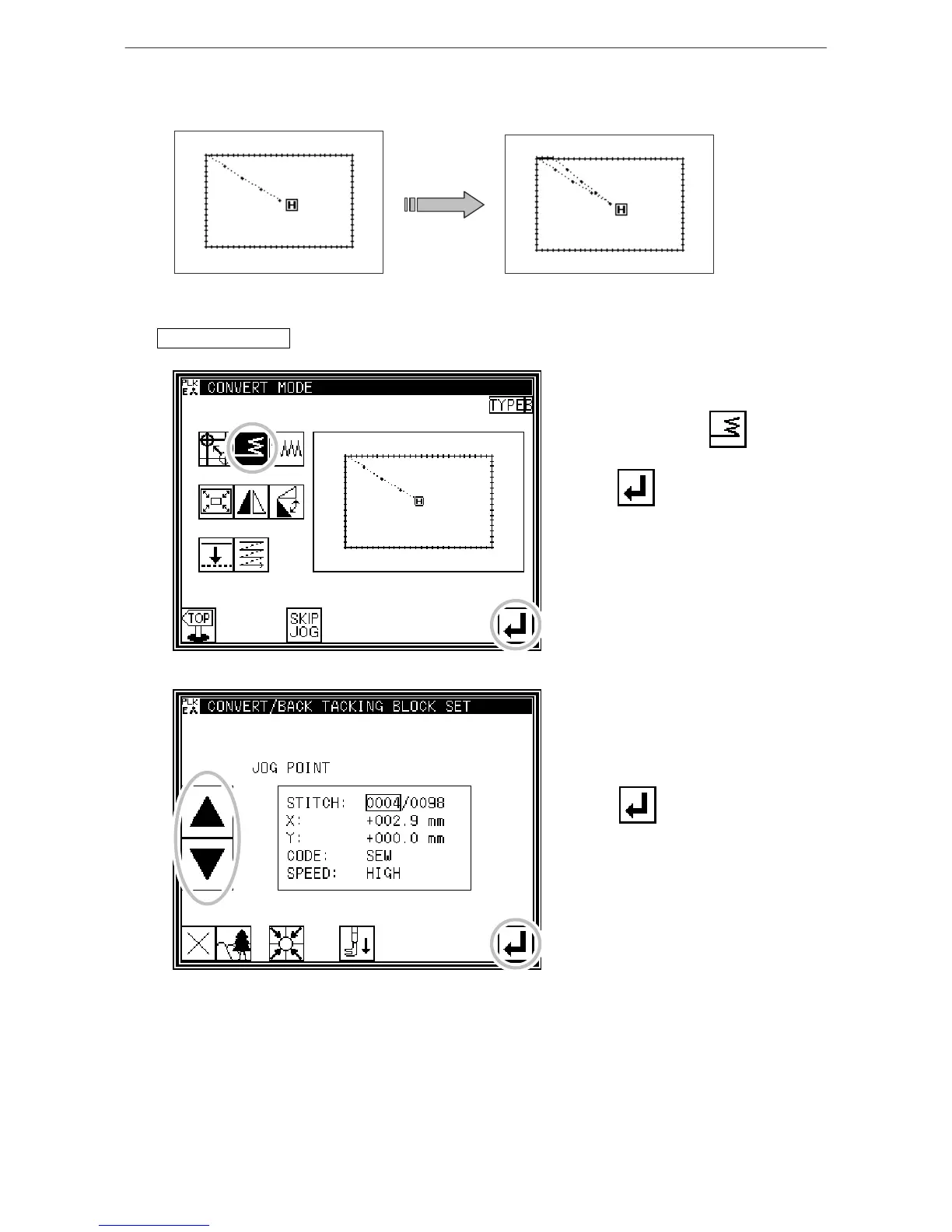
[Example] In the following type of stitching data, the overlap back tacking is converted
(added).
(The bold line indicates the back tacking)
Operation details
1. Selecting back tacking
* Enter the conversion mode.
* Press Back tacking .
* Press .
2. Setting the block for converting back tacking
*Using jogging, move to the block
where back tacking is to be
converted.
* Press .



 To Next Page
 Loading...





