EasyManua.ls Logo

Mitsubishi PLK-E Series - Modification Mode

Mitsubishi PLK-E Series
213 pages
Print Icon
To Next Page IconTo Next Page
To Previous Page IconTo Previous Page
Loading...
Modification mode
[12] Modification mode
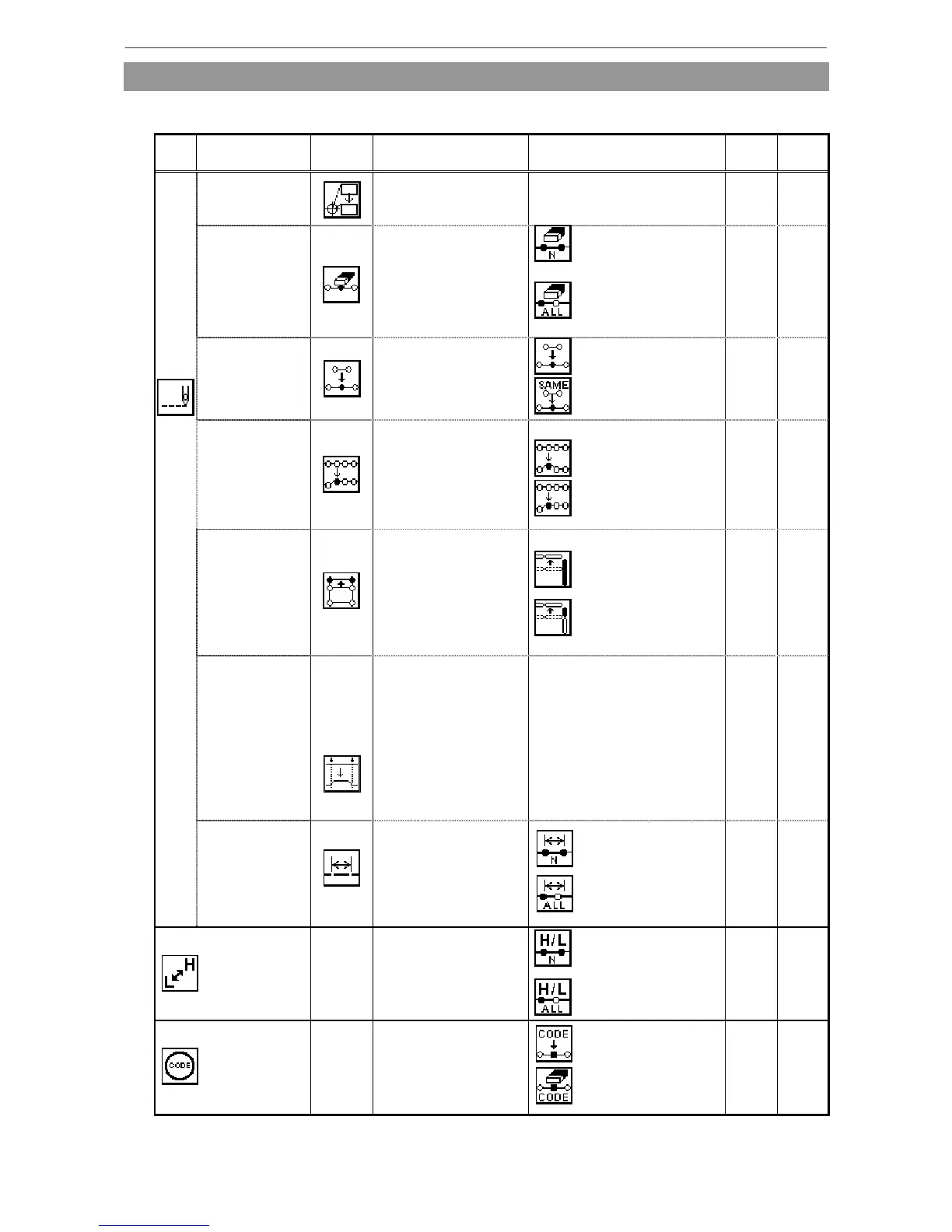
(1) Main modification mode functions
Function Key Details Details setting
B
data
BA
data
Movement to
stitching start
position
The stitching start
position moves.
−
○ ○
Delete
Deletes the
designated stitch.
Designated No. of Stitches
All After Designated Stitch
○ ○
Stitch addition
Data for one stitch is
added at designated
position
One Stitch Addition
Same Stitch Addition
○ ○
Stitch position
modification
The position of the
stitch is modified
<After modification position>
Fixed
Relative Movement
○ ○
Block
movement
Data in a designated
range is moved.
<Prior/Subsequent data>
Change
Add one stitch in
between
○ ×
Block
modification
The area between
two points to be
modified is modified
with linear, broken
line, arc, curve,
zigzag or feed data.
-
○ ○
Stitch
Stitch length
modification
The stitch length in
the designated range
is modified.
Designated distance
modification
All After Designated
Stitch
○ ×
Speed
−
The stitching speed
is modified from the
designated stitch.
Designated No. of
Stitches
All After Designated
Stitch
○ ○
Code
−
Code data is added
to or deleted from
designated stitch
position.
Add
Delete
○ ○
[12]-1

Table of Contents

Related product manuals